
Many people rely on their Midea dishwasher to handle daily kitchen cleanup. When the appliance suddenly stops working or displays error codes, it can be frustrating and confusing. A simple reset often solves the issue, but knowing how to perform the reset correctly—and understanding what happens when you do—is important. In this guide, you’ll learn how to reset your Midea dishwasher, why resets are sometimes necessary, and what to do if the problem persists. Whether your dishwasher is stuck mid-cycle, showing a mysterious error, or refusing to start, you’ll find step-by-step solutions here.
Why Resetting A Midea Dishwasher Is Sometimes Needed
Modern dishwashers are smart machines with advanced control boards and sensors. These systems make washing easier but can also cause trouble if something goes wrong. Here are some common reasons you might need to reset your Midea dishwasher:
- Error codes appear on the display.
- The dishwasher gets stuck during a cycle.
- The machine won’t start or respond to buttons.
- You notice unusual noises or water not draining.
- The door was opened during a cycle, and now it won’t resume.
Many problems are temporary glitches. Resetting the dishwasher is often the fastest way to clear errors and restore normal operation.
Understanding Midea Dishwasher Controls And Models
Midea dishwashers come in different models, from simple button-based controls to touch-sensitive panels. Knowing your model type can help you reset it correctly.
Main Types Of Midea Dishwasher Controls
- Mechanical buttons: Older or basic models use physical buttons for start, stop, and cycle selection.
- Touch controls: Newer dishwashers have digital screens and touch-sensitive icons.
- LED displays: Most show error codes or cycle status on a small screen.
Always check your user manual for details. If you don’t have the manual, the reset steps in this article cover the most common Midea designs.
Where To Find The Model Number
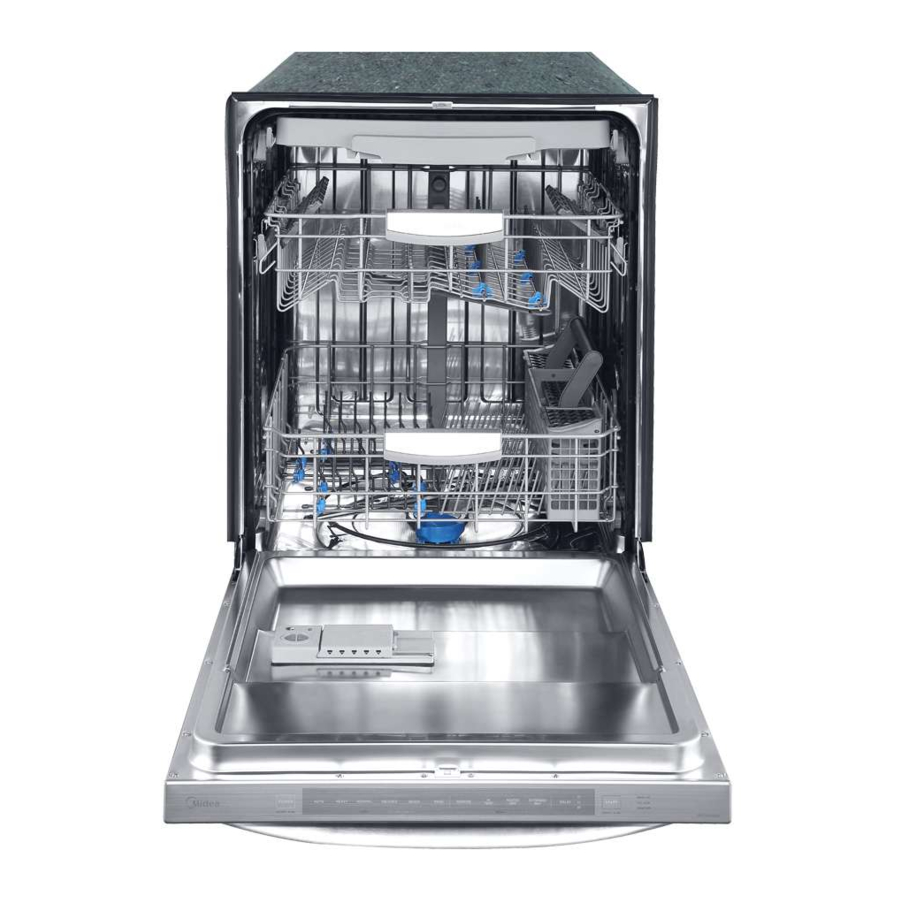
The model number is usually on the side of the door or the top edge, visible when the door is open. This number helps when searching for specific instructions or support.
Basic Reset Methods For Midea Dishwashers
Let’s go through the most reliable ways to reset your dishwasher. Each method is safe to use and does not harm the machine.
1. Soft Reset (control Panel Reset)
A soft reset is the easiest way to clear minor glitches.
Steps:
- Open the dishwasher door fully.
- Press and hold the Start/Pause button for 3–5 seconds.
- Wait for the control panel to beep or the lights to turn off and on.
- Close the door and run a new cycle.
This process clears most errors and restarts the control board.
2. Hard Reset (power Cycle)
If a soft reset does not work, perform a hard reset by cutting power to the dishwasher.
Steps:
- Turn off the dishwasher using the Power button (if available).
- Unplug the dishwasher from the wall socket. If you can’t reach the plug, turn off the breaker for the kitchen or dishwasher outlet.
- Wait at least 5 minutes. This allows the internal capacitors to discharge, clearing memory errors.
- Plug the machine back in or turn on the breaker.
- Power on the dishwasher and select a wash cycle.
A hard reset is especially useful for persistent errors or when the machine won’t respond to any buttons.
3. Factory Reset (return To Default Settings)
Some Midea models allow a full factory reset, which wipes all custom settings and returns the dishwasher to its original state.
Steps:
- Open the door and locate the Settings or Options button.
- Press and hold the Settings and Start/Pause buttons together for 5–10 seconds.
- Watch for all display lights to flash or the panel to beep twice.
- Release the buttons.
Not all models support this feature, so check your manual or try the above. This is sometimes called a “reset to defaults. ”
4. Error Code-specific Reset
If your dishwasher shows a specific error code (like E1, E4, F3, etc.), resetting may help, but you often need to fix the cause. For example, if the code means a water leak, solve the leak first, then reset.
Steps:
- Address the root cause (e.g., drain blockage, open door, water supply).
- Once fixed, perform a soft or hard reset.
- Start a test cycle to confirm the error is gone.
When To Reset Your Midea Dishwasher
Knowing when to reset can save you time and avoid unnecessary repairs. Here are the most common scenarios:
- After a power outage: Surges can confuse the control board.
- If the buttons stop working: A reset clears minor software crashes.
- When the dishwasher doesn’t drain: Reset after checking for clogs.
- After fixing an error code: Always reset to clear lingering messages.
- When cycles won’t start or finish: Resetting reboots the program.
Do not reset repeatedly if the same error keeps coming back. This could mean a real part needs repair.
Step-by-step Example: Resetting A Common Midea Model
Let’s look at a typical reset process for a popular Midea dishwasher model (like the WQP12 series):
- Open the door and locate the Start/Pause button.
- Press and hold Start/Pause for 5 seconds. The display will go blank, then light up again.
- Close the door. Wait for a beep.
- Choose a new cycle and press Start.
If the dishwasher still fails to operate, unplug for 5 minutes, then retry.
What To Do If Resetting Does Not Solve The Problem
Some issues need more than a reset. Here’s what to check next:
1. Check Door Latch
Dishwashers won’t run if the door isn’t tightly closed. Inspect the door latch for food debris or damage.
2. Inspect Water Supply
Confirm the water inlet valve is open and water is reaching the machine. Listen for filling sounds when you start a cycle.
3. Clean Filters And Drains
A clogged filter can stop cycles. Remove and clean the filter basket at the bottom of the tub.
4. Examine The Control Panel
If buttons are sticky or unresponsive, wipe the panel with a dry cloth. Avoid excess moisture.
5. Look For Error Codes
If an error code returns after a reset, consult your manual or search online for code meanings. Address the problem before resetting again.
Credit: www.manualslib.com
Common Error Codes And How To Clear Them
Error codes help you understand what’s wrong. Here are some frequent Midea dishwasher codes and their basic meanings:
| Error Code | Meaning | What to Do |
|---|---|---|
| E1 | Water inlet problem | Check water supply, hose, and valve. Reset after fixing. |
| E4 | Overflow/leak detected | Check for leaks, empty the machine, reset after drying. |
| F3 | Heater fault | Let the dishwasher cool, then reset. Call service if repeats. |
| F7 | Drain issue | Clean filter and drain hose. Reset to clear error. |
Resetting after repairs helps clear these codes, but always fix the cause first.
Advanced Troubleshooting: When A Reset Is Not Enough
Sometimes, even after multiple resets, your dishwasher may still not work. Here are deeper steps to try before calling for repairs.
Check Power Supply
Use a different appliance to test the outlet. If it does not work, your dishwasher isn’t getting power.
Test The Control Board
Control boards can fail after surges or old age. Signs include no lights, random beeping, or erratic cycles. If a reset does not help, a new board may be needed.
Inspect Wiring And Connections
Loose wires behind the dishwasher can cause problems. Turn off power, then check connectors are tight.
Examine Sensors
Many errors come from faulty door, water, or temperature sensors. If the same error returns after resetting, a sensor may need replacement.
Compare To Other Dishwasher Brands
How Does Midea’s Reset Process Compare To Others?
| Brand | Soft Reset Method | Hard Reset Method |
|---|---|---|
| Midea | Hold Start/Pause 3–5 sec | Unplug 5 min |
| Bosch | Hold Start for 3 sec | Unplug 10–15 min |
| Samsung | Hold Start for 5 sec | Unplug 5 min |
Midea’s reset is fast and similar to most brands, making it easy for users to remember.
How To Prevent Future Dishwasher Errors
Resetting is helpful, but it’s better to avoid problems in the first place. Here’s how to keep your Midea dishwasher running smoothly:
- Clean the filter every month. Food particles block water flow and cause errors.
- Check spray arms for clogs. Use a toothpick to clear small holes.
- Wipe the door seal with a damp cloth to prevent leaks.
- Run hot water in your sink before starting a cycle. This helps the dishwasher clean better and prevents heater errors.
- Use dishwasher cleaner every few months to remove limescale and grease.
- Don’t overload the racks. Crowded dishes stop water from reaching all surfaces.
- Use the right detergent. Only use products labeled for dishwashers.
- Inspect hoses yearly for cracks or leaks.
Most breakdowns happen from poor maintenance. Regular care means fewer resets and repairs.
Common Mistakes People Make When Resetting
Even simple resets can go wrong. Avoid these mistakes:
- Resetting without fixing the error cause: If you don’t address the real problem, the error will return.
- Not waiting long enough during a hard reset: Always leave the machine unplugged for at least 5 minutes.
- Forcing buttons: Press gently. Pushing too hard can damage the panel.
- Resetting too often: If you reset more than twice in a row, call for help.
Remember, a reset is for clearing glitches—not for ignoring real mechanical problems.

Credit: www.reddit.com
Signs Your Dishwasher Needs Professional Repair
If your dishwasher shows these signs after a reset, it’s time to call a technician:
- Repeated error codes that return after every reset.
- Water leaks from underneath, even after you’ve checked hoses and seals.
- No power at all, with a working outlet.
- Loud or unusual noises during operation.
- Burning smell from the control panel or wiring.
Professionals have special tools to test electronics and replace parts. Don’t risk further damage by trying to fix complex electrical faults yourself.
How To Find The Right Midea Dishwasher Parts
If you need to replace a part, always use genuine Midea parts. These fit perfectly and maintain your warranty. Here’s how to identify and buy the right part:
- Check your model number (inside the door).
- Search on the official Midea website or trusted appliance parts stores.
- Compare part numbers before buying.
- Ask for help from authorized service centers.
Do not buy generic or universal parts unless they are certified for Midea use.
Resetting Midea Dishwashers: The Science Behind It
Why does resetting clear so many problems? Dishwashers have tiny computers called microcontrollers. These run all the programs and remember your settings. Sometimes, a power spike, software glitch, or stuck button confuses the computer. Resetting wipes memory and starts fresh, just like restarting a smartphone or computer.
Some models have a small backup battery to save settings. A hard reset drains this battery, forcing the system to reload from scratch.
Real-life Example: Reset Success Story
Lina, a busy mother in Singapore, saw her Midea dishwasher stuck on E1 error. She checked the water hose and found it kinked behind the machine. After fixing the hose, she pressed Start/Pause for 5 seconds. The error disappeared, and the dishwasher worked perfectly. This shows how a simple reset, after fixing the problem, restores normal operation.
Credit: www.youtube.com
Comparing Midea Reset Methods: Simple Vs. Advanced
Let’s see a quick comparison of when to use each reset method.
| Reset Method | Best For | Time Needed | Success Rate |
|---|---|---|---|
| Soft Reset | Minor glitches, button errors | 1–2 minutes | High |
| Hard Reset | Persistent errors, no power | 5–10 minutes | Very High |
| Factory Reset | Settings problems, advanced errors | 2–3 minutes | Medium |
Soft resets are enough for most day-to-day problems. Hard resets are for stubborn issues.
Additional Tips For Safe And Effective Resets
- Always dry your hands before touching the control panel or plug.
- Remove dishes before unplugging, to avoid water leaks or half-cleaned loads.
- Wait for the beep or lights to confirm the reset worked.
- Keep your manual nearby for model-specific help.
Some Midea manuals are available online at the official Midea support page. If you need more details, check there or visit Wikipedia’s dishwasher entry for background information.
Frequently Asked Questions
How Often Should I Reset My Midea Dishwasher?
You should only reset the dishwasher when there is a clear error or the machine is unresponsive. Frequent resets are not normal and may indicate a deeper problem.
Will Resetting My Dishwasher Erase Custom Settings?
A soft or hard reset usually does not erase your favorite cycle settings. A factory reset will return all settings to original defaults.
What Should I Do If The Dishwasher Does Not Turn On After A Reset?
First, check the outlet and circuit breaker. Test the outlet with another device. If power is present but the dishwasher remains off, contact a service technician.
Can I Reset My Midea Dishwasher During A Cycle?
Yes, but the current wash program will stop. After resetting, you need to restart the cycle. Always wait for the motor to stop before unplugging for safety.
Does Resetting Fix All Problems?
No. Resetting clears most software and sensor errors, but not mechanical faults like broken pumps, heaters, or leaks. If the error returns, further repair is needed.
Resetting your Midea dishwasher can save time and money. By following the right method, fixing the root cause, and caring for your machine, you’ll enjoy years of reliable service. If problems persist, don’t hesitate to call a professional—sometimes a small repair now prevents bigger problems later.