
Many pool owners trust the Hayward Aqua Plus system for their saltwater pools. It’s a reliable system that keeps water clean and safe by converting salt into chlorine. But sometimes, the Hayward Aqua Plus shows “Not Reading Salt” or similar errors. When this happens, it can be confusing, especially if you’re not familiar with pool equipment. You might worry about water safety, pool damage, or expensive repairs.
This article will help you understand why your Hayward Aqua Plus is not reading salt correctly. We’ll explain how the system works, common causes for salt reading errors, and practical steps to fix them. By the end, you’ll know how to troubleshoot salt reading problems confidently, avoid mistakes, and keep your pool running smoothly.
Whether you’re a new pool owner or have years of experience, this guide will make the process simple and clear.
How The Hayward Aqua Plus Salt System Works
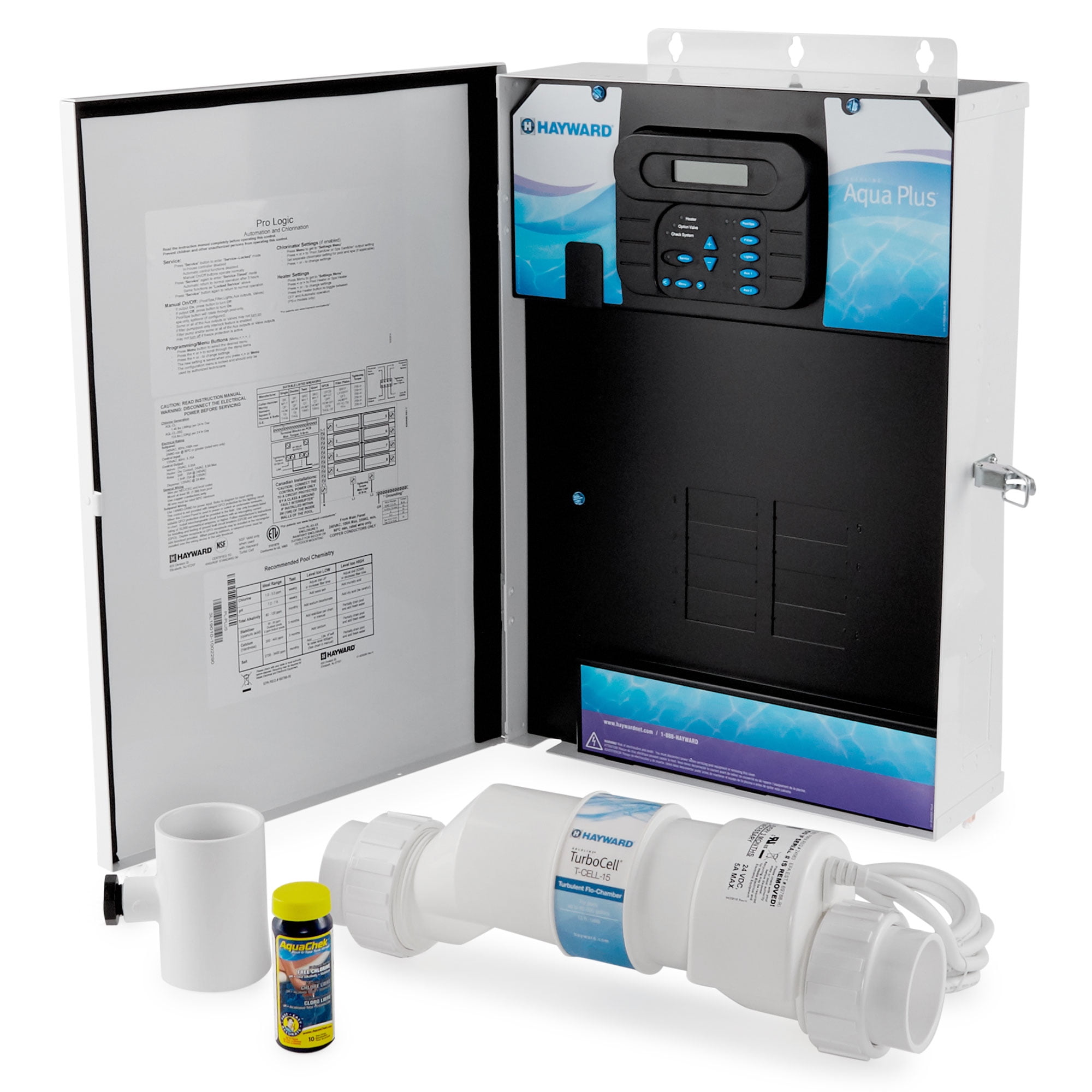
Before solving salt reading problems, it’s important to know how the system operates. The Hayward Aqua Plus is a chlorine generator that uses salt to produce chlorine for your pool. It works with a cell (also called a salt cell) and a control board.
Here’s a simple breakdown:
1. Salt Is Added To The Pool Water.
You pour special pool-grade salt directly into the pool. The salt dissolves and mixes with the water.
Non-obvious detail: Even if you add the right amount of salt, it’s crucial to let it dissolve completely. Sometimes, undissolved salt sits at the bottom and affects readings for days.
2. Water Passes Through The Salt Cell.
The pool’s pump moves water through the plumbing and into the salt cell. The salt cell is usually installed in the return line, after the filter and heater.
Example: If the pump is off, water won’t flow through the cell, and the system can’t make chlorine or check salt.
- The cell uses electricity to split salt (sodium chloride) into chlorine and other byproducts.
Inside the cell, small metal plates use a low electric current to change salt into chlorine gas. This gas quickly dissolves into the water, keeping it clean.
Tip: This process also creates tiny amounts of hydrogen and sodium hydroxide, which is why balancing pool chemistry is important.
- The control board monitors the salt level, water temperature, and cell performance.
The main control box is like a small computer. It takes readings from the salt cell and sensors, then shows you information on the display. It can also warn you if something is wrong.
5. The System Displays The Salt Level On Its Screen.
You can check the salt level and other data at any time. If the salt level drops outside the recommended range, the system may show a warning or stop making chlorine.
If the salt level is too low or too high, the system may stop producing chlorine. The “Not Reading Salt” error means the system cannot detect the correct salt level. This issue can lead to cloudy water, algae growth, or even pool damage.
Not fixing it quickly can result in water that’s unsafe for swimming or even cause corrosion to pool parts.
Non-obvious insight: Many people believe more salt means more chlorine, but the system only works within a narrow salt range. Too much or too little salt will both cause trouble.
Main Causes Of Hayward Aqua Plus Not Reading Salt
There are several reasons why the Aqua Plus might not read salt properly. Understanding these causes helps you troubleshoot faster and avoid unnecessary repairs.
1. Dirty Or Damaged Salt Cell
The salt cell is where salt turns into chlorine. Over time, minerals like calcium build up inside the cell, blocking its sensors. A dirty cell can’t measure salt correctly. If the cell is damaged or worn out, it won’t work at all.
Non-obvious insight: Many pool owners clean their salt cell only once a year. But in areas with hard water, you may need to clean it every 2–3 months.
Extra detail: Even a thin layer of scale on the cell’s metal plates can cause big problems. Sometimes, you might not see the buildup without looking closely. Small cracks or pitting on the cell can also affect readings, and these are easy to miss during a quick check.
2. Incorrect Salt Level In Pool
If there’s too little or too much salt in the water, the system can’t measure it accurately. The ideal salt level for Hayward Aqua Plus is usually 2,700–3,400 ppm (parts per million).
Example: You add salt based on your pool’s size but forget to mix it well. The system reads a low salt level because the salt hasn’t dissolved properly.
Extra explanation: If you recently drained and refilled your pool, the salt level might change more than you expect. Rainwater, splash-out, or backwashing the filter can also lower salt over time.
3. Faulty Salt Sensor
The sensor inside the salt cell or control board can fail over time. It may give false readings or stop working completely.
Non-obvious insight: Sensors can also be affected by water temperature. Cold water makes salt harder to detect, especially in spring or fall.
Extra detail: Some sensors get coated with oils from sunscreen or debris in the water. This thin layer can block the sensor and cause it to read incorrectly. Replacing a sensor is cheaper than replacing the whole cell, but you need to diagnose it correctly.
4. Control Board Problems
The control board is the “brain” of the system. If it has a software glitch or electrical fault, it may fail to read salt levels.
Extra explanation: Sometimes, power surges or lightning can damage the board’s circuits. Unstable voltage from the power supply can also cause strange errors or random resets.
5. Water Chemistry Issues
High calcium, metals, or other contaminants can interfere with salt measurement. If your pool water is not balanced, even a new salt cell may struggle.
Extra detail: Metals like copper or iron from old pipes or algaecides can stick to the cell plates, confusing the sensor. High phosphates and nitrates can also affect chlorine production, making salt readings seem off even when salt is at the right level.
6. Air Bubbles Or Poor Water Flow
Air bubbles inside the salt cell or low water flow can prevent the sensor from reading salt. This often happens if the pump is malfunctioning or filters are clogged.
More detail: Air can get trapped after cleaning the filter, or if there’s a small leak in the pump lid. Some pool designs make it easy for air to collect in the cell, so running the pump for a few minutes after cleaning can help remove bubbles.
7. Incorrect Pool Size Setting
If you set the wrong pool size on the control board, the system may miscalculate salt needs and readings.
Extra explanation: The system uses the pool size to estimate how much chlorine to make. If the volume is set too small, it may underproduce chlorine or show false low salt warnings.
8. Loose Or Damaged Electrical Connections
Wires and connectors can loosen or corrode, causing bad communication between the cell and board.
More detail: Even a small amount of corrosion on a connector can make the system act up. Pool equipment rooms are humid, which speeds up corrosion, especially if there are chemical fumes.
9. Recent Pool Repairs Or Upgrades
After changing pool equipment, pipes, or adding new features, the system may need recalibration.
Extra detail: If you replaced your filter, pump, or heater, tiny pieces of debris might get into the salt cell. Always check the system after any major work is done.
Step-by-step Troubleshooting Guide
If your Hayward Aqua Plus is not reading salt, you can solve most problems with careful troubleshooting. Here’s a clear process to follow:
1. Check Salt Level With Test Strips
Do not rely only on the display. Use salt test strips or a digital salt meter to measure the actual salt level in your pool. Compare this with the recommended range (2,700–3,400 ppm).
Extra tip: Take samples from different spots in the pool, especially after adding new salt. This helps spot areas where salt is not fully dissolved.
2. Inspect And Clean The Salt Cell
Turn off the system, remove the salt cell, and check for buildup. If you see white deposits (calcium), clean the cell with a solution of 1 part muriatic acid to 4 parts water. Never use metal tools or brushes.
- Soak the cell for 15–30 minutes.
- Rinse thoroughly before reinstalling.
Practical tip: Always wear gloves and eye protection when using acid. Rinse the cell with clean water before putting it back to avoid leaving acid residue.
3. Check Water Flow And Pump
Make sure the pump is running smoothly and that water flows strongly through the salt cell. Clean or replace filters if needed.
More detail: If you hear strange noises from the pump or see air bubbles in the return jets, check for leaks or blockages. Slow water flow is a common hidden cause of salt reading errors.
4. Review Control Board Display
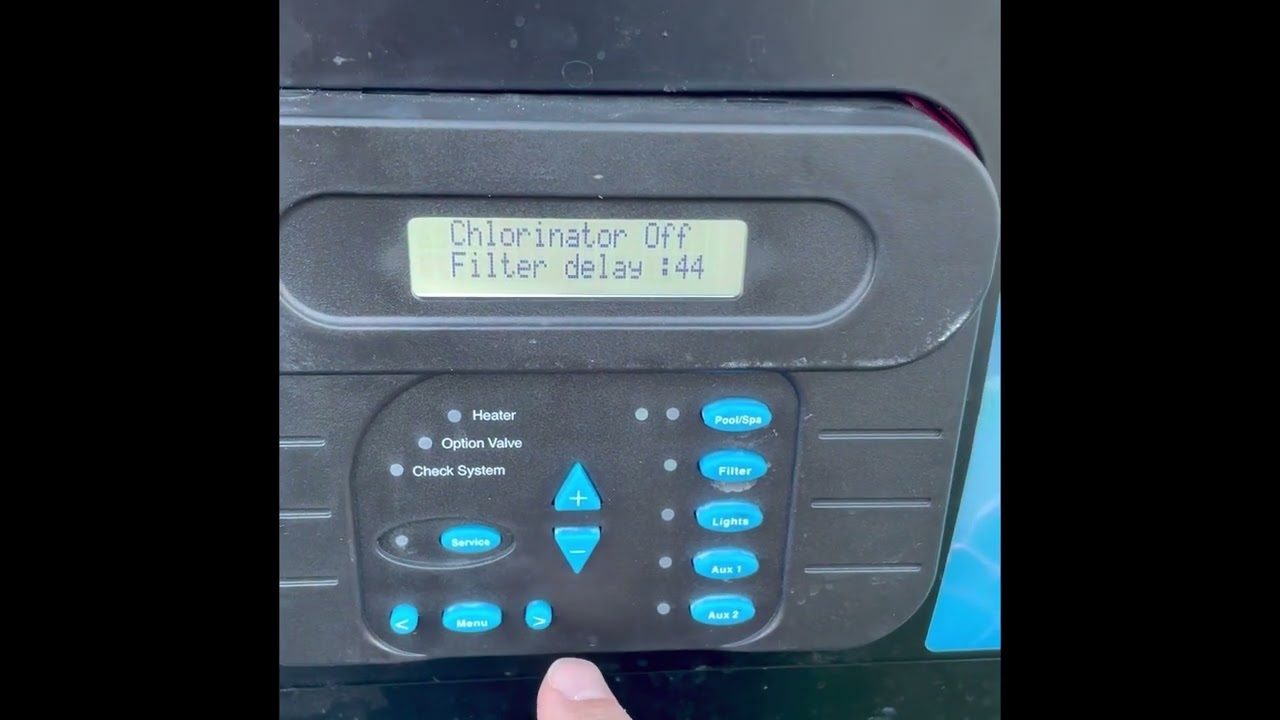
Look for error messages like “Low Salt,” “Check Cell,” or “No Flow. ” Write down the codes for reference.
Extra explanation: Some error codes are more urgent than others. The manual lists what each code means and the best action to take.
5. Inspect Electrical Connections
Check all wires and connectors between the salt cell and control board. Look for corrosion, loose plugs, or damaged wires.
Extra tip: Wiggle each connector gently to see if it’s loose. Use a small brush or electrical contact cleaner to remove corrosion.
6. Confirm Pool Size Setting
On the control board, check if your pool size matches the real volume. Adjust if necessary.
Practical tip: Double-check your pool’s dimensions. Many owners guess the size, but measuring the length, width, and average depth gives a more accurate figure.
7. Test Sensor Function
Some models allow you to test the sensor with built-in diagnostics. Consult your Hayward Aqua Plus manual for steps.
Example: The diagnostics menu can show cell voltage and current. If these numbers are far outside normal ranges, the cell or board may be faulty.
8. Check Water Temperature
If water temperature is below 60°F (16°C), salt readings may be unreliable. Wait for warmer weather or heat the pool if possible.
Extra detail: Some systems have a temperature sensor that can fail, giving false readings. If the display shows an unlikely water temperature (like 40°F in summer), check the sensor.
9. Balance Pool Chemistry
Test and adjust pH, alkalinity, calcium hardness, and stabilizer. Unbalanced water can confuse salt sensors.
Tip: Use a full test kit, not just strips, at least once a month.
10. Reset Or Recalibrate The System
Turn off the power for a few minutes, then restart. Some issues resolve after a simple reset.
More explanation: Some control boards have a menu option to recalibrate salt readings. Use this only after you are sure the salt level is correct.
11. Replace Faulty Parts
If the salt cell or sensor is old (usually 3–5 years), consider replacing it. Always use genuine Hayward parts.
Non-obvious advice: If you replace the cell and still see errors, the control board may also be failing. Replacing both at once can save time if both are old.
Comparing Salt Cell Lifespan And Replacement Costs
Many pool owners wonder how long a salt cell lasts and when to replace it. Here is a simple comparison:
| Salt Cell Model | Average Lifespan | Replacement Cost (USD) |
|---|---|---|
| Hayward T-Cell-15 | 3–5 years | $400–$700 |
| Hayward T-Cell-9 | 3–4 years | $350–$600 |
| Generic Salt Cell | 2–3 years | $250–$400 |
Tip: Regular cleaning and balanced water extend salt cell life. Using generic cells may save money but can lead to compatibility issues.
Extra insight: Some generic cells work well for a year or two, but they might not fit perfectly or report salt levels as accurately as the original Hayward parts. Always check the warranty before buying a replacement.
Credit: www.youtube.com
Common Mistakes When Troubleshooting
When fixing salt reading problems, many beginners make mistakes. Here are some to avoid:
- Ignoring the actual salt level: Always use test strips or a meter.
- Adding too much salt at once: This can damage the cell and make readings worse.
- Skipping cell cleaning: Even if the cell looks clean, hidden buildup can cause issues.
- Using wrong cleaning tools: Metal brushes can scratch and ruin the cell.
- Not checking water flow: A weak pump or clogged filter makes salt readings unreliable.
- Overlooking electrical connections: Corroded wires are a common cause of sensor failure.
- Forgetting to balance water chemistry: PH and calcium must be correct for the system to work.
Extra advice: Don’t reset the control board repeatedly without fixing the real problem. Resetting can clear error messages, but won’t solve the cause.
How To Add Salt Correctly
If your pool needs more salt, do it carefully. Too much salt can harm the system, while too little won’t sanitize the pool.
Steps:
- Test the current salt level with strips or a meter.
- Calculate how much salt is needed based on pool size and desired ppm.
- Use pool-grade salt (not table salt or rock salt).
- Spread salt evenly around the pool, never pile it in one spot.
- Run the pump for 24 hours to mix the salt thoroughly.
- Re-test salt level before turning on the salt system.
Example Calculation:
If your pool is 20,000 gallons and reads 2,000 ppm, but you want 3,200 ppm:
- Desired increase: 1,200 ppm
- Formula: (Pool gallons x desired increase) / 1,000 = pounds of salt needed
- (20,000 x 1,200) / 1,000 = 24 pounds of salt
Extra tip: If your pool has a deep end, use a pool brush to help move salt toward the main drain. This helps it dissolve faster.
Non-obvious mistake: Some owners add salt during heavy rain, thinking it will dissolve faster. Rain can dilute the salt and give false readings, so wait for dry weather.
Comparing Water Chemistry Factors That Affect Salt Readings
Water chemistry can change how well the Hayward Aqua Plus reads salt. Here’s a comparison of key factors:
| Factor | Ideal Range | Effect on Salt Reading |
|---|---|---|
| pH | 7.2–7.6 | High pH can cause cell scaling and false readings |
| Calcium Hardness | 200–400 ppm | High calcium forms deposits, blocking sensors |
| Stabilizer (Cyanuric Acid) | 30–50 ppm | Too high or low affects chlorine production and readings |
| Water Temperature | Above 60°F (16°C) | Cold water reduces salt sensor accuracy |
Tip: Test water chemistry every week during pool season.
Extra explanation: After big rainstorms or heavy pool use, always recheck the chemical balance. Swimmers can bring in lotions, sweat, and even small amounts of dirt that affect readings.
When To Call A Professional
Some salt reading problems are easy to fix, but others require expert help. Consider calling a pool technician if:
- You have repeated errors after cleaning and testing.
- Electrical connections are corroded or damaged.
- The control board shows strange codes or won’t reset.
- The salt cell is more than 5 years old.
- You notice water leaks or broken equipment.
A professional can diagnose deeper issues and replace parts safely.
Extra advice: If your pool water turns green or smells strongly of chlorine, stop using the pool and call for help. These are signs of bigger problems, not just salt reading errors.
Credit: www.walmart.com
Preventive Maintenance For Hayward Aqua Plus
To avoid salt reading errors in the future, follow a simple maintenance plan:
- Clean the salt cell every 2–3 months.
- Test salt level weekly with strips or a meter.
- Check water chemistry (pH, calcium, stabilizer) every week.
- Inspect water flow and pump monthly.
- Review electrical connections twice per season.
- Update control board software if available.
- Replace old parts before they fail.
Non-obvious tip: Keep a log of maintenance and errors. Patterns in the log can help you spot recurring problems early.
Extra tip: Store spare fuses and a small kit of basic tools near your pool equipment. Quick fixes are easier if you have what you need on hand.
Real-life Examples Of Salt Reading Problems
Example 1: “low Salt” Even After Adding Salt
A pool owner added 40 pounds of salt but still saw “Low Salt” on the display. After testing, the actual salt level was correct. The problem was a dirty salt cell. Cleaning the cell fixed the error.
Extra lesson: The owner learned to check the cell first before adding more salt, which saved money and prevented an accidental overdose.
Example 2: Cold Weather Confuses Sensor
In early spring, a pool’s salt reading dropped suddenly. Water temperature was below 60°F (16°C). The sensor worked fine after the water warmed up.
Additional note: The owner now waits until late spring to open the pool fully, avoiding early season errors.
Example 3: Wrong Pool Size Setting
A new Hayward Aqua Plus was set for a 10,000-gallon pool, but the real size was 25,000 gallons. The system kept showing salt errors. After updating the pool size in the menu, readings became accurate.
Extra detail: The owner had guessed the pool size. After measuring, they found it was much larger than they thought.
Example 4: Corroded Connector
A pool owner noticed the salt cell cable had green corrosion. After cleaning and tightening the connector, salt readings returned to normal.
Lesson learned: Regular visual checks of cables and plugs can prevent many electrical problems.
Upgrading Your Salt System
If your Hayward Aqua Plus is old or unreliable, upgrading can improve performance and reduce errors.
Benefits of upgrading:
- More accurate salt readings
- Longer cell lifespan
- Easier maintenance
- Better compatibility with smart pool controls
Considerations:
- Check compatibility with your pool size and existing equipment.
- Compare models for warranty, features, and price.
- Installation may require a professional.
Extra advice: Some new systems can connect to your smartphone or home WiFi, letting you check salt levels and change settings remotely. If you travel or have a vacation home, this can be a big advantage.
For more details on saltwater pool systems, visit the Hayward official website.
Frequently Asked Questions
Why Does My Hayward Aqua Plus Show “low Salt” After I Add Salt?
This often happens if the salt is not fully dissolved or if the salt cell is dirty. After adding salt, run the pump for 24 hours. Clean the salt cell and test the salt level again.
Extra tip: If you added salt in cold weather, it may take longer to dissolve. Use a brush to help.
Can Cold Water Cause Salt Reading Errors?
Yes, water below 60°F (16°C) can reduce sensor accuracy. Wait for warmer weather or heat the pool before troubleshooting.
How Often Should I Clean The Salt Cell?
Clean the cell every 2–3 months, especially in areas with hard water. Regular cleaning prevents buildup and false readings.
Extra note: If your pool has a heater, running it during cleaning season can help reduce calcium buildup.
What Is The Ideal Salt Level For Hayward Aqua Plus?
The ideal salt range is 2,700–3,400 ppm. Use test strips or a digital meter to check the actual level.
Should I Replace The Salt Cell Or Control Board First?
If the salt cell is older than 3–5 years, replace it first. If errors continue, check the control board and sensors next.
Bonus advice: Always keep receipts and records of when you install new parts. This helps with warranty claims and future troubleshooting.
Keeping your pool safe and clean is easier when you understand how the Hayward Aqua Plus works. By following the steps above, you can solve salt reading problems quickly. Regular maintenance and careful troubleshooting will save money and prevent bigger issues.
If you need help, don’t hesitate to call a professional. With the right approach, your saltwater pool will stay clear and healthy all season.

Credit: www.amazon.com