
Changing the temperature display on your Whirlpool oven from Celsius to Fahrenheit seems simple. But for many people, it can feel confusing or even stressful—especially if you’ve lost the manual or English is not your first language. You may have just moved to a new country, or perhaps you bought a second-hand oven that’s set to the wrong temperature scale.
Whatever your reason, getting the oven to show the temperature you understand is important for safe and successful cooking.
This guide is designed to help anyone—whether you are a beginner in the kitchen or someone who just wants clear, step-by-step instructions. You’ll learn how to change a Whirlpool oven to Fahrenheit, what to do if things go wrong, and how to avoid common mistakes.
Along the way, you’ll find practical advice, real examples, and answers to questions many users forget to ask. By the end, you’ll have the confidence to handle this task on any Whirlpool model, even if you don’t have the manual.
Why Whirlpool Ovens Use Different Temperature Scales
Whirlpool ovens are sold worldwide, so they support both Celsius and Fahrenheit. Most countries use Celsius, but in the United States, Fahrenheit is standard. When your oven is set to the wrong scale, recipes may fail or become unsafe. For example, 180°C equals 356°F. If you set your oven to 180°F instead of 180°C, your food will not cook properly.
Manufacturers set ovens to the local standard before shipping. But sometimes, the setting gets changed during cleaning, repairs, or moving homes. Knowing how to adjust the scale helps you avoid ruined meals and keeps cooking simple.
Understanding Your Whirlpool Oven Model
Before you start, it’s important to know your Whirlpool oven model. The process for changing the temperature scale can be slightly different depending on whether you have:
- Digital display ovens
- Manual knob ovens
- Smart ovens with touch screens
Look for a label inside the oven door or on the frame. The model number can help you find specific instructions online or in your manual. If you don’t know your model, don’t worry—this guide covers the most common types.
Main Control Types
| Type | How to Identify | Common Models |
|---|---|---|
| Digital Display | Buttons and a small screen | WFE525S0JS, WFE320M0JS |
| Manual Knob | Physical dials, no screen | WFC150M0JB, WFG320M0BS |
| Smart Touch | Large touch screen, Wi-Fi | WOS72EC0HS, WOS51EC0HS |
If your oven looks different from these, check your manual or search for instructions with your model number.
How To Change Whirlpool Oven To Fahrenheit: Step-by-step
Changing your oven’s temperature display usually takes just a few minutes. Follow the steps below based on your oven type.
For Digital Display Ovens
Most Whirlpool ovens with a digital display use button combinations to change settings. Here’s how:
- Locate the “Settings” or “Options” button.
- Usually on the front panel, sometimes marked with a wrench or gear symbol.
- Press and hold “Settings” or “Options.”
- Hold for 3–5 seconds until the menu appears.
- Look for “Temperature Unit” or “°C/°F” in the menu.
- Use the arrow or “+/-” buttons to scroll.
- Select “Fahrenheit (°F).”
- Press “Start” or “Enter” to confirm.
- Exit the menu.
- The display should now show temperatures in Fahrenheit.
Example:
On the Whirlpool WFE525S0JS, press and hold “Settings” for 3 seconds, use the arrow to select “Temperature Unit,” press “Start,” then choose “Fahrenheit. ”
For Manual Knob Ovens
Older ovens with only dials usually do not have an option to change the temperature scale. These models are set at the factory and often have only one scale printed on the dial. If you need Fahrenheit and your oven only shows Celsius, you may need to:
- Use a conversion chart (see below)
- Add Fahrenheit labels to the dial using stickers
- Buy a new dial from Whirlpool
Non-obvious insight: Many users do not realize that dials can sometimes be replaced or relabeled. Check with your local appliance store.
For Smart Ovens With Touch Screens
Smart Whirlpool ovens often have a more advanced menu system.
- Tap the “Menu” or “Settings” icon on the screen.
- Find “Units” or “Temperature Format.”
- This may be under “Preferences.”
- Select “Fahrenheit.”
- Tap “Save” or “Confirm.”
- Return to the main screen.
- All temperatures should now show in Fahrenheit.
Tip: Some smart ovens allow you to change this setting through a mobile app. Open the Whirlpool app, find your oven, go to “Settings,” and update the temperature unit.
Common Problems And Solutions
Even simple changes can sometimes go wrong. Here are problems you might see, and how to fix them.
The Menu Does Not Appear
- Possible cause: Wrong button combination or broken control panel.
- Solution: Check your manual for the exact sequence. Try unplugging the oven for one minute and plugging it back in. This resets the control board.
The Oven Switches Back To Celsius
- Possible cause: Power outage or software glitch.
- Solution: Re-enter the setting. If it keeps happening, the control board may need service.
No “temperature Unit” Option
- Possible cause: Older model or non-digital oven.
- Solution: Use a conversion chart or contact Whirlpool to ask about replacement dials.
Display Is Stuck Or Unresponsive
- Possible cause: Control lock is on.
- Solution: Look for a “Control Lock” button and hold it for 3–5 seconds to unlock.
Error Codes After Changing Settings
- Possible cause: Software bug or hardware fault.
- Solution: Note the error code and call Whirlpool support. You can find code explanations online or in your manual.
Non-obvious insight: If your oven is connected to Wi-Fi, try updating the software through the settings menu. This can fix hidden bugs.
Temperature Conversion: Celsius To Fahrenheit
If you cannot change the oven display, you’ll need to convert Celsius to Fahrenheit yourself. Here’s a quick formula:
Fahrenheit = (Celsius × 1.8) + 32
But this can be tricky while cooking. Use the chart below for common baking temperatures.
| Celsius (°C) | Fahrenheit (°F) | Common Uses |
|---|---|---|
| 100 | 212 | Boiling water, slow baking |
| 150 | 302 | Breads, casseroles |
| 180 | 356 | Cakes, cookies |
| 200 | 392 | Roasting meats |
| 220 | 428 | Pizza, quick browning |
Tip: Print this chart and tape it inside a cabinet door for quick reference.
Safety Tips When Changing Settings
Making changes to your oven settings is safe, but keep these tips in mind:
- Always change settings when the oven is off and cool.
- Never press random buttons while the oven is on.
- If you’re unsure, ask someone for help or call Whirlpool support.
- Write down the original settings before making changes, so you can go back if needed.
What To Do If You Lose The Manual
Many users lose their oven manual after moving homes. Don’t worry—most Whirlpool manuals are available online. Go to the Whirlpool official website, enter your model number, and download the PDF. If you don’t know your model, look for a sticker on the oven frame (usually behind the door).
If you can’t find the manual, try searching “[Your Model Number] + manual” on Google. Only download from trusted sites.
How To Check If The Change Was Successful
After changing the setting, you’ll want to make sure the display is now in Fahrenheit. Here’s how:
- Turn the oven on.
- Set the temperature to a common value, like 350.
- If the display shows 350, you’re in Fahrenheit. If it shows something like 180, you’re still in Celsius.
Using A Thermometer
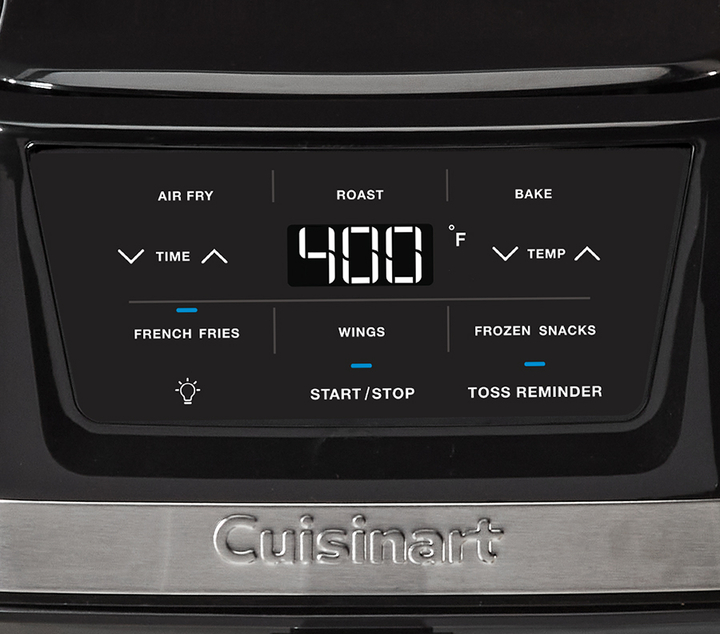
If you’re still not sure, use an oven thermometer. Set the oven to 350. After 15 minutes, check the thermometer. If it shows about 350°F (177°C), the oven is set correctly.
Credit: www.cuisinart.com
Why Accurate Temperature Is Important
Many recipes depend on precise oven temperature. Even small mistakes can ruin cakes, breads, or meat. If you bake a cake at 180°F instead of 180°C, it may never cook through. If you roast chicken at 400°C instead of 400°F, you risk burning it or starting a fire.
Professional chefs use thermometers to check oven accuracy, even after changing settings. This is a good habit for home cooks, too.
Comparing Whirlpool To Other Brands
You might wonder if other brands make this process easier or harder. Here’s a quick comparison:
| Brand | How to Change Scale | Common Problems |
|---|---|---|
| Whirlpool | Menu button, settings, or app | Missing option on old models |
| Samsung | Hold “Broil” and “1” buttons | Confusing button combos |
| LG | Settings menu or dial | Touch screens can freeze |
| GE | Press “Bake” and “Broil” together | Older models may not support |
Insight: Whirlpool’s menu-based approach is often easier for beginners than brands that require pressing several buttons at once.
Mistakes To Avoid When Changing To Fahrenheit
Many beginners make small errors that lead to big problems. Here are mistakes to watch out for:
- Not checking the display after changing settings. Always verify before cooking.
- Changing settings while oven is hot. Wait until the oven is cool.
- Pressing the wrong buttons. Follow instructions carefully.
- Assuming all models are the same. Some require different steps.
- Forgetting to save changes. Some models need you to press “Start” or “Save.”
- Thinking dials can be switched easily. Physical dials often need replacement, not just changing the display.
- Not updating the mobile app. If you use a smart oven, always check for software updates.
When To Call A Professional
If you try all the steps and the oven still won’t change to Fahrenheit, it may be time to call for help. Here are signs you need a technician:
- The display is blank or shows error codes.
- The oven changes settings by itself.
- Buttons or touch screens don’t work.
- The temperature is far off, even after changing the scale.
Call Whirlpool customer service or a licensed appliance technician. Trying to fix electrical problems yourself can be dangerous.

Credit: www.youtube.com
Extra Tips For International Users
If you bought your oven in another country, it may default to Celsius. Some imported models may not allow you to switch to Fahrenheit. Before buying an oven, check with the seller if the scale can be changed.
If you live in a place where recipes use both scales, print a conversion chart and keep it in your kitchen. This helps avoid confusion.
Example:
Maria, who moved from Mexico to the US, bought a Whirlpool oven from a local store. She found the temperature was in Celsius. After following these steps, she switched to Fahrenheit and now bakes American recipes confidently.
Using The Whirlpool Mobile App
Some modern Whirlpool ovens connect to your phone. Here’s how to change the temperature unit with the app:
- Open the Whirlpool app.
- Tap your oven under “My Appliances.”
- Go to “Settings.”
- Find “Temperature Unit.”
- Choose “Fahrenheit.”
- The oven will update automatically.
Tip: Make sure your phone and oven are connected to the same Wi-Fi network.
Keeping Your Settings Safe
After you change the temperature scale, protect your settings:
- Avoid unplugging the oven often, as this can reset settings on some models.
- If there’s a power outage, check your settings when the oven comes back on.
- Write down your settings in a notebook as a backup.
Finding Help Online
If you’re stuck, the Whirlpool official support page has videos and guides. You can also find advice on forums or YouTube, but always double-check instructions. Some videos may show older models.
For official information, see the Whirlpool Manuals Library.
Cleaning Up After Changing Settings
Sometimes, changing settings can confuse other parts of the oven, like the clock or timer. After switching to Fahrenheit:
- Check if the clock is correct.
- Test the timer.
- Make sure any pre-set cooking programs still work.
If something is wrong, reset the oven by unplugging it for 1–2 minutes, then plug it in again.
Frequently Asked Questions
Why Won’t My Whirlpool Oven Let Me Change To Fahrenheit?
Some older or basic models do not support changing the temperature scale. Check your manual or look for a “Temperature Unit” setting. If it’s missing, you may need to use a conversion chart or contact Whirlpool for options.
Will Changing To Fahrenheit Affect My Cooking Programs?
Most built-in programs adjust automatically to the new scale. However, double-check pre-set recipes or programs after changing the setting, especially for baking or broiling.
How Do I Know My Oven Is Really Set To Fahrenheit?
Set the oven to a common temperature like 350. If the display shows 350, you’re using Fahrenheit. You can also use an oven thermometer to confirm.
Can I Switch Back To Celsius If I Move?
Yes, you can change back any time using the same steps. It’s safe to switch as often as needed.
Is It Safe To Change The Temperature Unit Myself?
Yes, as long as you follow the steps with the oven off and cool. If you’re unsure or have lost the manual, ask for help or call Whirlpool support.
Changing your Whirlpool oven to Fahrenheit is a simple but important step for safe and successful cooking. Whether your oven is new, old, or smart, following the right method will help you avoid ruined meals and confusion. Take your time, confirm your settings, and enjoy cooking with confidence.
If you ever need more help, Whirlpool support and online manuals are just a click away.

Credit: manuals.plus