
Many people find themselves staring at their new LG dishwasher, wondering how to get started. It looks modern and promising, but all those buttons and lights might feel confusing at first. You might worry about making a mistake, damaging the appliance, or not cleaning your dishes properly. The good news? Starting an LG dishwasher is much simpler than it seems, once you know the steps and understand a few important details.
This article is a friendly, practical guide for anyone who wants to use their LG dishwasher for the first time—or needs a refresher on the right way to start each wash. Whether you just installed your machine or you’re helping a friend, you’ll find clear instructions, helpful tables, and real examples.
You’ll also learn about common mistakes, different cycle options, and tips for spotless dishes every time. By the end, you’ll feel confident to press “Start” and let your LG dishwasher do the hard work.
Understanding Your Lg Dishwasher
Before you use your LG dishwasher, take a moment to look at its parts and control panel. Knowing what each part does will help you avoid problems and get the best results.
Main Parts You Should Know
- Control Panel: Where you choose cycles, options, and see alerts.
- Detergent Dispenser: The small door where you add dishwashing soap.
- Racks: Usually two or three, for arranging dishes, glasses, and utensils.
- Spray Arms: Move water around for cleaning.
- Filter: Traps food and debris, needs regular cleaning.
- Rinse Aid Dispenser: Helps dishes dry without spots.
- Heating Element: Dries dishes (in some models).
Types Of Lg Dishwasher Models
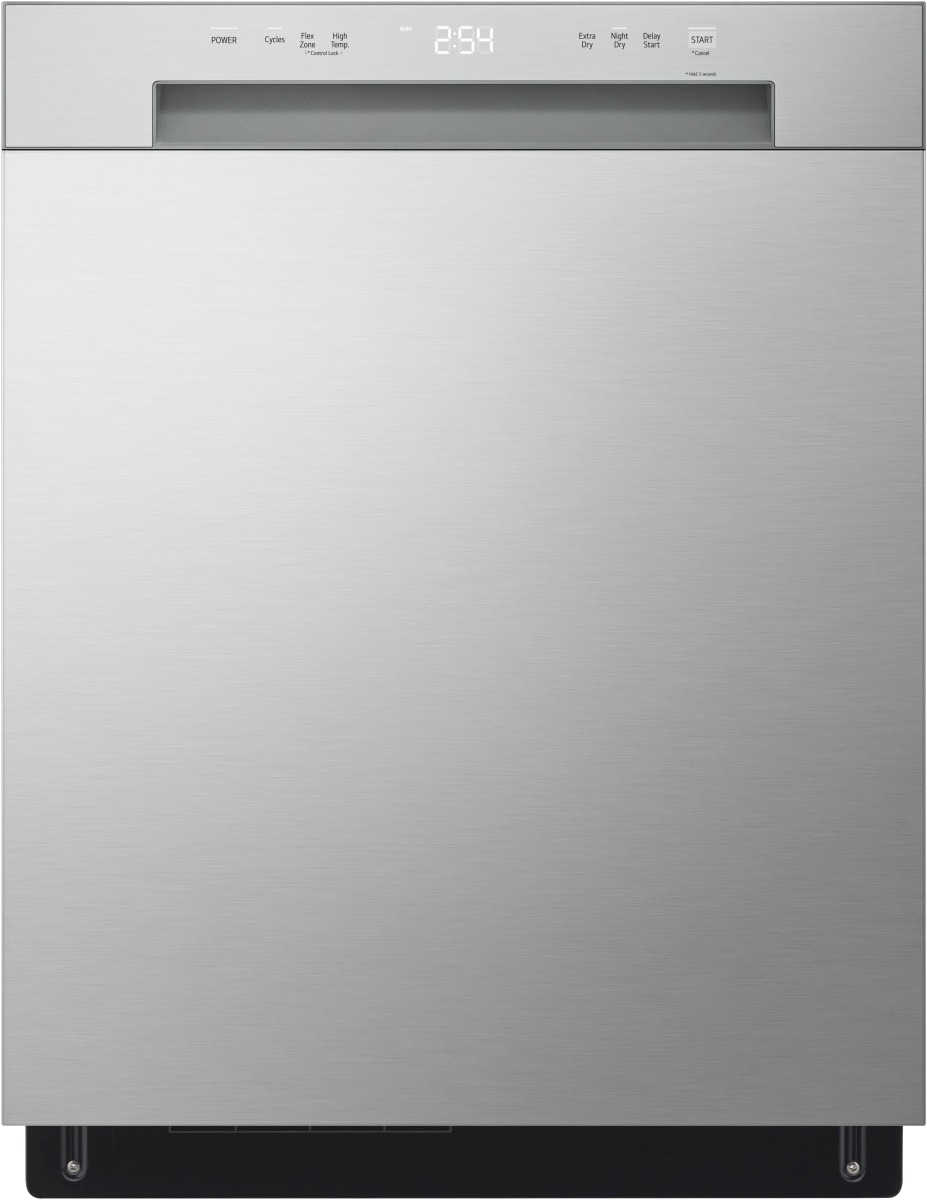
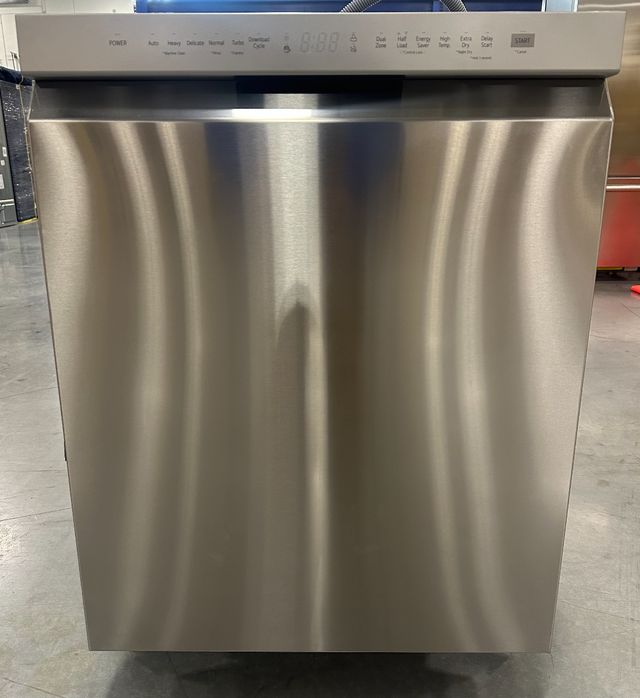
LG offers several types of dishwashers, such as built-in, top-control, and front-control models. While the basics are similar, control panel layouts can vary. Always check your user manual for model-specific information.
Here is a quick comparison of LG dishwasher types:
| Model Type | Control Location | Typical Features |
|---|---|---|
| Top Control | Hidden on door top edge | Sleek look, child lock, more cycles |
| Front Control | Visible on front door | Easy access, basic to advanced cycles |
| Smart Models | Top or Front | Wi-Fi, app control, diagnostics |
Preparing Your Dishes For Best Results
Starting your LG dishwasher the right way means loading your dishes correctly. This step is often skipped, but it’s key to clean dishes.
Loading The Dishwasher
- Scrape off food: Remove large pieces, but no need to rinse completely.
- Place plates and bowls: In the bottom rack, facing the spray arms.
- Put glasses and cups: In the top rack, upside down.
- Utensils: Mix knives, forks, and spoons in the basket, handles down for better cleaning.
- Avoid blocking spray arms: Make sure nothing is sticking out and stopping them from spinning.
- Separate items: Don’t let things nest together or block the detergent dispenser.
Non-obvious tip: Place plastic items on the top rack to avoid melting, since the bottom is hotter.
What Not To Wash
Some items don’t belong in your LG dishwasher:
- Wooden utensils: Can warp and crack.
- Non-stick pans: May lose their coating.
- Crystal and hand-painted dishes: Can get damaged.
- Copper, brass, or cast iron: May discolor or rust.
Beginner mistake: Washing sharp knives in the dishwasher can dull the blades and damage racks.
Credit: www.yaleappliance.com
Adding Detergent And Rinse Aid
Getting sparkling dishes starts with the right detergent and rinse aid.
Choosing The Right Detergent
LG recommends using a high-quality dishwasher detergent—either powder, gel, or pods. Never use regular dish soap; it creates too many suds and can cause leaks.
Powder: Good for hard water, but measure carefully.
Gel: Easy to use, but can leave residue if overused.
Pods: Convenient and pre-measured, but more expensive.
How Much Detergent?
- For a full load: Fill the main detergent cup to the line (usually 1-2 tablespoons).
- For a small or lightly soiled load: Use less (about 1 tablespoon).
- Hard water: Use a bit more detergent.
- Soft water: Use less, or you’ll get residue.
Using Rinse Aid
Rinse aid helps dishes dry faster and prevents water spots. Most LG dishwashers have a rinse aid dispenser next to the detergent cup.
- Fill until the indicator shows “full.”
- Refill about once a month or when the light comes on.
Non-obvious insight: If you see cloudy glasses after washing, you probably need more rinse aid or less detergent.
Selecting The Right Wash Cycle
LG dishwashers offer several cycles. Choosing the right one saves water, energy, and time.
Common Wash Cycles
| Cycle Name | Typical Use | Time (Approx.) | Water Temp |
|---|---|---|---|
| Auto | Mixed loads, normal soil | 2-3 hours | 120-140°F |
| Normal | Everyday dishes | 2-2.5 hours | 120-140°F |
| Heavy | Pots, pans, baked-on food | 2.5-3.5 hours | 140°F |
| Quick | Lightly soiled, small load | 1 hour | 120°F |
| Delicate | Glassware, lightly soiled | 1.5-2 hours | Lower temp |
| Rinse Only | No detergent, just rinse | 10-15 min | Room temp |
How To Pick The Best Cycle
- Auto or Normal: For most loads.
- Heavy: For pots and stuck-on food.
- Quick: When you need clean dishes fast.
- Delicate: For glass and fragile items.
- Rinse Only: If you’re not running a full load yet.
Practical tip: Don’t always use “Heavy”—it uses more water and energy and isn’t needed for most loads.
Setting Options And Special Features
Many LG dishwashers come with extra options to help you customize each wash. These can make a big difference in how clean and dry your dishes get.
Popular Options Explained
- Extra Dry: Raises drying power for plastics and hard-to-dry items.
- High Temp: Uses hotter water for better cleaning.
- Half Load: Uses less water and energy for smaller loads (choose top or bottom rack).
- Delay Start: Set the wash to begin in a few hours.
- Sanitize: Kills more germs with higher temperatures.
- Child Lock: Prevents kids from changing settings during a cycle.
Using Smart Features
Some LG dishwashers have Wi-Fi and connect to the LG ThinQ app. With the app, you can:
- Start or stop cycles remotely.
- Download custom cycles.
- Get maintenance alerts and error codes.
Beginner mistake: Forgetting to enable Wi-Fi on the dishwasher before trying to use the app.
Step-by-step: How To Start Your Lg Dishwasher
Now, let’s walk through starting your LG dishwasher from beginning to end:
- Open the door and pull out the racks.
- Load dishes properly (see above).
- Check the spray arms to ensure they spin freely.
- Add dishwasher detergent to the main cup. Close the dispenser lid.
- Fill rinse aid if needed.
- Close the door firmly until you hear a click.
- Turn on the power by pressing the Power button. Most LG dishwashers have a touch-sensitive or physical button.
- Select your desired cycle using the control panel. The selected cycle light will appear.
- Choose options (e.g., Extra Dry, Delay Start) as needed by pressing the option buttons.
- Press Start. Some models require you to press and hold Start for 3 seconds.
- Wait for the chime or indicator light to show the cycle has begun. The door must be fully closed for operation.
What To Do If The Dishwasher Won’t Start
If your dishwasher doesn’t start, check these common issues:
- Door not fully closed: Push firmly.
- Child lock is on: Hold the Child Lock button for 3 seconds to turn off.
- Power supply issue: Check outlet and breaker.
- Cycle not selected: Ensure a cycle and options are chosen.
- Error code on display: Refer to your manual or the LG ThinQ app.
Non-obvious insight: If the Start button blinks but nothing happens, the door is not latched or the water supply is off.
Drying And Unloading Your Dishes
When the cycle finishes, you’ll hear a chime or see an “End” light. For best results:
- Wait 10-20 minutes before unloading. This lets dishes cool and dry better.
- Open the door slightly to let steam escape.
- Unload bottom rack first to avoid drips from the top.
Practical tip: If dishes are still wet, try adding more rinse aid or use the Extra Dry option next time.
Routine Maintenance For Smooth Operation
Regular care keeps your LG dishwasher cleaning well for years.
Cleaning The Filter
The filter traps food and should be cleaned every 2-4 weeks.
- Pull out the bottom rack.
- Twist and remove the filter cover (usually at the bottom center).
- Rinse under running water. Use a soft brush if needed.
- Reinstall and lock the filter.
Beginner mistake: Forgetting the filter leads to odors and poor cleaning.
Cleaning Spray Arms
Food bits can clog spray arm holes.
- Remove spray arms (see manual).
- Rinse under water and use a toothpick to clear holes.
- Reinstall arms.
Wiping The Door And Seals
Every few weeks, wipe the door edges and rubber seals with a damp cloth.
Practical tip: Leave the door open after each wash for 15 minutes to prevent odors.
Troubleshooting Common Problems
Even with the best care, you might run into issues. Here’s how to solve the most common ones.
Dishwasher Doesn’t Start
- Check for power, closed door, and selected cycle.
- If you see error codes like OE (drain error) or IE (water fill error), look up solutions in the manual or LG’s website.
Dishes Not Clean
- Check for overloading or blocked spray arms.
- Make sure you’re using enough detergent.
- Clean the filter.
- Run the “Heavy” or “High Temp” cycle for stubborn residue.
White Spots Or Cloudy Glasses
- Increase rinse aid.
- Use less detergent if water is soft.
Dishwasher Is Noisy
- Dishes might be touching spray arms.
- Remove large food pieces before loading.
Water Not Draining
- Clean the filter and check for kinks in the drain hose.
- Look for error code OE.
Non-obvious tip: Hard water can cause more spots and film—try a dishwasher cleaning product monthly.
Energy And Water Saving Tips
LG dishwashers are designed to be efficient, but you can save more with smart habits.
- Run full loads only—don’t wash just a few items.
- Use Eco or Auto cycles for most loads; they adjust water and energy use.
- Skip pre-rinsing—modern dishwashers clean well without it.
- Wash at night if you have time-of-use electricity rates.
Here’s a table showing how cycle choice affects energy and water use:
| Cycle | Average Water (Gallons) | Average Energy (kWh) |
|---|---|---|
| Auto | 3.5-4.5 | 1.0-1.2 |
| Heavy | 4.5-6.0 | 1.5-1.8 |
| Quick | 2.5-3.0 | 0.7-0.9 |
| Eco | 3.0-3.5 | 0.8-1.0 |
Practical tip: An “Eco” cycle may take longer but uses less energy and water overall.
Safety Tips When Using Your Lg Dishwasher
Dishwashers are safe, but a few simple habits protect you, your family, and your appliance.
- Keep detergents out of reach of children.
- Don’t touch the heating element after a cycle—it’s hot.
- Sharp knives should point down in the utensil basket.
- Check water temperature: Set your home water heater to 120°F for safe, effective washing.
- Use the Child Lock feature if you have small children.
Beginner mistake: Using too much detergent can cause leaks and poor cleaning.
Advanced Features On Smart Lg Dishwashers
If you have a newer, smart-enabled LG dishwasher, you can do even more:
Lg Thinq App
- Remote Start: Begin washing from your phone.
- Cycle Monitoring: See how much time is left.
- Download New Cycles: Like “Pots & Pans” or “Glassware.”
- Smart Diagnosis: Troubleshoot problems with the app.
Voice Control
Some models work with Google Assistant or Alexa. For example, you can say: “Start the dishwasher” or “How much time is left?”
Maintenance Alerts
Smart models can remind you to clean the filter, refill rinse aid, or check for leaks.
Non-obvious insight: If your dishwasher doesn’t connect to Wi-Fi, check that your home network is 2.4 GHz, as some models don’t support 5 GHz.

Credit: www.youtube.com
When To Call For Service
Most issues can be fixed at home, but some need a professional.
- Water leaking on the floor
- Repeated error codes
- Dishwasher won’t turn on even with power
- Unusual smells that won’t go away after cleaning
Call LG customer support or a certified repair technician. Don’t try to open the machine or fix wiring yourself.
If you want to read more about LG dishwashers, you can visit the official LG support page at LG Support.
Frequently Asked Questions
How Much Detergent Should I Use In My Lg Dishwasher?
For most loads, fill the main detergent cup to the line (about 1-2 tablespoons). Use less for soft water or light loads, and a bit more for hard water. Too much detergent can cause residue or leaks.
My Lg Dishwasher Won’t Start. What Should I Check First?
Make sure the door is fully closed and latched. Check the control panel for error codes. Ensure the Child Lock is off. Also, verify the power supply is working.
Can I Open The Dishwasher Mid-cycle To Add A Dish?
Yes, you can open the door during a cycle to add an item. The dishwasher will pause. Close the door firmly to resume. Be careful—hot steam may escape.
Why Are My Dishes Still Wet After The Cycle Ends?
Plastic items don’t dry as well as glass or metal. Use more rinse aid, select the Extra Dry or High Temp option, and open the door after the cycle to let steam out.
How Often Should I Clean The Filter In My Lg Dishwasher?
Clean the filter every 2-4 weeks, or more often if you use the dishwasher daily or notice odors and poor cleaning. Rinse under water and use a soft brush if needed.
Starting your LG dishwasher doesn’t have to be stressful. With these steps and tips, you’ll get clean dishes and avoid common problems. Modern LG dishwashers are designed to make life easier—let them do their job while you enjoy more free time.
If you ever run into trouble, your user manual and the LG Support website are always there to help. Happy dishwashing!
Credit: www.yaleappliance.com