
Setting the clock on your Haier microwave oven combo may seem like a small task, but it’s surprisingly important. The correct time ensures your preset cooking functions work as expected, helps you track cooking durations, and keeps your kitchen running smoothly.
Many users, especially those using a Haier microwave combo for the first time, find the clock-setting process confusing. This guide will walk you through everything you need to know, from understanding your model’s control panel to fixing common mistakes. You’ll also discover practical tips and insights that most manuals skip.
Why Setting The Clock Matters
Many people overlook the importance of the microwave clock. However, this small display is more than just a timer. It controls preset features like delayed cooking, ensures your food cooks at the right time, and can even help save energy by powering down after periods of inactivity. If the clock is wrong, your meal may not be ready when you expect, and certain automatic programs may not function correctly.
Beyond convenience, a properly set clock helps with kitchen safety. For example, defrosting food for the correct amount of time reduces the risk of uneven cooking or bacteria growth. It also prevents confusion when multiple people share the kitchen.
Understanding Your Haier Microwave Oven Combo
Haier offers several microwave oven combo models, each with slightly different controls. However, most share a common approach to clock setting. Before starting, locate the model number on your appliance—usually inside the door or on the back panel. Knowing your model helps you follow the correct steps and find the right buttons.
Main Types Of Control Panels
Haier microwave oven combos typically use one of these panel types:
- Touchpad controls – Flat, digital buttons. Most newer models use these.
- Mechanical dials – Simple rotary knobs. Less common on combos, but still found in some basic models.
- Hybrid panels – A mix of touchpads and dials.
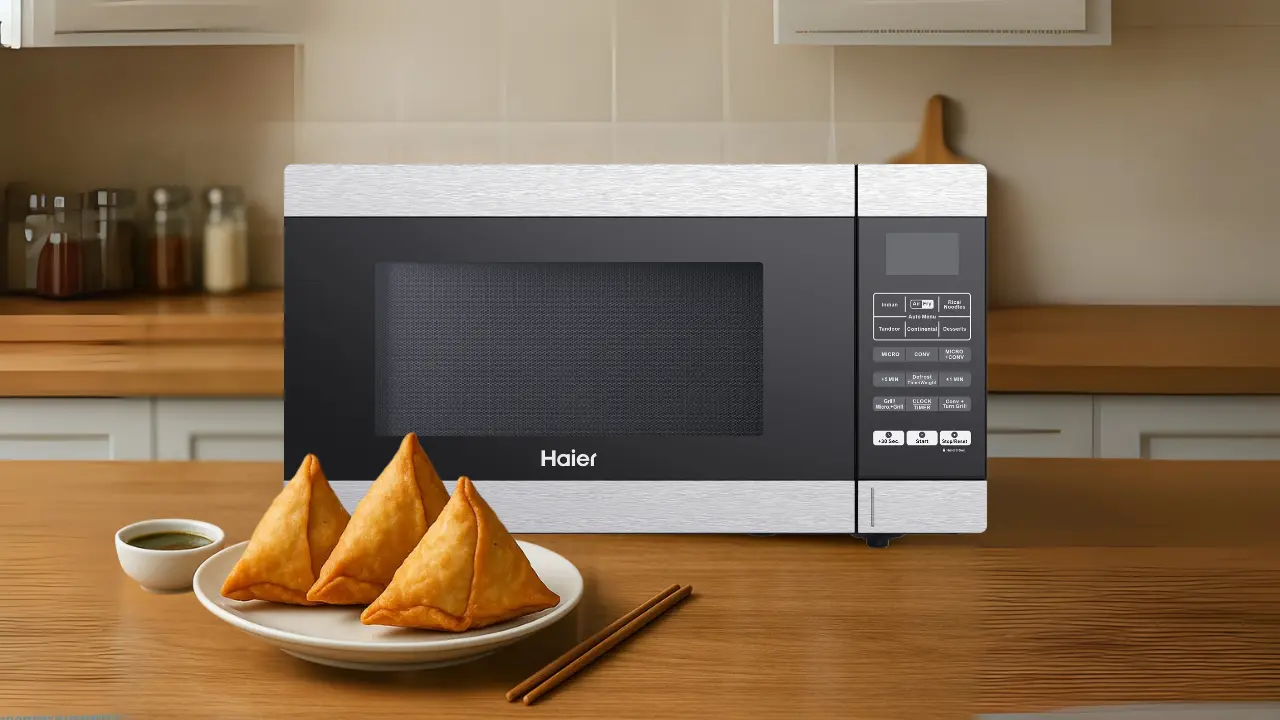
Understanding your control panel’s layout is the first step. The clock button may be labeled as “Clock,” “Set Clock,” or show a clock icon. On some models, you may need to use the Stop/Cancel button or a function key to access the clock settings.
Preparing To Set The Clock
Before you start, make sure your microwave is:
- Plugged in and powered on.
- The display is not showing an error code.
- The door is securely closed.
- The panel is clean and dry.
Remove any objects blocking the control panel. If your microwave just lost power, the clock will likely be blinking or blank, signaling that it needs to be set.
Common Symbols And Labels
Here are some labels and symbols you may see:
- Clock or Set Clock
- A clock icon (🕒)
- “HR” and “MIN” for hour and minute settings
- “Start” or “Enter” to confirm
If you can’t find a labeled button, check your manual or look online for your specific model’s guide.
Step-by-step Guide: Setting The Clock
The process is simple, but small differences exist between models. These steps cover the most common Haier microwave oven combos with a touchpad.
- Press the Clock Button
- Find the button labeled “Clock” or with a clock symbol. Press it once. The display may blink or show “00: 00.”
- Enter the Time
- Use the number pad to enter the current time. For example, for 7: 30, press 7, 3, 0.
- Decide if your microwave uses a 12-hour or 24-hour format. Some models let you choose by pressing the clock button twice or holding it.
- Confirm the Time
- Press “Clock” again or “Start/Enter.” The numbers should stop blinking and stay solid.
- On a few models, you may need to press “Start” instead.
- Check the Display
- The correct time should now show on the display. If not, repeat the steps or check for errors.
Example: Setting 8:45 Am
- Press “Clock.”
- Enter “8,” “4,” “5.”
- Press “Clock” again.
- If the display shows “8: 45,” you are done.
For Models Without A Clock Button
Some Haier combos use the “Stop/Cancel” or “Kitchen Timer” button to access clock settings. Usually, you hold the button for 3-5 seconds until the display blinks, then enter the time as above.
Using Mechanical Dials
If your model has dials, turn the timer dial to “Clock Set” or the clock symbol, then rotate the hour and minute dials to the correct time. Push the dial in to confirm (on some models).
Troubleshooting Common Problems
Sometimes, the clock doesn’t set as expected. Here are solutions for typical issues.
Clock Won’t Set
- Check for child lock: Some models have a safety lock that disables the panel. Look for a lock symbol, or try holding the “Stop/Cancel” button for 3 seconds to unlock.
- Power interruptions: If your home has unstable power, the clock may reset often. Try plugging the microwave into a different outlet.
Wrong Time Displays
- Double-check if you entered AM or PM (on 12-hour models).
- If the time is off by an hour, your microwave may have a daylight saving feature. Adjust as needed.
Buttons Not Responding
- Unplug the microwave for 60 seconds, then plug back in to reset the control board.
- Clean the touchpad with a dry cloth—sticky fingers or dirt can cause issues.
Error Messages
- If you see “ERR” or another error, consult your manual. This may mean a hardware issue.
Special Features Related To The Clock
Haier microwave oven combos often use the clock for more than just displaying the time.
Delayed Start
Many models offer a delayed start feature. This lets you set food to begin cooking at a specific time. The clock must be correct for this to work. For example, you can prepare a dish in the morning and set it to start cooking before you arrive home.
Kitchen Timer
While separate from the clock, the kitchen timer function counts down cooking or preparation time. If the clock is not set, timer features may not function or could be inaccurate.
Power Save Mode
Some Haier models enter power-saving mode if the microwave is not used for several minutes. The display may dim or go blank, but the clock continues running in the background.
What To Do After Setting The Clock
Once your clock is set, take a moment to test a few features:
- Try the kitchen timer to ensure the display counts down correctly.
- Check preset cooking programs (like popcorn or reheat) to see if they reference the correct time.
- If your model has a delayed start, test it with a short delay to confirm the program starts on time.
Extra Tips For Accurate Timekeeping
- Set the clock to the nearest minute for better cooking accuracy.
- Check the time every few months, especially after a power outage.
- Keep your user manual handy—some models have unique quirks.
- If your model supports it, choose the 24-hour format to avoid AM/PM confusion.
Table: Common Haier Control Panel Symbols
If you’re unsure about your panel’s icons, this quick reference can help:
| Symbol | Meaning | Action |
|---|---|---|
| 🕒 | Clock | Press to set time |
| 🔒 | Child Lock | Hold to unlock/lock panel |
| ⏲️ | Timer | Set countdown timer |
| 🔁 | Repeat/Memory | Recall previous setting |
How To Switch Between 12-hour And 24-hour Formats
Many Haier microwave oven combos allow you to choose between 12-hour (AM/PM) and 24-hour (military) time. This is helpful if your household prefers one format over the other.
Steps To Change Time Format
- Hold the “Clock” button for 3-5 seconds until the display blinks.
- Some models switch formats automatically each time you hold the button.
- Enter the time in your preferred format.
- Confirm by pressing “Clock” or “Start.”
Not all models support this, so check your manual.
Table: Comparison Of Haier Microwave Clock Setting Vs. Other Brands
Understanding how Haier compares to other brands can help if you’re switching appliances.
| Brand | Clock Setting Method | Time Format Options | Typical Button Label |
|---|---|---|---|
| Haier | Press “Clock”, enter time, confirm | 12/24-hour (some models) | Clock, 🕒 |
| Panasonic | Press “Timer/Clock”, set, confirm | 12-hour only | Timer/Clock |
| Samsung | Hold “Clock”, set time, confirm | 12/24-hour | Clock |
| LG | Press “Clock”, set time, press “Start” | 12-hour only | Clock |
| Sharp | Press “Clock”, input, press “Clock” | 12-hour only | Clock |
When To Reset The Clock
You should reset the microwave clock in these situations:
- After a power outage: Most Haier microwaves lose the set time when unplugged.
- Daylight saving changes: Manually adjust forward or back one hour.
- Relocating the microwave: Moving to a new time zone or country.
- Noticing time drift: If the clock is several minutes off, reset it.

Credit: www.us-appliance.com
Common Mistakes To Avoid
Rushing the process can cause errors. Here are mistakes beginners often make:
- Not confirming the time: Always press the confirm button (usually “Clock” or “Start”) at the end.
- Using the wrong format: Check if your microwave needs 12-hour or 24-hour input.
- Skipping AM/PM selection: If your model requires it, don’t forget to set AM or PM.
- Setting the timer instead of the clock: These are different functions. Make sure you’re using the “Clock” option.
Table: Error Codes Related To Clock Setting
If you see a code on your display, this table may help:
| Error Code | Possible Cause | Solution |
|---|---|---|
| ERR | Incorrect input or button press | Repeat steps, clear panel |
| LOC | Child lock enabled | Hold “Stop/Cancel” to unlock |
| PF | Power failure | Reset clock, check power |
| NO | Clock not set | Set clock as described |
Advanced Clock Functions
Some high-end Haier models include advanced features:
- Automatic time sync: A few smart models can sync with your smartphone or Wi-Fi for accurate time.
- Multiple clocks: For households in different time zones or with shift workers.
- Sound alerts: Beeps or tones when the clock is set or needs resetting.
If your microwave supports these, refer to your model’s manual for details.
What If The Clock Keeps Resetting?
If your Haier microwave oven combo regularly loses the time, consider these causes:
- Unstable power source: Try a different outlet.
- Worn-out internal battery: Some models have a small battery for clock memory; it may need replacement.
- Software glitch: Unplug for 5 minutes, then reset.
- Electrical surges: Use a surge protector.
If problems continue, contact Haier customer support.
Credit: shop.haierindia.com
Tips For Households With Children
If your family includes young children, consider:
- Enabling child lock after setting the clock to prevent accidental changes.
- Placing the microwave at adult eye-level so small children can’t reach the controls.
- Explaining the clock’s importance to older kids who use the microwave.
Where To Find Model-specific Instructions
Not all Haier microwave oven combos are the same. For detailed, model-specific guides:
- Check the user manual—often found in a pouch on the back of the appliance.
- Visit the official Haier Support page for downloadable manuals.
- Search for your model number plus “clock setting” online for video tutorials.
Credit: www.nfm.com
Real-world Example: Setting The Clock After A Power Outage
Imagine your area has a short blackout. When the power returns, your Haier microwave’s display flashes “00:00.” Here’s what you do:
- Open the door to wake the panel (if needed).
- Press “Clock.” The display blinks.
- Enter the current time, for example, “6,” “5,” “0” for 6: 50.
- Press “Clock” again to confirm.
- The display now shows “6: 50.” You’re ready to cook!
Insight: Why Some Microwaves Lose Time Faster
Beginners may not realize that frequent power cycling (unplugging the microwave, using it with unstable voltage) can make the clock lose time or reset often. Using a surge protector and keeping the microwave plugged in helps maintain accurate time.
Another overlooked tip: microwaves near kitchen heat sources (like ovens) may have their internal electronics affected by temperature swings, which can impact the clock’s reliability.
Cleaning And Maintaining The Control Panel
To keep your clock and controls working well:
- Use a soft, dry cloth to clean the panel. Avoid wet wipes, which can seep into buttons.
- Do not use abrasive cleaners—they can wear off button labels.
- If buttons stick, gently press them several times to loosen.
When To Call For Professional Help
If you’ve tried all the steps and your clock still won’t set:
- The control board may need service.
- Contact Haier’s official support or a local appliance technician.
- Keep your model number and purchase information ready.
Frequently Asked Questions
How Do I Set The Clock If My Haier Microwave Has No “clock” Button?
Some models use a “Kitchen Timer” or “Stop/Cancel” button for clock settings. Hold the button for 3-5 seconds until the display blinks, then enter the time and confirm. If unsure, check your manual or look for a clock symbol.
My Microwave Clock Keeps Resetting. What Should I Do?
Frequent resets usually mean power issues, a loose plug, or a failing internal battery (if your model has one). Try a different outlet, use a surge protector, and reset the clock. If problems continue, contact customer support.
Can I Use The Microwave If The Clock Is Not Set?
Yes, you can still use basic cooking functions. However, preset programs, delayed start, and timers may not work correctly, and the display may show error messages until the clock is set.
Does The Clock Support Daylight Saving Time Automatically?
Most Haier microwave oven combos do not adjust for daylight saving automatically. You will need to set the clock forward or back by one hour manually when the time changes.
Where Can I Find A Manual For My Specific Haier Microwave Oven Combo?
Visit the official Haier Support website and enter your model number to download the correct manual. This ensures you get instructions that match your exact control panel and features.
Setting the clock on your Haier microwave oven combo is a simple but crucial step for smooth kitchen routines. Taking a few moments to get it right saves time, prevents cooking errors, and keeps your appliance working its best. With this guide, you’ll have the confidence to set, adjust, and troubleshoot your clock—so you can focus on enjoying great meals, not worrying about the time.