
Many pool owners enjoy the comfort of a warm swim, but frustration sets in quickly when a pool heater flashes an error code. The Bd code on Hayward heaters is one of the most common — and confusing — alerts you might see. If you own or service a Hayward pool heater, you need to understand what this code means, why it appears, and how to fix it. This guide will walk you through everything you need to know, from the technical reasons to practical troubleshooting steps. If you’ve been puzzled by the Bd code, you’re not alone—let’s break it down in simple, clear language.
Understanding The Bd Code On Hayward Heaters
When your Hayward heater displays the Bd code, it usually signals an issue with the control board or the communication between different electronic parts. The heater uses a digital display to help you understand what is wrong, but the codes are not always easy to interpret.
The Bd code stands for “Bypass Disabled,” but what does that mean for you? In most cases, it relates to a problem with the heater’s ignition control or the interface board. Sometimes, it can also mean a wiring or connection problem, where the main control board and the display board are not “talking” to each other correctly.
This error can prevent your heater from starting or running properly. While it’s not as dangerous as some error codes, ignoring it can lead to a long period without heat, especially when you need it most.
What Triggers The Bd Code?
There are a few main reasons why you might see the Bd code on your Hayward heater:
- Control Board Failure: If the main control board is not working, the heater’s parts can’t communicate. This is the most common trigger.
- Wiring or Connection Issues: Loose wires, corroded connectors, or damaged cables can break the flow of information.
- Faulty Display Interface: The interface board (where you change temperature and settings) may not send signals to the main board.
- Voltage Problems: If the heater is not getting the correct voltage, the control system may fail.
- Water Flow Issues: Sometimes, poor water flow can confuse the system, though this is less common with the Bd code.
- Software Glitches: Rare, but sometimes the system software needs a reset.
Not every heater will have the same cause. The age of your unit, the environment, and past repairs all play a role.

Credit: scuba-expeditions.com
How The Hayward Heater Control System Works
To fully understand the Bd code, it helps to know how your heater’s control system functions. Modern Hayward heaters have two main electronic boards:
- Main Control Board: This is the “brain” of the heater. It receives signals, checks safety switches, and tells the heater when to fire up.
- Display (Interface) Board: This part lets you change settings and view error codes.
These boards talk to each other through a set of wires and connectors. If one board fails or the connection is lost, the heater shows the Bd code to warn you.
Let’s see a simple comparison between the two key boards:
| Component | Main Control Board | Display Interface Board |
|---|---|---|
| Main Function | Controls all heater operations | User input and shows status |
| Location | Inside heater cabinet | Front panel |
| Common Failure Signs | Heater won’t start, error codes | Blank or unreadable display |
Understanding this relationship is key to troubleshooting the Bd code.
Symptoms That Accompany The Bd Code
When your Hayward heater shows the Bd code, you will likely notice several other symptoms:
- The heater does not turn on, or starts and stops quickly.
- The digital display might be blank, flickering, or show other error codes.
- You may hear a clicking or relay sound, but no ignition.
- The pool water stays cold despite the heater’s efforts.
Some users report that the code appears intermittently—it comes and goes. This usually means a loose connection or failing board, rather than a total failure.
Step-by-step Troubleshooting For The Bd Code
Fixing the Bd code may sound complex, but you can follow a clear process to find the cause. Here’s a practical, step-by-step approach:
1. Power Cycle The Heater
First, turn off power to the heater at the breaker. Wait 2–3 minutes, then restore power. This can clear a simple software glitch.
2. Inspect The Display Board
Check if the display board is showing any lights, text, or signs of damage. If the screen is blank or garbled, this board may be the problem.
3. Check Electrical Connections
Open the access panel (turn off power first!). Look for:
- Loose wires
- Burned or corroded connectors
- Signs of water damage
Firmly re-seat all connectors. If you spot corrosion, clean with a small wire brush or replace the affected parts.
4. Test Power Supply
Use a multimeter to check voltage at the heater’s terminal block. Your manual will list the correct voltage (often 120V or 240V). Low voltage can cause communication errors.
5. Examine The Control Board
Look for burned components, bulging capacitors, or cracked solder joints. If you see any of these, the board likely needs replacement.
6. Swap Display And Main Boards (if Possible)
If you have access to a similar heater, try swapping the display or main board to see if the problem moves. This is a technician’s trick to quickly isolate faulty parts.
7. Consult The Manual Or Contact Support
If you’re stuck, check your Hayward heater manual. Each model can have small differences. If you still can’t fix it, contact Hayward’s technical support. Be ready to give your model and serial number.
8. Replace Faulty Parts
Once you’ve found the faulty part, order a genuine replacement. Avoid used or off-brand parts—they can cause more problems.
When To Call A Professional
While some pool owners are comfortable with electrical troubleshooting, not everyone should open a heater. Call a licensed pool technician if:
- You’re not sure how to use a multimeter safely.
- There is water damage inside the heater.
- You have replaced parts but the code returns.
- You notice other error codes, like IF, SF, or AO.
A professional will also check for issues you might miss, such as a bad transformer or hidden wire breaks.
Preventing Future Bd Code Errors
Once you fix the Bd code, you want to prevent it from happening again. Here are some practical tips:
- Keep the Heater Dry: Water inside the cabinet causes electrical problems. Seal leaks and keep the heater covered during storms.
- Check Connections Annually: Before each season, tighten all wiring. Look for corrosion.
- Use Genuine Hayward Parts: Cheap parts may save money now but fail quickly.
- Monitor Voltage: Use a surge protector or voltage monitor to avoid power spikes.
- Schedule Professional Service: An annual checkup by a pool pro can spot hidden problems.
Remember, a little maintenance can prevent most Bd code issues.
Comparing Bd Code With Other Hayward Error Codes
The Bd code can be confusing, especially when compared to other Hayward heater codes. Here’s a simple side-by-side comparison:
| Error Code | Main Cause | How Serious? | DIY Possible? |
|---|---|---|---|
| Bd | Board communication failure | Medium | Sometimes |
| IF | Ignition failure | High | Rarely |
| LO | Low water flow | Medium | Often |
| AO | Air pressure switch issue | Medium | Sometimes |
The Bd code is less dangerous than ignition or gas-related errors but still needs attention.
Common Mistakes When Dealing With The Bd Code
Even experienced pool owners can make mistakes when fixing Bd code issues. Here are some traps to avoid:
- Ignoring the Code: Hoping it will go away can lead to more damage.
- Using Wrong Parts: Always use parts made for your exact model.
- Skipping Power Checks: Many people miss low voltage as a cause.
- Not Documenting Changes: Write down what you change or replace. This helps if you need a technician later.
- Forgetting to Turn Off Power: Always cut power before opening the heater.
If you avoid these errors, you’re already ahead of many DIYers.
Real-world Example: Bd Code Case Study
Let’s look at a real situation. A pool owner in Florida noticed their Hayward H400FDN heater was showing the Bd code and would not start. Here’s how they fixed it:
- Step 1: Turned off power, waited, and turned it back on—no change.
- Step 2: Checked display board; it was working.
- Step 3: Opened heater, found a loose wiring connector on the control board.
- Step 4: Re-seated all connectors, tightened screws.
- Step 5: Turned power on—the heater started, and the Bd code disappeared.
Insight: Many Bd code issues come from simple loose connections, especially after a storm or vibration.
How To Choose Replacement Parts For Bd Code Repairs
When the Bd code is caused by a bad board or connector, you’ll need to buy a replacement. Here’s how to get the right part:
- Know Your Model: Find your heater’s model and serial number.
- Buy from Trusted Dealers: Use Hayward’s official site or a certified pool supply store.
- Check Warranty: Newer heaters may have parts covered under warranty.
- Avoid Used Electronics: Used boards may have hidden damage.
Some online stores sell counterfeit or poor-quality parts. If a deal looks too good to be true, it often is.
The Cost Of Bd Code Repairs
Repair costs depend on the exact cause:
- Loose wire or connector: Usually free if you do it yourself.
- Display board replacement: $100–$300 for the part, plus labor.
- Main control board: $250–$500 for the part, plus $100–$200 labor.
- Professional service call: $100–$200, depending on location.
If your heater is more than 10 years old, compare repair costs with the price of a new unit. Sometimes, replacement makes more sense.
Advanced Troubleshooting For Persistent Bd Codes
If the Bd code returns even after replacing boards and checking connections, consider these advanced steps:
- Check for Power Surges: Use a surge protector or voltage logger to see if spikes are causing failures.
- Inspect for Rodent Damage: Mice or insects can chew wires inside the heater.
- Examine Software/Firmware: Some Hayward models allow firmware updates—ask a dealer.
- Test Each Safety Switch: A stuck safety switch can sometimes cause board errors.
If you’re not sure about these steps, a skilled technician is your best bet.
Hayward Bd Code: Myths Vs. Facts
There are several myths about the Bd code. Let’s separate fact from fiction:
- Myth: The Bd code always means the main board is dead.
- Fact: Many Bd codes are caused by loose wires or the display board.
- Myth: You must replace the whole heater.
- Fact: Most Bd code problems can be fixed with parts or wiring.
- Myth: Any electronic board will work.
- Fact: Hayward boards are model-specific.
- Myth: The Bd code is dangerous.
- Fact: It’s an inconvenience, not a safety hazard.
Knowing these truths will save you time and money.

Credit: www.troublefreepool.com
How Long Do Hayward Heater Boards Last?
On average, Hayward heater control boards last between 5–10 years, depending on:
- Climate: Wet or salty air shortens lifespan.
- Installation: Boards in covered locations last longer.
- Power quality: Heaters with stable voltage have fewer problems.
Some owners report 15+ years with no issues, especially with regular maintenance.
Should You Upgrade Or Repair After A Bd Code?
If your Hayward heater is older, you may wonder if it’s better to repair or upgrade. Consider:
- Heater Age: Over 12–15 years? Upgrade may be better.
- Repair Cost: If the repair is more than half the cost of a new heater, consider replacing.
- Heater Efficiency: Newer models are much more energy efficient.
- Warranty Status: If still under warranty, repair is usually best.
Ask a pool pro for a quote on both options before deciding.
Practical Tips For Long-term Hayward Heater Health
To avoid future Bd code headaches, follow these long-term tips:
- Install a Surge Protector: Protects boards from power spikes.
- Keep Heater Area Clean: Dirt and leaves can trap moisture.
- Check for Insects or Rodents: Seal gaps in the cabinet.
- Update Software: If your model allows, keep firmware current.
- Log All Repairs: Keep a notebook of repairs and parts for future reference.
These steps can double your heater’s lifespan and save you money.
Why Bd Code Issues Are Increasing
In recent years, more pool owners have reported Bd code problems. Why? There are two main reasons:
- More Electronics: New heaters use more digital parts, which can fail.
- Power Grid Fluctuations: Unstable voltage is more common, especially in hot climates.
If you live in an area with storms or frequent outages, protect your heater with a surge protector.
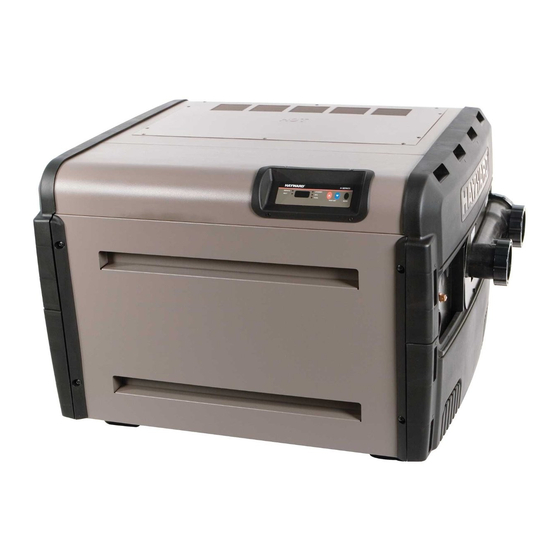
Credit: www.manualslib.com
Other Common Hayward Heater Problems
While the Bd code is common, you may also see other issues over time, such as:
- LO Code: Low water flow—check your filter and pump.
- IF Code: Ignition failure—often a gas or flame sensor problem.
- AO Code: Air pressure switch—can mean a clogged vent.
Each error has its own fix, but most start with checking power, connections, and regular maintenance.
For more detailed technical info, see the official Hayward Pool website.
Frequently Asked Questions
What Does The Bd Code Mean On A Hayward Heater?
The Bd code means there is a communication problem between the main control board and the display interface. It often points to a wiring issue, failed board, or power problem.
Can I Fix The Bd Code Myself?
Many pool owners can fix the Bd code by checking and tightening connections. If that doesn’t work, replacing the display or main control board may be needed. If you’re not comfortable with electrical work, call a professional.
How Much Does It Cost To Fix The Bd Code?
Simple fixes like tightening connections are free. Replacing a board may cost $100–$500 plus labor. A professional service call is usually $100–$200.
Will The Bd Code Cause Damage If Ignored?
The Bd code itself won’t damage your heater, but ignoring it means your heater will not work. Over time, loose connections can lead to bigger problems, so it’s best to fix it soon.
How Can I Prevent The Bd Code From Happening Again?
Keep your heater dry, check connections yearly, use genuine Hayward parts, and install a surge protector. Regular maintenance is the best way to avoid future problems.
A pool heater should be a source of comfort, not a headache. With the right information and a bit of care, you can solve the Bd code and enjoy warm water all season long.