
When you own a pool, you want it to be ready and safe every season. But many pool owners worry about winter damage, especially when temperatures drop unexpectedly. Pipes can freeze, pumps can break, and repairs can get expensive fast. That’s why Hayward Pro Logic freeze protection is important. This system doesn’t just keep your pool running smoothly; it also protects your investment from costly winter problems.
In this guide, you’ll learn exactly how Hayward Pro Logic freeze protection works, why it matters, and how it compares with other solutions. You’ll get clear explanations, real examples, and practical advice, even if you’re new to pool automation. Let’s dive into what makes this technology a must-have for pool owners who want peace of mind, no matter the season.
What Is Hayward Pro Logic Freeze Protection?
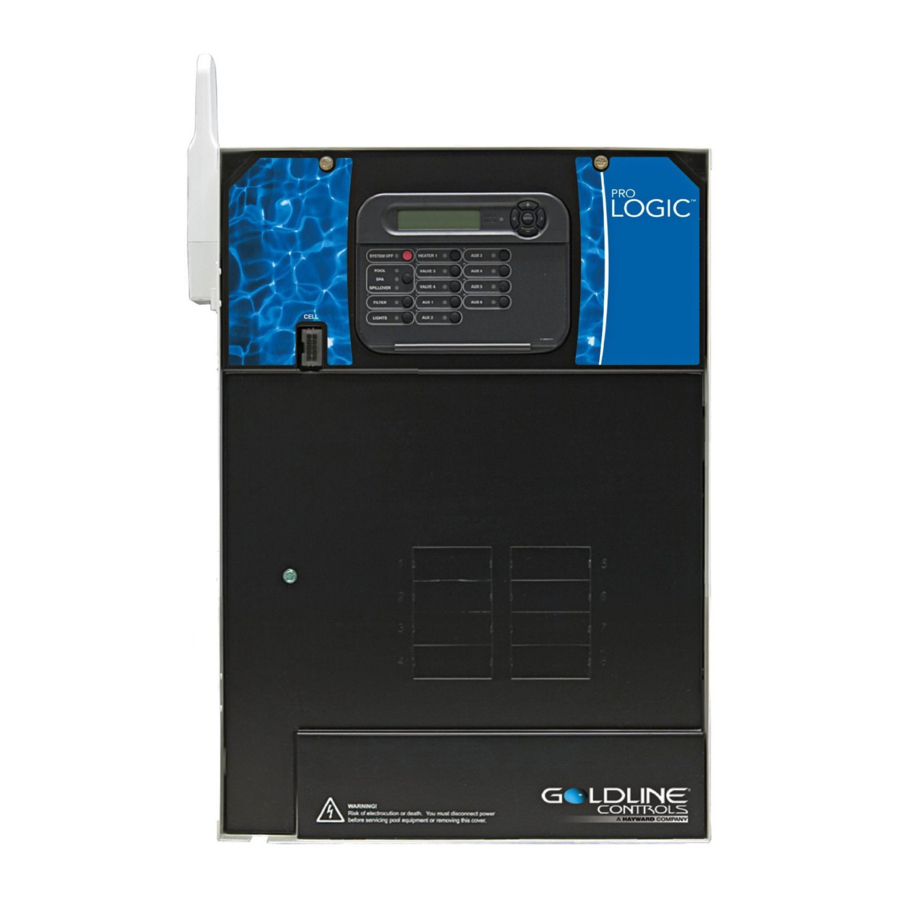
Hayward’s Pro Logic is a popular pool automation system. It lets you control pumps, heaters, lights, and more from one panel or even your phone. Freeze protection is one of its built-in safety features. When the temperature drops to a set point (usually around 38°F or 3°C), the system automatically turns on your pool pump and circulates water. This movement prevents water from freezing inside pipes and equipment.
Why is this important? Still water freezes faster. If water freezes in your pool lines or filter, it expands and can crack pipes, break pumps, or damage the filter. These repairs are not only expensive but can also delay your swimming season.
The Pro Logic’s freeze protection helps avoid these risks by acting automatically, even if you’re not home.
How Freeze Protection Works In The Pro Logic System
Hayward Pro Logic uses temperature sensors placed outside, near the pool equipment. When temperatures fall below your set threshold, the system will:
- Turn on the pool pump to keep water moving.
- Activate auxiliary equipment like waterfalls or spa jets if they’re connected.
- Notify you (if you have remote access) that freeze protection is active.
This process continues until the temperature rises above the threshold. The system then returns to its normal schedule or shuts off extra equipment.
Key Components Involved
- Temperature sensors: Detect outdoor air temperature.
- Control panel: Receives the sensor data and triggers actions.
- Relays: Switch power to pumps and other equipment.
- Mobile integration: Some setups allow you to get alerts on your phone.
Why Pool Freeze Protection Matters
Winter freeze damage is one of the most common and expensive pool problems. According to the Association of Pool & Spa Professionals, freeze damage can cost between $2,000 and $10,000 per incident, depending on the size of your pool and the extent of damage.
Insurance often doesn’t cover this, especially if the owner didn’t take preventive steps.
Hayward Pro Logic freeze protection helps in several ways:
- Prevents pipe bursts: Moving water is less likely to freeze and expand.
- Protects pumps and filters: Keeping water flowing stops damage to internal parts.
- Reduces repair bills: Automatic action means you don’t have to remember to turn on the pump.
- Peace of mind: Even if you’re traveling, your system protects the pool.
Setting Up Hayward Pro Logic Freeze Protection
Setting up freeze protection isn’t complicated, but it must be done correctly for full coverage. Here’s what you need to know:
Installation Steps
- Install the temperature sensor outside, near the pool equipment, but shielded from direct sunlight or artificial heat.
- Connect the sensor to the Pro Logic control panel following the manufacturer’s wiring guide.
- Check the pump and other equipment are linked to the Pro Logic through relays.
- Access the control panel menu and set the freeze protection temperature (default is usually 38°F, but you can adjust).
- Test the system by lowering the sensor temperature (use ice in a bag) and confirming the pump turns on.
Pro Tips
- Place the sensor where it will read the coldest air, not under a roof or near a heater vent.
- If you have water features or a spa, make sure these are also connected to the Pro Logic, so they get freeze protection.
- Regularly check the system before winter to ensure it works.

Credit: www.youtube.com
Customizing Freeze Protection Settings
Not every pool is the same. Hayward Pro Logic lets you adjust settings for your local climate and pool design.
- Temperature set point: You can set the activation temperature between 34°F to 42°F. In colder areas, keep it at the default or slightly higher.
- Which equipment activates: You can choose if only the main pump runs, or if waterfalls, booster pumps, or spa jets also turn on.
- Notification preferences: If you have a remote connection, set up alerts for when freeze protection is active or if there’s a system error.
Adjusting these settings gives you better control and saves energy when full freeze protection isn’t needed.
Comparing Hayward Pro Logic Freeze Protection To Other Systems
Many pool owners wonder how Pro Logic stands out compared to similar systems. Here’s a comparison of Hayward Pro Logic, Pentair IntelliTouch, and Jandy Aqualink.
| System | Freeze Protection | Mobile Alerts | Custom Settings | Ease of Use |
|---|---|---|---|---|
| Hayward Pro Logic | Yes | Yes (with app) | High | Simple |
| Pentair IntelliTouch | Yes | Yes (with ScreenLogic) | Medium | Moderate |
| Jandy Aqualink | Yes | Yes (with iAquaLink) | Medium | Moderate |
Hayward Pro Logic is known for its user-friendly interface and easy customization. While other systems offer similar freeze protection, Pro Logic’s settings and mobile access are often simpler to manage, especially for first-time users.

Credit: www.ebay.com
Common Mistakes When Using Freeze Protection
Even with a smart system, mistakes can happen. Here are some errors pool owners make, and how to avoid them:
- Sensor placement: If the sensor is in a warm spot, it may not detect freezing air, leaving the pool unprotected.
- Not testing before winter: Some people assume the system is working. Always test before the first cold snap.
- Ignoring power outages: Freeze protection needs electricity. If you lose power, the system can’t help. Consider a backup generator.
- Partial equipment coverage: If only the main pump is connected, other parts (like spa jets or waterfalls) can still freeze.
- Disabling the feature: Some users turn off freeze protection to save energy, but this risks damage.
Advanced Features Of Hayward Pro Logic Freeze Protection
Hayward Pro Logic isn’t just about turning on the pump. It offers advanced options for those who want more control and safety.
Mobile And Remote Management
With the Hayward OmniLogic app (when paired with the right hardware), you can:
- Get instant alerts when freeze protection activates.
- Change settings from anywhere.
- Monitor temperature trends and adjust set points.
This is helpful for people who travel or manage pools at vacation homes.
Integration With Other Smart Devices
Pro Logic can be connected to voice assistants like Alexa or Google Home (with extra modules). You can check the status or change settings with simple voice commands. This level of integration is rare in pool automation.
Energy Management
Running pumps in cold weather can use extra energy. Pro Logic allows you to set which devices run during freeze protection, so you only use what’s needed. For example, you can keep the main pump running but skip the waterfall, which may not need protection.
Data Logging
The system keeps a log of when freeze protection turned on/off. This helps identify patterns and can be useful for troubleshooting or showing your pool service company.
Real-world Benefits: Case Studies
Let’s look at how Hayward Pro Logic freeze protection has helped real pool owners.
Suburban Texas Pool
After the severe Texas freeze in 2021, one pool owner noticed neighbors had cracked pipes and broken pumps. Because their Pro Logic system kicked in automatically, their equipment stayed safe, saving them over $5,000 in repairs.
Northern California Pool
A family with a vacation home set up mobile alerts. When a surprise cold snap hit, they got a message that freeze protection was active. They were able to check everything remotely and avoided damage, even though they were 500 miles away.
Pool Service Business
A pool service company in the Midwest uses Pro Logic for dozens of clients. They get fewer emergency calls for freeze damage because the system is reliable and alerts both the owner and service team if there’s a problem.
Maintenance Tips For Optimal Freeze Protection
To keep your Hayward Pro Logic freeze protection working properly, follow these maintenance tips:
- Clean the temperature sensor each fall, removing any debris or spider webs that could block airflow.
- Check wiring connections for corrosion or wear.
- Test the system by manually lowering the temperature to trigger freeze mode.
- Update firmware if you use mobile features, so you get the latest bug fixes and enhancements.
- Review settings each season to make sure all equipment is covered.
Regular maintenance takes only a few minutes but can save thousands in repairs.
Freeze Protection For Different Pool Types
Not all pools are the same. Here’s how freeze protection works for different setups.
In-ground Pools
Most in-ground pools have complex plumbing and multiple features. It’s important that all pumps and valves are connected to the Pro Logic system. Freeze protection will circulate water through every line, not just the main pool.
Above-ground Pools
These pools often have simpler plumbing. However, they can freeze faster because they’re exposed to cold air on all sides. Make sure your pump and filter are connected, and consider extra insulation for exposed pipes.
Spas And Hot Tubs
If your spa shares equipment with the pool, Pro Logic can protect both. If it has a separate pump, it must be included in the freeze protection settings. Some spas are more sensitive to freezing because of smaller pipes.
Pools With Water Features
Fountains, waterfalls, and deck jets need protection too. If these have dedicated pumps, ensure they’re controlled by the Pro Logic system, or water in those lines can freeze.
Troubleshooting Common Freeze Protection Issues
Even reliable systems can have issues. Here’s how to fix common problems:
Freeze Protection Doesn’t Turn On
- Check the sensor: Is it connected and working? Replace if damaged.
- Review settings: Make sure freeze protection is enabled in the menu.
- Inspect relays: A stuck or broken relay can prevent the pump from starting.
Pump Runs Non-stop
- Sensor location: If it’s in a spot that stays cold (like a shaded north wall), it may always read low.
- Set point too high: Lower the activation temperature so the pump doesn’t run unnecessarily.
No Alerts Or Remote Access
- Check Wi-Fi connection: The system needs internet for alerts.
- Update app/software: Outdated software can block notifications.
Equipment Not Covered
- Review relay assignments: Make sure all pumps and features are connected to relays controlled by freeze protection.
Cost Of Hayward Pro Logic Freeze Protection
Adding freeze protection to your Hayward Pro Logic system is generally included in the base package. The main costs are:
- Temperature sensor: Usually $50–$100, if not already installed.
- Professional installation: $150–$300 if you’re not comfortable with wiring.
- Mobile app or remote access: Some modules cost extra ($300–$500), but basic freeze protection works without them.
Compared to repair costs from freeze damage, these prices are small. A burst pipe can cost $2,000 or more to fix.
Hayward Pro Logic Freeze Protection Vs. Manual Methods
Some pool owners try to avoid automation by running the pump manually or using timers. Here’s a direct comparison:
| Protection Method | Response to Temperature | Automatic? | Risk Level | Cost |
|---|---|---|---|---|
| Pro Logic Freeze Protection | Instant, at set point | Yes | Low | Medium |
| Manual Pump Control | Owner-dependent | No | High | Low |
| Basic Timer | Fixed hours, not temperature-based | Partly | Medium | Low |
Manual methods depend on the owner being present and paying attention. If a cold snap happens at night or while you’re away, freeze damage can still occur. Pro Logic’s automatic system offers far better protection.
Energy Use And Efficiency
A common concern is that running the pump in cold weather will use more electricity. Here’s what you need to know:
- Most pumps use 1–2 kWh per hour. If freeze protection runs for 12 hours during a cold night, that’s about 12–24 kWh.
- Cost depends on local rates, but running the pump during cold snaps usually adds only $10–$30 to your winter bill.
- Variable-speed pumps save energy, and Pro Logic can control these to run at the lowest speed needed for freeze protection.
- Targeted control lets you avoid running unnecessary features.
The small energy cost is much less than the cost of repairing freeze damage.
Upgrading An Existing Pool With Freeze Protection
If you already have a pool but no freeze protection, you can add Hayward Pro Logic. Here’s how:
- Assess your current system: Identify your pump, heater, and features.
- Purchase a Pro Logic controller: Choose a model that matches your pool size and features.
- Hire a certified installer: Proper wiring and sensor placement are critical.
- Test after installation: Make sure freeze protection triggers at the set temperature.
- Add mobile features if desired for alerts and remote monitoring.
Upgrading usually takes one day and pays for itself by preventing just one freeze damage incident.
Non-obvious Insights For Beginners
Most new pool owners miss these key points about freeze protection:
- It protects more than just pipes. Heaters, pumps, and even automatic chlorinators can all be damaged by ice. Make sure all are covered.
- Local climate matters. Even in warmer regions, a rare freeze can still happen. Don’t assume you’re safe just because winter is usually mild.
- Mobile alerts can save you twice. If your power goes out or the system fails, an alert gives you time to act.
- Annual testing is critical. Sensors can fail or become less accurate over time, especially if exposed to weather.
Hayward Pro Logic Freeze Protection And Insurance
Some homeowners’ insurance policies exclude freeze damage if the owner didn’t take steps to prevent it. Installing an automatic system like Pro Logic can help show you took precautions, which could support a claim if damage ever occurs. Always keep records of your installation and maintenance.
Credit: www.manualslib.com
Environmental Impact
Running a pump more often in winter does use energy, but it’s a trade-off. One broken pipe wastes hundreds of gallons of water and creates waste from repairs. Using variable-speed pumps and targeting only necessary equipment helps reduce the energy footprint.
When To Call A Professional
If you’re not comfortable with electrical wiring or the system acts strangely, call a certified pool technician. A professional can:
- Check wiring and sensors
- Update software
- Test all features
- Recommend upgrades if your pool setup changes
Where To Find More Information
For more details and official guides, see the Hayward Pool Official Website.
Frequently Asked Questions
What Temperature Does Hayward Pro Logic Freeze Protection Activate?
The default activation point is 38°F (3°C), but you can adjust it between 34°F and 42°F depending on your needs.
Does Freeze Protection Work During A Power Outage?
No. The system needs electricity to run pumps and sensors. If you live in an area with frequent outages, consider a backup generator.
Can I Add Freeze Protection To An Older Pool?
Yes. Most older pools can be upgraded with Hayward Pro Logic by installing a control panel, temperature sensor, and connecting the pump and features.
How Do I Test If My Freeze Protection Is Working?
Lower the sensor’s temperature with ice in a bag. The pump should start automatically. Check the panel or app for alerts.
Is Hayward Pro Logic Freeze Protection Worth The Cost?
Yes. The small investment prevents expensive freeze damage. It also gives you peace of mind, knowing your pool is protected even if you’re away.
Hayward Pro Logic freeze protection is a smart, reliable way to shield your pool from winter harm. With easy setup, clear controls, and proven effectiveness, it lets you relax through cold snaps knowing your pool is safe and ready for next season.