
When your pool’s saltwater chlorinator shows a warning, it can create worry and confusion—especially if you see the Pentair Intellichlor Flow Light Red. This red light is more than just a signal; it’s a message from your pool’s core system. Many pool owners find themselves puzzled by what this red flow light means, what triggers it, and most importantly, how to resolve it safely. If you’re facing this issue, you’ve already taken a smart step by seeking in-depth knowledge. Understanding this light not only helps you fix the problem but also protects your expensive equipment and keeps your pool safe for swimmers.
This article goes deep into everything you need to know about the Pentair Intellichlor Flow Light Red—from what causes it to light up, how your system works, troubleshooting tips, maintenance strategies, and even long-term preventive care. Whether you are a new pool owner or have managed pools for years, you’ll find practical advice, real examples, and advanced insights that will help you master your saltwater chlorinator.
What Is The Pentair Intellichlor Flow Light Red?
The Pentair Intellichlor is a salt chlorination system used in many residential and commercial pools. It converts salt into chlorine, providing a steady supply of sanitizer without manual dosing. The front panel has several indicator lights, including the flow light. When this light turns red, it means the system has detected a problem with water flow—something is not right, and chlorine production stops.
The red flow light is not just a warning; it’s a built-in safety and diagnostic feature. It protects the cell from working without enough water, which could cause serious damage or unsafe pool conditions. If you ignore this light, your pool water can quickly become unsanitary, and your equipment could suffer costly damage.
How The Pentair Intellichlor Flow Sensor Works
Inside every Intellichlor cell is a flow switch. This small but critical part monitors how much water is moving through the cell. When water flow drops below a safe level, the sensor tells the system to stop making chlorine and turns the flow light red. If water flow returns to normal, the light will turn green.
Key Components Involved
- Flow switch: Detects water movement inside the cell.
- Cell plates: Where salt is converted to chlorine.
- Controller board: Receives signals from the flow switch and controls lights.
- Power supply: Sends energy to the cell when conditions are safe.
Why Water Flow Is So Important
Salt chlorinators need good water flow to work safely. Without it, chlorine is not produced evenly and the cell can overheat. The red flow light stops the system as a safety measure.
Common Causes Of The Red Flow Light
The red flow light can be triggered by several issues. Understanding these helps you diagnose the problem faster and avoid unnecessary repairs.
- Insufficient pump speed: Many modern pools use variable-speed pumps. If the pump is set too low, water may not move fast enough through the cell.
- Dirty or clogged filter: When the filter is dirty, water flow drops, and the sensor detects a problem.
- Closed or partially closed valves: If water valves before or after the cell are closed or blocked, flow decreases.
- Air in the system: Air pockets can reduce flow and confuse the sensor.
- Blocked salt cell: Calcium build-up or debris inside the cell can restrict water movement.
- Worn or faulty flow switch: Over time, the flow switch itself can wear out or fail.
- Pump timer issues: If the pump is off or not running when the chlorinator is on, the flow light will turn red.
The root cause is not always obvious. Sometimes, two or more issues combine to trigger the warning.
How To Troubleshoot The Pentair Intellichlor Flow Light Red
Solving the red flow light problem is often straightforward if you follow a systematic approach. Here’s a step-by-step guide:
1. Check Pump Operation
First, make sure the pool pump is running. The chlorinator only works when the pump is on. If you have a timer or automation system, check that the pump and chlorinator are scheduled to run together.
- If the pump is off, turn it on and wait 1-2 minutes to see if the flow light turns green.
- If the pump is running, check the speed setting. Many Intellichlor systems need at least 20-25 gallons per minute (GPM).
2. Inspect The Filter
A clogged filter is a common cause of low flow.
- Backwash or clean your filter according to manufacturer instructions.
- Check the pressure gauge; if pressure drops after cleaning, your flow should improve.
3. Examine Water Valves
Look at all valves before and after the cell.
- Make sure none are accidentally closed or partially closed.
- Sometimes, pool service or cleaning can change valve positions.
4. Bleed Air From The System
Air can enter from a loose pump lid or low water level.
- Check the pool water level—it should be halfway up the skimmer opening.
- Open the air bleed valve on top of the filter to release trapped air.
5. Inspect The Salt Cell
A dirty or blocked cell can choke water flow.
- Turn off power to the system.
- Remove the cell and look for white scale or debris.
- If you see buildup, clean the cell following Pentair’s instructions (often using a mild acid solution).
6. Test The Flow Switch
If all else looks normal, the flow switch itself may be faulty.
- Look for visible damage or corrosion.
- Use a multimeter to test for continuity, if you are comfortable with electrical tools.
- If the switch is bad, it may need replacement.
7. Check For Wiring Or Controller Issues
A loose wire or controller problem can also trigger the red light.
- Inspect wiring at the cell and control box.
- Look for signs of burning or loose connections.
Pro tip: Sometimes, the light may go from red to flashing green. Flashing green means the system is checking for flow and can be a sign it’s about to turn solid green (good flow) or back to red (bad flow).
Credit: www.reddit.com
What To Do If The Red Flow Light Stays On
If, after all the above checks, the red flow light stays on, here are advanced troubleshooting steps:
Confirm Pump Speed And Flow Rate
Variable-speed pumps must be set high enough for the cell. Check your pump’s manual for flow rates.
- For most Intellichlor models, set the pump to at least 1800-2200 RPM to ensure enough flow.
- If you are unsure, ask your pool service technician to measure the actual GPM.
Check Salt Level
Low salt won’t usually trigger the red flow light, but if the cell is dirty, low salt can make things worse.
- Use a test strip or electronic meter to check salt level.
- Recommended range is 2700–3400 ppm for most Intellichlor cells.
Replace The Flow Switch
If you suspect the flow switch is bad, replacement is often the best solution. Order the correct part for your Intellichlor model. Installation is usually simple:
- Turn off all power.
- Unplug the old switch from the cell body.
- Plug in the new switch, making sure the arrow points in the direction of water flow.
Reset The System
After making repairs, reset the system by turning off power for 30 seconds, then turning it back on. Wait for the flow light to update.
Preventing The Red Flow Light: Maintenance Tips
Regular pool care can prevent most red flow light problems. Here are essential practices:
- Clean the filter every 2-4 weeks, or as needed based on pressure readings.
- Check and clean the cell every 2-3 months, or more often in hard water areas.
- Monitor water level weekly and keep it consistent.
- Keep valves set correctly after any pool service.
- Schedule pump and chlorinator together so both run at the same time.
- Inspect for leaks at pump lid, unions, and pipes.
Staying on top of these small tasks can prevent expensive repairs and keep your pool clean all season.
Understanding The Intellichlor Panel And What Each Light Means
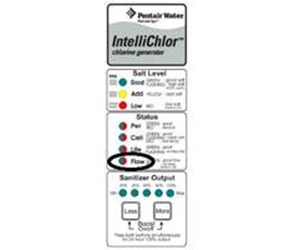
Your Intellichlor cell has a panel with several lights and buttons. Knowing what each indicator means helps you respond quickly.
Main Indicator Lights
- Power: Shows system is on.
- Cell: Indicates when the cell is producing chlorine.
- Salt: Shows if salt level is good, low, or high.
- Flow: Green means good flow; red means problem.
Flow Light Patterns
- Solid Green: Water flow is normal, system is working.
- Flashing Green: System is checking for flow, often at startup.
- Solid Red: Insufficient water flow, chlorine production stopped.
Common Mistakes With Panel Interpretation
Many users confuse the flow light with the salt light. The salt light can also flash or turn on if there is a salt level issue, but it will not stop chlorine production unless salt is extremely low. The red flow light always means chlorine production is stopped, and it should be your main focus when troubleshooting.
How The Red Flow Light Affects Pool Health
When the Pentair Intellichlor Flow Light Red is on, your pool is not receiving new chlorine. This is an immediate problem, especially in hot weather or with many swimmers. Lack of chlorine can lead to:
- Cloudy water
- Algae growth
- Unsafe swimming conditions
If the red flow light stays on for more than a day or two, you should add chlorine manually until you solve the problem.
Example: Real-world Scenario
A pool owner notices cloudy water and a strong chlorine smell. The Intellichlor panel shows the red flow light. After checking, they find the filter pressure is high and the cell is coated with white scale. Cleaning the filter and cell solves the problem, and the water clears up in 24 hours.
This example shows how quick action keeps your pool healthy.
When To Call A Professional
Some problems need expert help. Call a qualified pool service technician if:
- You see leaks around the cell or plumbing.
- Electrical issues are present (burning smell, tripped breakers).
- The flow switch needs replacement and you are not comfortable working with pool wiring.
- The red flow light stays on after all troubleshooting steps.
Professional help ensures safety and can prevent further damage.
Comparing Pentair Intellichlor To Other Salt Chlorinators
Many pool owners wonder if other salt chlorinators have similar issues or warning systems. Let’s compare the Intellichlor with two popular models: Hayward AquaRite and Jandy AquaPure.
| Feature | Pentair Intellichlor | Hayward AquaRite | Jandy AquaPure |
|---|---|---|---|
| Flow Sensor | Yes, with red/green light | Yes, display warning | Yes, display warning |
| Self-Cleaning | Yes, reverse polarity | Yes, reverse polarity | Yes, reverse polarity |
| Display Type | LED lights | Digital screen | Digital screen |
| Troubleshooting Help | Panel lights, manual codes | Display codes, manual | Display codes, manual |
| Common Flow Issues | Low pump speed, dirty cell | Low pump speed, dirty cell | Low pump speed, dirty cell |
Key insight: All major salt chlorinators use flow sensors, and low flow is a common problem. The Intellichlor’s red flow light is simple but effective for quick diagnosis.
Cost Of Repair And Replacement
Fixing a red flow light problem can be as simple as cleaning a filter or as complex as replacing a flow switch. Here’s a general cost breakdown:
| Solution | DIY Cost | Professional Cost |
|---|---|---|
| Clean filter | Free to $20 (supplies) | $75-$150 (service call) |
| Clean salt cell | $10-$30 (acid/cleaner) | $75-$200 (service call) |
| Replace flow switch | $50-$120 (parts) | $150-$300 (parts + labor) |
| Replace cell | $500-$800 | $600-$1000 |
For most pool owners, regular cleaning is the most cost-effective solution. Only replace parts if cleaning and basic troubleshooting do not fix the problem.
Non-obvious Tips For Avoiding Future Flow Light Problems
Many articles give basic advice, but here are two advanced tips often missed:
- Run your pump at higher speed for 30 minutes after adding chemicals: After adding salt or balancing chemicals, run the pump higher for a short time. This helps dissolve chemicals and prevents build-up in the cell.
- Install a flow meter: If you have a variable-speed pump, adding a simple flow meter after the filter lets you see the exact GPM. This makes it easy to adjust pump speed and avoid low flow situations.
A third tip: Record your normal system settings (pump RPM, filter pressure, cell light patterns). If you notice changes, you can spot problems early and fix them before the flow light turns red.
Upgrading Your System: Is It Worth It?
If you have frequent red flow light issues, you might wonder if it’s time to upgrade. Newer Intellichlor models have improved sensors and longer-lasting cells. Upgrading can be a good choice if:
- Your cell is more than 5 years old.
- You have replaced the flow switch more than once.
- Your pool system has many automation upgrades.
Before upgrading, compare costs and talk to a Pentair dealer. Sometimes, a new cell or flow switch is all you need.
Environmental Factors That Affect Water Flow
Not all flow problems are inside the equipment. Weather, pool design, and landscaping can play a role.
- Heavy rain can raise pool level, flooding the skimmer and reducing flow.
- Wind-blown debris can clog skimmers and filters.
- Pool covers sometimes block returns or skimmers if not installed correctly.
Check the area around your pool after storms and keep skimmers clear.
How To Test Your Intellichlor System Safely
If you want to test your flow switch, do so with care:
- Turn off power before removing or inspecting the cell.
- Never bypass the flow switch by wiring it closed. This can damage the cell and is unsafe.
- Use a multimeter only if you understand electrical safety.
If in doubt, contact a professional.
Real-world Pool Owner Experiences
Hearing from other pool owners can help. Here are three real stories:
- Anna (Texas): “My red flow light turned on after a big storm. I found leaves in the skimmer and a clogged filter. Cleaning both fixed the problem in minutes.”
- Mike (California): “I set my variable-speed pump too low to save energy. The red flow light came on. Raising the RPM slightly solved it.”
- Jorge (Florida): “I had to replace my flow switch after four years. It was an easy DIY job and much cheaper than a service call.”
These examples show that most problems are fixable with basic knowledge and regular checks.

Credit: www.youtube.com
Where To Get More Help
Pentair provides detailed manuals and support for Intellichlor systems. If you need more information, visit their official site: Pentair Intellichlor Official.
You can also find helpful videos and step-by-step guides on YouTube and pool forums.
Frequently Asked Questions
Why Does The Pentair Intellichlor Flow Light Turn Red?
The flow light turns red when the system detects that water is not moving fast enough through the cell. This can happen due to low pump speed, a dirty filter, blocked cell, closed valves, or a faulty flow switch. The system stops making chlorine to protect the cell.
Can I Run My Pool With The Red Flow Light On?
No, it is not safe or effective. When the red flow light is on, the chlorinator is not making chlorine. Your pool water can become unsafe, and if there is a plumbing issue, running the pump could cause damage.
How Do I Clean The Intellichlor Salt Cell?
First, turn off all power. Remove the cell and inspect for white scale or debris. Soak the cell in a 4:1 mixture of water and muriatic acid for 15–30 minutes. Rinse well and reinstall. Always follow the manufacturer’s instructions for cleaning.
How Long Does A Pentair Intellichlor Flow Switch Last?
On average, a flow switch lasts 3–5 years, depending on water quality and system use. Hard water, heavy debris, or frequent cycling can shorten its life. Replace the switch if it shows signs of wear or fails to respond.
Where Can I Find More Information Or Replacement Parts?
For detailed guides, manuals, and replacement parts, visit the Pentair Intellichlor Official website. You can also find parts at local pool supply stores or authorized Pentair dealers.
Proper care of your Intellichlor system ensures clean, safe pool water with minimal hassle. By understanding the Pentair Intellichlor Flow Light Red, you can quickly solve problems, prevent future issues, and enjoy your pool with confidence.
Credit: www.inyopools.com