
When summer arrives, there’s nothing better than relaxing in a cool, clean pool. Many families choose above-ground pools for their backyards, and Summer Waves pools are a popular choice for their affordability and easy setup. But what happens when your pool pump suddenly stops working and, no matter how many times you push the reset button, nothing happens? This situation can turn a fun summer into a frustrating one. If your Summer Waves pool pump reset button is not working, you’re not alone. Many owners face this problem, and it can be confusing and stressful if you don’t know what to do.
This guide will help you understand why the reset button might not work, how to fix it, and what you can do to prevent the issue in the future. We’ll also discuss safety tips, troubleshooting steps, and signs that your pump might need professional repair or replacement.
By the end of this article, you’ll have the confidence and knowledge to get your pool back in action.
Why The Reset Button Matters
The reset button on a pool pump is a safety feature. Most Summer Waves pumps use a GFCI (Ground Fault Circuit Interrupter) plug, which protects you from electric shock by cutting power if it senses a problem. When the pump trips, you can usually press the reset button to restore power. If the reset button doesn’t work, your pump won’t run, and your pool water can quickly become dirty or unsafe.
How The Gfci Reset Button Works
The GFCI reset button is designed to respond to electrical faults, such as water getting into the wiring or a sudden surge. When the button pops out, it means the circuit has been broken for safety reasons. Pressing the button resets the GFCI, allowing electricity to flow again if the fault is gone.
If the button won’t stay in, or the pump doesn’t turn on after resetting, something is wrong.
Common Reasons The Reset Button Fails
Several issues can cause your Summer Waves pool pump reset button to stop working. Understanding these problems is the first step to finding a solution.
1. Electrical Supply Issues
If the outlet powering your pump isn’t working, the reset button won’t help. Sometimes, an outdoor outlet can trip its own GFCI or a breaker in your home’s electrical panel. A loose plug or a damaged extension cord can also prevent power from reaching the pump.
2. Faulty Gfci Plug
Over time, the GFCI plug itself can wear out. Water, dirt, and temperature changes can damage the sensitive parts inside. When this happens, the reset button may not click, or it may not hold when pressed.
3. Internal Pump Damage
If water gets inside the pump’s motor or wiring, it can cause a short circuit. The GFCI will trip to prevent a shock, but if the internal damage remains, the reset button won’t restore power.
4. Overheating Motor
Pool pumps can overheat if they run for too long, have poor ventilation, or pump against a blocked filter. Most pumps have a thermal overload protector that trips when it gets too hot. If the pump is still hot, the reset button won’t work until it cools down.
5. Clogged Or Blocked Pump
Debris in the pump or filter can put extra strain on the motor, causing it to trip the overload protection or GFCI. Cleaning the filter or impeller can sometimes fix the problem.
6. Water Exposure
Summer Waves pumps are built for outdoor use, but heavy rain or splashing can sometimes get water into parts of the pump or plug where it shouldn’t be. This can cause a GFCI to trip and refuse to reset for safety.
7. Faulty Wiring Or Connections
Loose or corroded wires inside the pump or plug can prevent proper electrical contact. This can make the reset button seem dead.
8. Age And Wear
Like all equipment, pool pumps and their plugs don’t last forever. A pump that’s several years old may simply have worn-out parts that need replacement.

Credit: www.youtube.com
How To Safely Troubleshoot The Reset Button
Before you start, remember: electricity and water are a dangerous mix. If you ever feel unsure, it’s best to call a licensed electrician or pool technician.
Here’s a step-by-step guide to help you safely diagnose the problem:
- Unplug the Pump
- Always disconnect the pump from power before inspecting it.
- Check the Power Source
- Plug another device (like a lamp) into the same outlet. If it doesn’t work, the problem may be the outlet, not the pump.
- If you’re using an extension cord, inspect it for damage or try plugging the pump directly into a known-good outlet.
- Inspect the GFCI Plug
- Look for signs of damage, moisture, or dirt on the plug.
- Press the reset button firmly. If it doesn’t click or stay in, the plug may be faulty.
- Examine the Pump and Cords
- Check for frayed wires, burn marks, or water inside the casing.
- Allow the Pump to Cool
- If the pump has been running for a long time or feels hot, let it cool for at least 30 minutes before trying to reset.
- Clean the Filter and Impeller
- Remove any debris that could be blocking water flow. This reduces the load on the motor.
- Try Resetting Again
- After checking everything, plug the pump back in and press the reset button.
- Test with a Different GFCI
- If possible, try the pump on a different GFCI-protected outlet. If it works, the plug may be the problem.
- Check Your Circuit Breaker
- If the outlet isn’t working, check your home’s breaker panel. Reset any tripped breakers.
If the pump still won’t start, it’s time to consider repairs or replacement.
Comparing Possible Problems
It can be tough to figure out exactly what’s wrong. This table compares common causes, symptoms, and what to check:
| Possible Problem | What You Notice | What to Check |
|---|---|---|
| Electrical Outlet Issue | Pump and other devices won’t turn on | Test outlet with another device |
| Bad GFCI Plug | Reset button won’t click or stay in | Inspect plug for damage, test on another GFCI outlet |
| Internal Pump Damage | Reset trips immediately, burning smell | Look for water inside, burned wires |
| Overheating Motor | Pump stops after running, hot casing | Let cool, check for blockage |
| Clogged Pump | Poor water flow, loud noises | Clean filter and impeller |
Step-by-step Fixes For A Non-working Reset Button
Let’s look at what you can do, starting with the easiest solutions:
1. Reset The Outlet And Breaker
Sometimes the problem is not the pump. Find your home’s electrical panel and reset any tripped breakers. Outdoor outlets often have their own GFCI button—press it to reset.
2. Dry Out The Plug And Pump
If rain or splashing has soaked the pump or plug, unplug everything and let it dry completely. You can use a hairdryer on a cool setting to speed up drying, but never plug in wet equipment.
3. Clean The Pump Components
Remove the filter and rinse it with clean water. Open the pump (if your model allows) and clear any leaves or dirt from the impeller area.
4. Replace A Faulty Extension Cord
A damaged cord can stop power from reaching your pump. Try a new, heavy-duty outdoor extension cord if needed.
5. Replace The Gfci Plug
If the plug is old or damaged and the reset won’t work, it’s often best to replace it. Most hardware stores sell replacement GFCI plugs, but make sure you match the amperage and voltage to your pump. If you’re not comfortable with electrical work, hire a professional.
6. Let The Motor Cool
If the pump shut off after heavy use, let it cool down. Clean the vents so air can flow freely. Avoid running the pump non-stop during the hottest parts of the day.
7. Inspect For Internal Damage
If you smell burning, see smoke, or notice melted wires, do not try to use the pump again. Internal electrical damage is dangerous. Replace the pump or have it professionally serviced.
8. Replace The Pump (last Resort)
If all else fails and your pump is several years old, it may be time for a new one. Modern pumps are safer and more energy-efficient.
How To Prevent Reset Button Problems
Prevention is always better than repair. Here are some tips to keep your Summer Waves pool pump running smoothly all summer long:
- Keep Plugs and Outlets Dry
- Use weatherproof covers for outdoor outlets and avoid setting plugs in puddles.
- Clean Filters Regularly
- Dirty filters make your pump work harder and can cause overheating.
- Check Cords and Connections
- Inspect for wear and tear at least once a month.
- Don’t Overload the Circuit
- Avoid plugging the pump into the same outlet as high-wattage devices.
- Store the Pump Indoors Over Winter
- Freezing temperatures and moisture can damage electrical components.
- Run the Pump in Cooler Hours
- Try running your pump in the early morning or evening to avoid overheating.
- Use a Surge Protector
- This can help protect the pump from electrical spikes.
When To Call A Professional
Some problems are best left to the experts. If you notice any of the following, stop using your pump and contact a licensed electrician or pool technician:
- The GFCI reset button is physically broken or melted
- You see sparks, smoke, or burn marks
- The reset button trips every time you press it, even after drying and cleaning
- Internal parts are wet or corroded
- You’re unsure how to replace electrical components safely
A professional can test the wiring, replace damaged parts, and ensure your pool is safe for use.
How To Choose A Replacement Pump Or Gfci Plug
If you decide you need a new pump or GFCI plug, here are important things to consider:
Pump Replacement Checklist
- Size: Match the pump’s flow rate (gallons per hour) to your pool size.
- Voltage: Make sure the new pump works with your outlet (usually 110-120V in the US).
- GFCI Protection: Always choose a pump with built-in GFCI or use a GFCI outlet.
- Brand Compatibility: Not all pumps fit all pools; check your pool manual or manufacturer’s website.
Gfci Plug Replacement Tips
- Amp Rating: Match the original (usually 10-15 amps for pool pumps).
- Outdoor Use: Choose a plug rated for outdoor/wet environments.
- Installation: If you’re not familiar with wiring, have an electrician install the new plug.
Comparing Pool Pump Types
This comparison can help you choose a replacement:
| Pump Type | Best For | Pros | Cons |
|---|---|---|---|
| Cartridge Pump | Small/medium pools | Easy to maintain, affordable | Filters need frequent cleaning |
| Sand Pump | Medium/large pools | Long filter life, better for heavy use | More expensive, heavier |
| D.E. Pump | Very clean water | Best filtration | More maintenance, higher cost |
Real-world Examples
Sometimes, hearing about real experiences helps you solve your problem faster.
- Jamie’s Story: Jamie’s Summer Waves pump kept tripping the reset button after heavy rain. She unplugged the pump, dried the plug with a fan overnight, and found water droplets inside. Once dry, the reset worked fine.
- Mark’s Experience: Mark’s pump wouldn’t reset, even after trying different outlets. He discovered his extension cord had a hidden cut and was causing a short. Replacing the cord fixed the issue.
- Tina’s Trouble: Tina’s older pump reset button wouldn’t stay in. After checking everything else, she found the GFCI plug had cracked. She had an electrician replace the plug, and her pump worked again.
These stories show that simple fixes—like drying out the plug or replacing a cord—can often solve the problem.
Non-obvious Insights Beginners Often Miss
Many pool owners overlook two things:
- GFCI plugs can go bad even if they look fine. Internal corrosion from humidity can stop the reset from working, even if there’s no visible damage.
- Extension cords cause more trouble than you think. A poor-quality or damaged cord adds resistance and can make the pump trip the GFCI or fail to start at all. Always use a heavy-duty, outdoor-rated cord.

Credit: funsicle.com
Safety Tips For Pool Pump Use
Because water and electricity are risky together, always follow these safety tips:
- Never touch electrical plugs with wet hands.
- Always unplug the pump before cleaning or inspecting it.
- Use only GFCI-protected outlets near the pool.
- Replace cords or plugs at the first sign of wear.
- Keep children away from pool equipment.
If you want more electrical safety details, the U.S. Consumer Product Safety Commission has great guides.
How To Maintain Your Summer Waves Pool Pump
Regular maintenance helps your pump last longer and reduces reset button problems.
- Weekly
- Rinse or replace the filter.
- Check for leaks around the pump and hoses.
- Monthly
- Inspect cords for cracks or fraying.
- Clean the pump housing of dirt and leaves.
- End of Season
- Drain and store the pump indoors if you live in a freezing climate.
- Clean and dry all parts before storage.
Table: Maintenance Schedule Overview
| Task | How Often | Why It Matters |
|---|---|---|
| Clean/Rinse Filter | Weekly | Prevents clogging and overheating |
| Inspect Power Cord | Monthly | Avoids electrical issues and shorts |
| Store Pump Indoors | Seasonally | Prevents weather damage |
Frequently Asked Questions
Why Does My Summer Waves Pool Pump Keep Tripping The Reset Button?
This usually happens because of a short circuit, water in the plug, a dirty filter causing the motor to overheat, or a faulty GFCI plug. Check for moisture, clean the filter, and inspect cords and connections.
Can I Bypass The Reset Button To Make My Pump Work?
No. Bypassing the reset button is dangerous and removes a critical safety feature. Always fix the root problem or replace faulty parts instead of bypassing the GFCI.
How Do I Know If My Gfci Plug Is Broken?
If the reset button won’t click, won’t stay in, or the pump won’t run even after resetting, the plug may be broken. Test the pump on another GFCI outlet or have an electrician inspect it.
Is It Safe To Use An Extension Cord With My Pool Pump?
It’s best to avoid extension cords, but if you must use one, choose a heavy-duty, outdoor-rated cord. Check it regularly for damage, as a bad cord can cause the pump to stop working or trip the reset button.
When Should I Replace My Pool Pump Instead Of Repairing It?
Replace your pump if it’s several years old, has serious internal damage, smells burnt, or if the reset button fails even after checking everything else. Modern pumps are safer and often save energy.
Summer fun shouldn’t be ruined by a stubborn pump reset button. With the right knowledge and careful steps, you can fix most problems yourself and enjoy a clean, safe pool all season long. If you ever feel unsure, don’t take risks—call a pro.
Your safety always comes first.
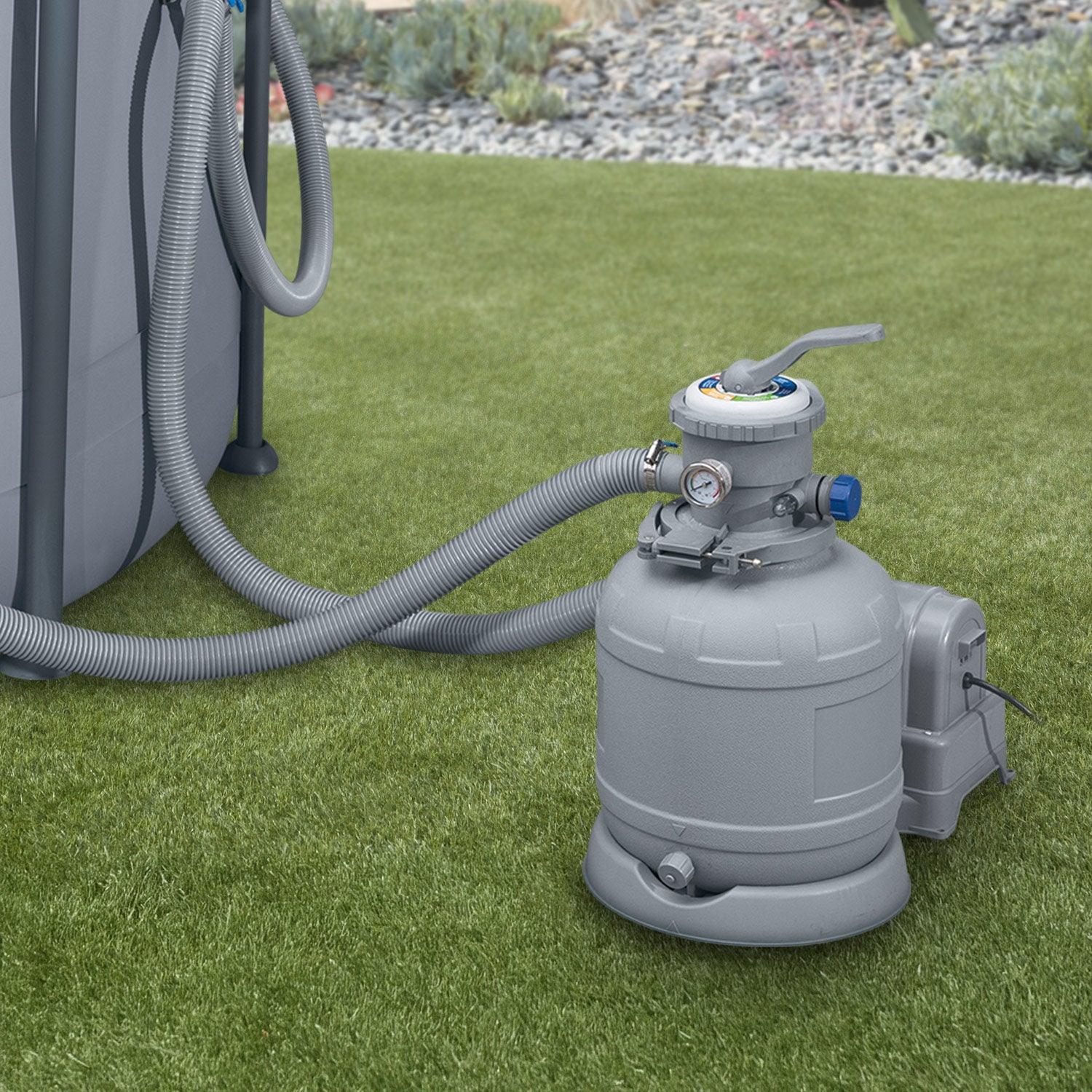
Credit: funsicle.com