
A sparkling pool on a hot day is the dream of many homeowners, but when the Hayward pool pump display suddenly stops working, that dream can quickly turn into frustration. The digital display is more than just a fancy screen—it’s the gateway to controlling and monitoring the heart of your pool system. If the display is blank, flickering, or unresponsive, you can’t see error codes, change settings, or even know if your pump is running as it should. This problem can shut down your pool fun and, if ignored, may lead to bigger issues like poor water circulation or even pump failure.
Whether you’re a seasoned pool owner or just starting out, solving a Hayward pool pump display not working issue can feel overwhelming. There are many possible causes, from simple power glitches to complex circuit board failures. In this guide, you’ll learn how to diagnose, troubleshoot, and fix display problems with practical steps, clear explanations, and helpful tips. Along the way, you’ll also discover insights that most beginners miss, so you can prevent future headaches and keep your pool running smoothly.
Understanding The Hayward Pool Pump Display
A Hayward pool pump is a crucial part of many modern pools. Most newer models come with an electronic control panel and a digital display. This display shows pump status, speed, error codes, and allows you to adjust settings. If the display isn’t working, you lose this control and feedback.
Main Functions Of The Display
- Shows current pump speed or flow rate
- Displays operating modes (manual, timer, or scheduled)
- Provides error messages or maintenance alerts
- Lets you adjust settings like speed and timer
When the display is blank or unreadable, these functions are lost. It’s important to know that most Hayward pumps (like the Hayward Super Pump VS or Hayward TriStar VS) rely on this display for normal operation.
Common Display Problems
- Blank or black screen
- Flickering or dim display
- Unresponsive buttons
- Error codes stuck on screen
- Random resets or power cycling
Each of these issues can have different causes, so a methodical approach is necessary.
Why The Hayward Pool Pump Display Matters
Some pool owners ignore a non-working display if the pump itself still runs. This is risky for several reasons:
- Hidden errors: You may miss error codes about overheating, blockage, or low voltage.
- Incorrect settings: You can’t adjust speed, timers, or modes, which may waste energy.
- Reduced lifespan: A display problem can be a sign of bigger electrical issues that could damage the pump.
Fixing the display quickly helps you avoid bigger repair bills and keeps your pool safe.
What Causes A Hayward Pool Pump Display To Stop Working?
Several factors can lead to a display not working. Knowing these helps you troubleshoot efficiently.
1. Power Supply Issues
If the pump is not receiving the correct power, the display will not turn on. This can be due to:
- Tripped circuit breaker: Common after power surges or storms.
- Loose wiring: Vibration or poor installation can cause wires to disconnect.
- Blown fuse: Some pumps have internal fuses for protection.
- Faulty outlet or GFCI: Outdoor outlets can fail due to moisture or wear.
2. Control Panel Or Keypad Problems
The display itself or the buttons can fail:
- Water intrusion: Rain or pool splash can get inside the panel.
- Physical damage: Dropping tools or heavy objects can crack the panel.
- Wear and tear: Over time, buttons can stop responding.
3. Internal Component Failures
Inside the pump, several electronic parts can fail:
- Display board failure: The screen or its circuit board can burn out.
- Main circuit board (PCB) issues: If the main board fails, the display may not receive power or signals.
- Loose connectors: Internal cables can wiggle loose, especially in areas with vibration.
4. Environmental Factors
- High humidity: Can cause corrosion inside the control panel.
- Lightning strikes: Rare, but can instantly fry electronics.
- Insect nests: Spiders, ants, or other bugs inside the panel can short-circuit connections.
5. Software Or Firmware Glitches
- Stuck software: The pump’s microcontroller can freeze, like a computer.
- Failed updates: If you tried to update the pump firmware and it failed, the display may not boot.
6. User Mistakes
- Incorrect settings: Accidentally turning off the display or changing settings.
- Unplugged wires after maintenance: Sometimes wires aren’t reconnected after cleaning or repairs.
Understanding these causes helps you target your troubleshooting.
Step-by-step Troubleshooting: Hayward Pool Pump Display Not Working
Before calling a professional, you can check many problems yourself. Here’s a structured approach.
Step 1: Check For Obvious Power Problems
Start at the power source.
- Test the circuit breaker: Go to your pool electrical panel. Is the breaker for the pump tripped? Reset it if needed.
- Check the GFCI outlet: If the pump plugs into a Ground Fault Circuit Interrupter (GFCI) outlet, press the “reset” button.
- Test the outlet: Plug in another device (like a lamp) to see if the outlet works.
- Inspect the power cord: Look for fraying, cuts, or loose plugs.
If all these are working, move to the pump itself.
Step 2: Examine The Pool Pump Wiring
Turn off the power at the breaker before opening anything.
- Open the pump wiring compartment.
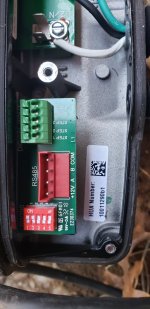
- Check all wire connections: Look for loose screws, burnt wires, or disconnected cables.
- Look for moisture: Water inside the wiring box is a red flag.
If you see burnt or melted wires, do not try to run the pump—call a technician.
Step 3: Inspect The Control Panel And Display
- Look for cracks or water inside the display: Water droplets or fog mean the seal is broken.
- Press all buttons: Are any stuck or unresponsive?
- Shine a flashlight at the display: If you see faint numbers, the backlight may have failed.
If the display is damaged, replacement is likely needed.
Step 4: Reset The Pump
Sometimes, a simple reset fixes glitches.
- Turn off the power at the breaker.
- Wait 2–5 minutes.
- Turn power back on.
This can clear software bugs that make the display freeze.
Step 5: Check For Error Codes
If the display briefly lights up but shows an error, note the code. Hayward error codes can indicate:
- Low voltage
- Overheating
- Blocked impeller
- Communication errors
Check your pump manual for code meanings or search for your model online.
Step 6: Inspect Internal Components
If you’re comfortable, open the control panel (with power OFF):
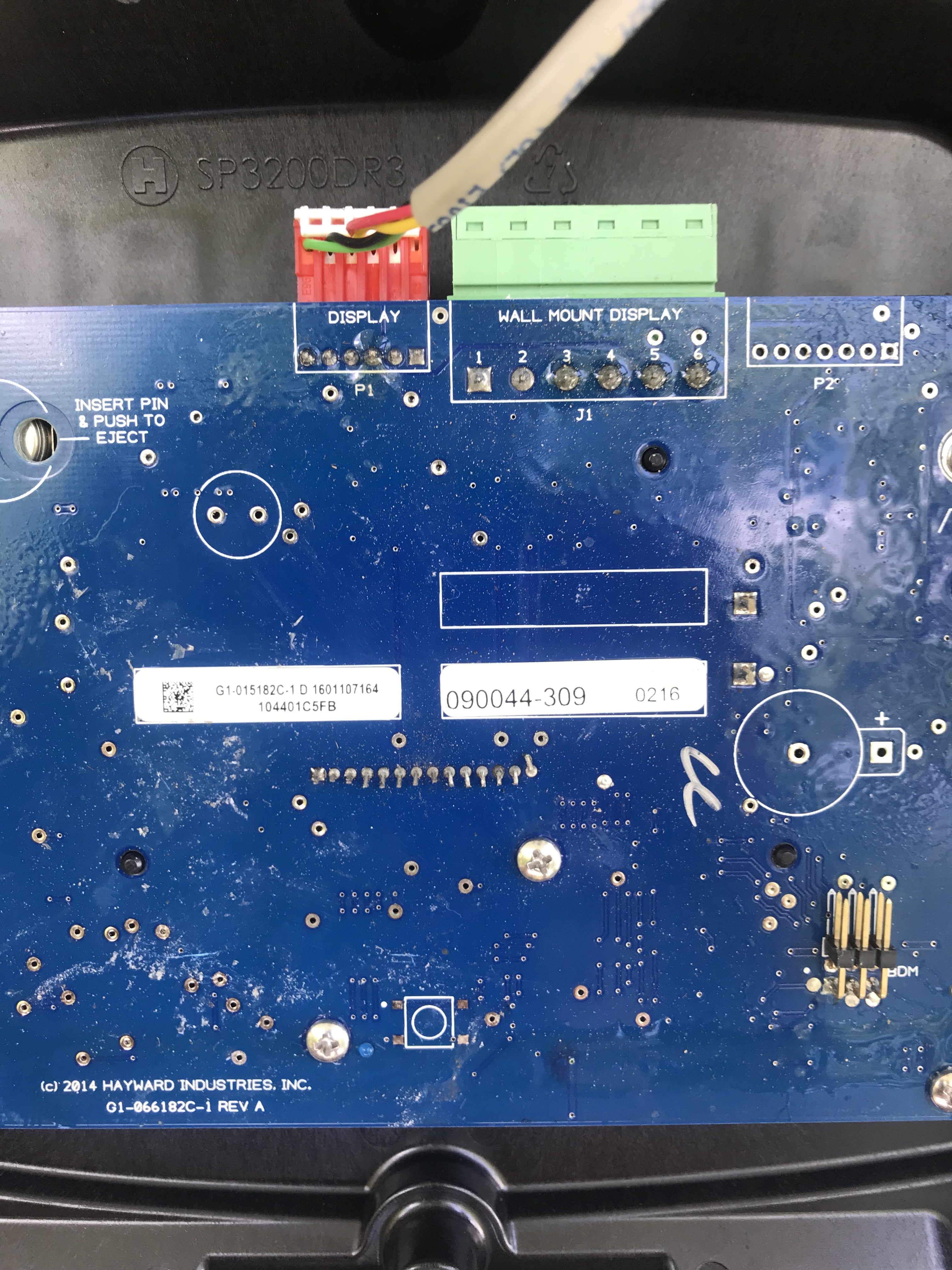
- Check display board connections: Reseating cables can fix loose connections.
- Look for burnt spots: Black marks or burnt smells mean electronic failure.
- Check for corrosion: Green or white powdery deposits signal water damage.
If you find these, parts may need replacement.
Step 7: Test The Main Circuit Board
If you have a multimeter, check if power reaches the display board. No power usually means the main board is bad. Replace only with genuine Hayward parts.
Step 8: Firmware Issues
If the display stopped working after an update, try resetting as in Step 4. If this fails, professional help is needed.
Step 9: Call For Professional Help
If you’ve checked all steps and the display still doesn’t work, it’s time to contact a Hayward-certified pool technician. They can diagnose main board or display failures safely.
Comparing Hayward Display Problems To Other Brands
Hayward isn’t the only brand with electronic displays. Here’s a quick comparison with other popular pool pumps.
| Brand | Common Display Issues | Typical Fixes | User-Replaceable Parts? |
|---|---|---|---|
| Hayward | Blank, flickering, error codes | Reset, replace panel, check wiring | Yes, for display/keypad |
| Pentair | Unresponsive, dim, stuck on logo | Power reset, firmware update | Sometimes |
| Jandy | No display, buttons fail | Replace keypad, main board | Yes, with technical skill |
Hayward displays are generally easier to replace than some other brands, but always check your warranty before opening the panel.
When To Repair Vs. Replace The Display
Not all display problems require a new pump. Here’s how to decide.
Repair If:
- The issue is a loose wire or simple water intrusion.
- Only the keypad or display board is bad (no main board damage).
- The pump is under warranty.
Replace If:
- The main circuit board is burnt or corroded.
- The display is physically shattered.
- The cost of repair is more than half the price of a new pump.
Here’s a quick cost comparison:
| Repair Option | Estimated Cost (USD) | DIY Possible? |
|---|---|---|
| Replace display/keypad | $100–$200 | Yes |
| Replace main circuit board | $250–$400 | Sometimes |
| New Hayward pump | $700–$1,200 | No |
If your pump is older than 7–10 years, consider replacement instead of major repairs.

Credit: www.reddit.com
Preventing Future Display Problems
Prevention is always easier than repair. Here are steps to keep your Hayward pool pump display healthy.
- Install a surge protector: This protects against lightning and power surges.
- Use a weatherproof cover: Keeps rain, sun, and insects away from the control panel.
- Regularly inspect wiring: Every 6 months, check for loose wires or corrosion.
- Keep the area dry: Don’t let water spray near the control panel when cleaning.
- Avoid harsh chemicals: Don’t use pool chemicals near the display or keypad.
- Update firmware carefully: Only update the pump if you have instructions and stable power.
- Test GFCI outlets monthly: Press “test” and “reset” to ensure they’re working.
These simple habits can add years to your pump’s life.
Non-obvious Insights Most Beginners Miss
Many pool owners focus only on the display itself. Here are two common mistakes:
- Ignoring voltage drops: If your home wiring is old, the pump may get less voltage than needed, causing display flicker or resets. Have an electrician check the supply if you notice repeated problems.
- Forgetting environmental risks: Spiders, ants, and even wasps love warm, dark spaces. Insects can build nests inside the control panel, causing short circuits and corrosion. Open and clean the panel at least once a year.
A third insight: Firmware updates should always be done with stable power and following Hayward’s instructions. Interrupting an update can permanently “brick” the display.
Credit: forum.inyopools.com
Example: Real-world Hayward Display Problem And Solution
Let’s say your Hayward Super Pump VS display is blank, but the pump still runs.
- You check the breaker and GFCI—both are fine.
- The display is sealed, but you notice ants inside the panel.
- You turn off power, open the control panel, and find a small nest on the display board.
- After cleaning, you reseat the connectors and turn power back on.
- The display lights up, and you can adjust settings again.
This example shows why it’s important to look for simple causes before assuming a major failure.
Professional Repair Vs. Diy: What Should You Choose?
DIY can save money, but it’s not always wise.
Diy Is Suitable When:
- You are comfortable with basic electrical work.
- The problem is obvious and simple (loose wire, dirty contacts).
- You have the correct replacement parts.
Hire A Professional If:
- The display is completely dead after all basic checks.
- There is visible water damage, corrosion, or burnt electronics.
- You are unsure about opening electrical panels.
A professional diagnosis can prevent more expensive damage, especially if your pump is under warranty.
Credit: www.troublefreepool.com
Warranty And Support For Hayward Pool Pumps
Most new Hayward pumps come with a 1–3 year warranty. If your pump is still under warranty:
- Do not open the control panel or attempt repairs.
- Contact Hayward or your dealer for authorized service.
Unauthorized repairs can void your warranty. Always check your documentation first.
For technical support, Hayward’s official website and customer service are helpful. You can also find troubleshooting guides and manuals for your specific model.
Useful Resources For Further Help
If you need more guidance, the following resources are valuable:
- Hayward’s official support: Hayward Support
- Pool owner forums (for example, Trouble Free Pool)
- YouTube repair tutorials (search your pump model + “display fix”)
Learning from other pool owners’ experiences can help you avoid common pitfalls.
Frequently Asked Questions
What Do I Do If My Hayward Pool Pump Display Is Completely Blank?
First, check the power supply—reset the breaker and GFCI outlet, and confirm the outlet works. Inspect wiring for loose connections or water damage. Try a power reset by turning the breaker off and on. If the display is still blank, the issue may be with the display board or main circuit board, and you may need a technician.
Can I Replace The Hayward Pool Pump Display Myself?
In many cases, yes. If your warranty has expired and you are comfortable with simple tools, you can replace the display or keypad. Always turn off power before opening the panel. If you see signs of severe water or electrical damage, call a professional.
How Much Does It Cost To Fix A Hayward Pool Pump Display?
Simple repairs (like replacing a keypad or display board) usually cost $100–$200 for parts. Main board replacement is $250–$400. If the pump is old or repair is expensive, replacing the entire unit ($700–$1,200) may be smarter.
Why Does My Display Flicker Or Show Random Numbers?
Flickering or random numbers often mean a voltage problem, loose connection, or failing display board. Check your power supply and wiring first. If everything is secure, the display board may need replacement.
Where Can I Find The Correct Replacement Parts For My Hayward Pool Pump?
Use your pump’s model number to order parts from authorized Hayward dealers or online retailers. Avoid generic parts, as they may not fit or work correctly. For official support and parts, visit the Hayward Support site.
Keeping your Hayward pool pump display working is essential for safe, efficient pool operation. With the right troubleshooting and preventative care, you can enjoy a hassle-free pool season every year.