
Setting the correct time on your Proctor Silex microwave is a small detail that makes a big difference in daily life. When the time is right, you can use the timer, schedule delayed starts, and always know the current time in your kitchen. But many people find setting the clock on their microwave confusing, especially since instructions can vary from one model to another. If you’ve ever stared at your microwave’s buttons and felt lost, you are not alone.
This article will guide you step by step on how to set the time on a Proctor Silex microwave. You’ll also learn about common problems, what to do if your model is different, why the clock matters, and extra tips most users miss.
By the end, you’ll feel confident with your microwave’s clock—no more guessing or frustration.
Understanding Your Proctor Silex Microwave
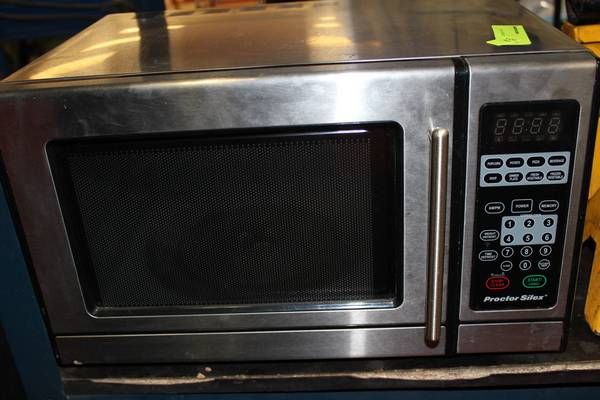
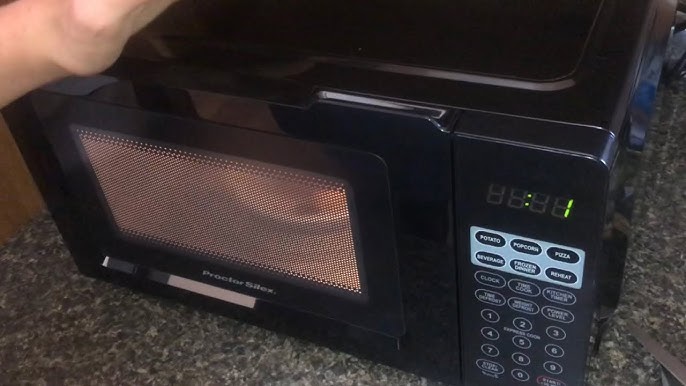
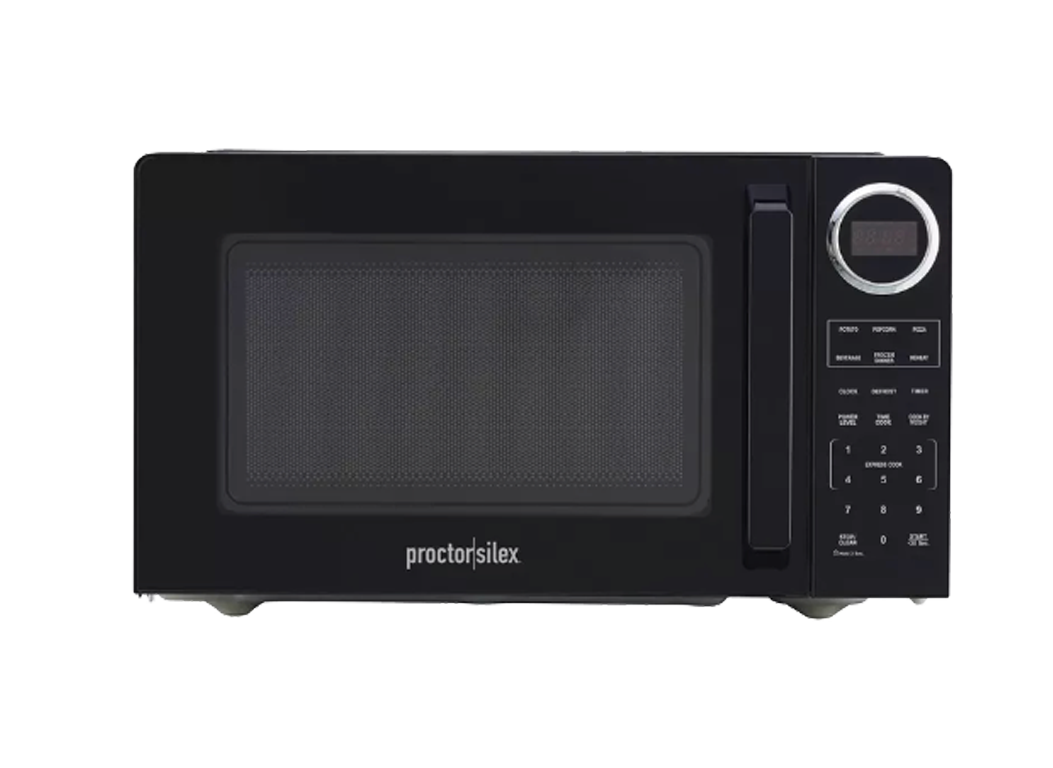
Before you set the time, it’s important to understand the basic controls of your Proctor Silex microwave. Most models have a simple keypad with number buttons, a “Clock” or “Time” button, a “Start” or “Enter” button, and sometimes a “Stop/Reset” button. But depending on the year and model, button labels and layout can be different.
Some common button labels include:
- Clock
- Time
- Set
- Start
- Enter
- Stop/Reset
- Number pad (0-9)
Older Proctor Silex microwaves sometimes use dials, but most modern ones use a digital keypad. If you’re not sure about your exact model, check the label on the inside edge of the microwave door or on the back panel. This will give you the model number, which is helpful for finding the correct manual online.
Why The Clock Matters
A working clock is more than just convenience. It lets you:
- Use the kitchen timer function
- Set delayed cooking (start meals at a specific time)
- Keep your kitchen routine organized
- Reset the clock easily after a power outage
Many recipes and microwave instructions refer to the clock, so having the right time saves trouble.
Step-by-step Guide To Setting The Time
Let’s walk through the process. These instructions cover the most common Proctor Silex microwave models. If you have a unique model, see the “Special Model Instructions” section below.
Step 1: Plug In The Microwave
After plugging in your microwave, the display usually flashes “0:00” or “12:00”. This means the clock needs to be set. If your microwave is already plugged in but the clock is wrong, you can reset it at any time.
Step 2: Find The Clock Or Time Button
Look for a button labeled “Clock” or “Time”. On some models, you may need to press “Set” or another button first.
- If your microwave has a Clock button, that’s the one to use.
- If there’s no Clock button, look for Time, Set, or a small clock icon.
Step 3: Press The Clock Button
Press the Clock or Time button once. The display should blink or show “0:00” or a similar prompt.
Pro tip: On some models, you need to hold the button for 2-3 seconds. If nothing happens, try this trick.
Step 4: Enter The Time Using The Number Pad
Enter the time using the number buttons. For example, to set 3:30, press 3, 3, 0. Most Proctor Silex microwaves use a 12-hour clock (not 24-hour), so you do not need to enter AM or PM.
- For 8: 45, press 8, 4, 5.
- For 12: 00, press 1, 2, 0, 0.
Common mistake: If you enter only three numbers (like 845), it becomes 8:45. If you enter four numbers (like 0845), it may not be accepted. Always check your display.
Step 5: Confirm The Time
After entering the numbers, press Start or Enter to confirm. The display should stop blinking and show the set time.
- Some models require you to press the Clock button again to confirm.
- If you see an error, press Stop/Reset and try again.
Step 6: Check Your Work
Wait a few seconds. The time should remain displayed. If the clock resets or flashes, repeat the steps and make sure you confirm at the end.
Troubleshooting: When Setting Time Doesn’t Work
Sometimes, the normal steps do not work. Here’s how to fix the most common problems.
Buttons Do Not Respond
If you press the buttons and nothing happens:
- Make sure the microwave is plugged in and the outlet works.
- Unplug for 30 seconds, then plug in again.
- Check for a child lock (sometimes called “control lock”). See your manual for how to turn this off.
Clock Keeps Flashing
If the clock flashes or won’t save the time:
- Make sure you press Start or Enter after setting the time.
- Try entering the time in a different format (for example, 4 digits instead of 3).
- Some microwaves need you to press the Clock button again after setting the time.
Power Outages
If you lose power, the clock will reset. Simply repeat the steps above. Consider using a small battery backup (uncommon but possible for some models) if you have frequent power cuts.
Error Codes
Rarely, you may see an error code. Look for your model’s error code explanation in the manual or on the manufacturer’s website.
Special Model Instructions
Not all Proctor Silex microwaves are exactly the same. Some older or higher-end models have unique ways to set the clock.
Microwaves With Dials
Older models may use a dial to set the time. In this case:
- Turn the dial to “Clock Set” or similar marking.
- Rotate to set the correct hour and minute.
- Press or push the dial to confirm.
- Return the dial to “Run” or “Normal”.
Microwaves With Touch Screens
A few newer Proctor Silex models use touch screens.
- Tap the “Menu” or “Settings” icon.
- Select “Clock”.
- Enter the time using the on-screen keypad.
- Tap “OK” or “Save”.
When Your Model Differs
If you can’t find your model’s instructions:
- Check the inside of the microwave door for a model number.
- Search for the manual online by typing “Proctor Silex [model number] manual”.
- Visit the official Proctor Silex support page for help.
Examples: Setting The Time On Popular Models
Let’s look at how to set the clock on three of the most common Proctor Silex microwave models:
| Model Name | Clock Button Label | Time Entry Example | Confirm Button |
|---|---|---|---|
| PSMW900 | Clock | 1 2 0 0 | Start |
| PSMW800 | Time | 9 3 0 | Clock |
| PSMW700 | Set | 7 4 5 | Set |
Each model is a little different, so always check what button is used to confirm.
Features That Rely On The Clock
Many microwave features do not work unless the clock is set. Here are some examples:
- Kitchen Timer – The timer counts down from the current clock time.
- Delayed Start – Allows you to program the microwave to begin cooking at a future time.
- Auto-Cook Programs – Some auto-cook functions reference the clock for best results.
- Time Display – Lets you use your microwave as a kitchen clock.
If the clock is wrong, these features might not work as expected.
Two Hidden Insights: What Most People Miss
Most guides stop at the basics, but here are two things beginners often overlook:
1. 12-Hour vs. 24-Hour Format:
Most Proctor Silex microwaves use a 12-hour format. But a few can switch to 24-hour (“military”) time. Check your manual—sometimes pressing and holding the Clock button for several seconds lets you switch formats. If you accidentally change it, you might see “14:00” instead of “2:00 PM.”
2. Power Surges and Battery Backup:
Most microwaves lose the clock if power is interrupted. But some high-end models have a small backup battery or capacitor that keeps the clock for a short time. If your clock stays correct after a short outage, this is why.
If not, you will need to reset the time after each outage.
Mistakes To Avoid When Setting The Clock
People often make simple errors. Here’s how to avoid them:
- Not confirming the time: Always press the final button (Start, Enter, or Clock) after entering numbers.
- Wrong time format: Enter numbers as 3 or 4 digits (e.g., 830 or 0830 for 8:30). Not all models accept leading zeros.
- Ignoring the manual: If your model is unique, check the manual for special steps.
- Mixing up buttons: Some models use the Stop/Reset button to cancel, not to confirm.
- Not checking after power loss: Always check the clock after a power outage.
Why The Clock Resets (and What To Do)
Many people wonder why their microwave clock resets so often. The main reasons are:
- Power outages: Even a quick flicker can reset the clock.
- Loose plugs: If the plug is not secure, the microwave may lose power.
- Internal faults: Rarely, a faulty control board can cause resets.
To reduce resets:
- Plug the microwave directly into a wall outlet (not an extension cord).
- Avoid unplugging the microwave unless needed.
- If you have frequent power cuts, consider a backup system.
How To Find Your Model’s Manual
If you need more help, finding your microwave’s manual is smart. Here’s how:
- Open the microwave door and look for a small white label. The model number is usually there.
- Search online for “Proctor Silex [model number] manual”.
- Visit the official Proctor Silex website’s support section.
- Download the PDF manual and look for the “Setting the Clock” section.
This is especially helpful if your microwave has extra features or unusual controls.
Comparing Proctor Silex To Other Brands
How does setting the clock on a Proctor Silex microwave compare to other brands? Here’s a quick look:
| Brand | Clock Setting Steps | Common Issues |
|---|---|---|
| Proctor Silex | Press Clock, enter time, confirm | Power loss resets, button confusion |
| Panasonic | Press Clock, choose 12/24 hr, enter time, confirm | AM/PM confusion |
| GE | Press Set Clock, enter time, Start | Forgetting to confirm |
| Sharp | Press Clock, enter time, Clock again | Missing second Clock press |
Most brands use similar steps, but details matter. Always check your specific instructions.
Advanced Tips For Busy Kitchens
If you use your Proctor Silex microwave a lot, these extra tips can help keep your clock accurate and useful:
- Set the clock just after plugging in: Don’t wait until you need the timer—set the clock right away.
- Sync with your phone: Set the microwave’s time to match your mobile phone or wall clock for consistency.
- Teach your family: Show everyone in the house how to set the clock. That way, anyone can fix it after a power outage.
- Label the buttons: If you have trouble remembering which button confirms, use a small sticker.
- Check twice a year: When you change your clocks for daylight saving time, check your microwave clock too.
Credit: www.liveauctionworld.com
When To Call Support
Most clock-setting issues can be fixed at home. But you should contact support if:
- The buttons do not respond at all.
- The display is blank or shows only error codes.
- The clock resets even when the power is stable.
- The manual’s instructions do not work.
You can find the Proctor Silex support line in your manual or on their website. Having your model number ready will speed up help.
How To Set The Time Without The Manual
Lost your manual? No problem. Here’s a general method that works for 90% of Proctor Silex microwaves:
- Plug in the microwave.
- Press the Clock or Time button (try holding for 3 seconds if nothing happens).
- Enter the time using the number pad.
- Press Start, Enter, or Clock again to confirm.
If this does not work, try combinations: hold the button, use the “Set” button, or try a 3- or 4-digit time entry.
Common Questions About Setting Microwave Time
People often ask:
- Do I need to set AM or PM?
No, most Proctor Silex microwaves use a 12-hour clock. If you can set AM/PM, it will prompt you.
- Will the clock work during a power outage?
Usually, no. Most microwaves lose the clock during an outage.
- Does the clock affect cooking?
No, but some features like timers and delayed start use the clock.
- Can I turn off the clock display?
On some models, yes. Check your manual.
- Is the process safe?
Yes, setting the clock does not affect cooking or safety.
Real-world Example: Setting The Clock After A Power Cut
Imagine you had a power outage overnight. In the morning, your microwave flashes “0:00”. Here’s what you do:
- Press Clock.
- Enter 7, 1, 5 for 7: 15 AM.
- Press Start.
- The clock now shows the right time.
If you are in a rush, this takes less than 10 seconds.
How Accurate Is The Microwave Clock?
Most microwave clocks are accurate to within one minute per month. But, if you live in an area with frequent power changes, the clock might drift. Check and reset as needed.
Pro tip: If you want to keep the clock exact, reset every few weeks.
Saving Time In The Kitchen
A working microwave clock keeps your cooking schedule smooth. You can use the kitchen timer for baking, set reminders, and avoid overcooking. If you use your microwave for multiple meals a day, an accurate clock helps you time everything perfectly.
Credit: www.youtube.com
How To Change Time For Daylight Saving
Twice a year, clocks may change for daylight saving time. To update your Proctor Silex microwave clock:
- Press Clock.
- Enter the new time (one hour forward or back).
- Press Start or Enter.
A quick update keeps your kitchen in sync with the world.
Eco Mode And Clock Display
Some Proctor Silex microwaves have an eco mode or energy saver. This may turn off the clock display when the microwave is not in use. To see the clock, press any button or open the door.
If you want the clock always visible, check if you can disable eco mode in the settings.
Credit: www.consumerreports.org
Tips For Seniors And Kids
If older family members or children use the microwave, make clock-setting simple:
- Use larger, easy-to-read stickers on the right buttons.
- Write simple instructions nearby (“Press Clock, enter time, Start”).
- Practice together so everyone feels confident.
Useful Resources
For more detailed help and model-specific guides, visit the Proctor Silex Support page. You’ll find manuals, videos, and customer service contacts.
Frequently Asked Questions
How Do I Reset The Clock After A Power Outage?
Unplug your microwave, wait 10 seconds, plug it back in, then follow the clock-setting steps. Make sure to press the confirm button at the end.
Can I Set A 24-hour (military) Time On My Proctor Silex Microwave?
Most models use a 12-hour format. Some can switch to 24-hour time by pressing and holding the Clock button for a few seconds. Check your manual if you want to change the format.
Why Does My Microwave Clock Keep Resetting?
This usually happens due to power outages, loose plugs, or an unstable power supply. Rarely, an internal fault can cause resets. Try plugging the microwave directly into a wall outlet.
What If My Microwave Does Not Have A Clock Button?
Look for a Time, Set, or button with a clock icon. The steps are usually similar: press the button, enter the time, then confirm.
Where Can I Find The Manual For My Proctor Silex Microwave?
Check inside the microwave door for the model number, then search online for “Proctor Silex [model number] manual,” or visit the official Proctor Silex support website.
With these steps and tips, you’re ready to set the time on any Proctor Silex microwave—and keep your kitchen running on schedule. A small detail, but one that makes a big difference every day.