
Kitchenaid ovens are known for their reliability, sleek design, and advanced features. But, like any modern kitchen appliance, they sometimes create confusion—especially when it comes to the cooling fan. Many owners notice the cooling fan running after baking or during certain cycles and wonder how (or if) they can turn it off. If you’re searching for clear, practical advice on how to turn off the Kitchenaid oven cooling fan, you’re not alone. This article takes you through everything you need to know—how the fan works, why it runs, what you can (and cannot) control, plus troubleshooting steps and safety advice.
Understanding your oven’s cooling fan is more than just a matter of convenience. It impacts your oven’s lifespan, safety, and energy use. Many users think the cooling fan is broken or stuck, but in most cases, the fan is working exactly as designed.
By the end of this guide, you’ll know how to manage the cooling fan, what’s normal, when to worry, and how to act if something seems off. Let’s break down the facts, myths, and practical steps, so you feel confident in handling your Kitchenaid oven.
How The Kitchenaid Oven Cooling Fan Works
The cooling fan in your Kitchenaid oven is not just a random accessory. It’s a built-in safety and performance component. When you use your oven, internal parts (like the control board and electronics) get hot. The cooling fan’s job is to blow air across these components, keeping them from overheating. This helps your oven last longer and prevents damage.
The fan usually turns on automatically during cooking and may continue running after you switch the oven off. This is normal. The fan turns itself off once the internal temperature drops below a safe threshold, which can take several minutes.
Typical Cooling Fan Cycle
Here’s what usually happens with the cooling fan:
- During Cooking: The fan may run to keep electronics cool, especially at high temperatures or during self-clean cycles.
- After Cooking: The fan stays on until the oven cools down, which can range from 5 to 30 minutes depending on the model and temperature used.
- Automatic Control: You cannot manually turn the fan off during these cooling periods.
Many users mistake the cooling fan for a fault. However, it’s a sign the oven’s safety systems are working.
Why The Fan Runs Even When The Oven Is Off
The cooling fan is controlled by a thermostat or temperature sensor. When the oven is too hot inside, the fan runs to bring the temperature down. This means even if you finish baking and turn off the oven, the fan may keep running. It will stop once the oven’s internal temperature is safe.
Can You Turn Off The Kitchenaid Oven Cooling Fan Manually?
This is the most common question among oven owners. The short answer: In most Kitchenaid ovens, you cannot manually turn off the cooling fan. The fan is managed by the oven’s electronic system for safety reasons. There is no physical switch, setting, or button to disable it.
Why Manual Control Is Not Provided
Allowing users to turn off the cooling fan could cause:
- Overheating of internal components
- Shortened lifespan of control boards and electronics
- Safety hazards such as electrical faults or fire risk
For these reasons, Kitchenaid (and most other brands) design the fan to operate automatically.
Differences In Models
There are small differences between Kitchenaid models. For instance:
- Older ovens might have simpler fan systems, but still no manual off switch.
- High-end models with advanced control panels may allow for some fan behavior adjustments (like delay start or extra cool-down modes), but still do not provide full manual fan control.
Check your oven’s manual for your specific model, but you will almost always find the cooling fan is automatic.
Common Reasons The Cooling Fan Won’t Turn Off
Sometimes, users report the cooling fan never stops, or runs much longer than expected. Let’s look at the common causes:
1. Oven Used At High Temperatures
After self-cleaning cycles or baking at high heat, the oven’s internal temperature stays elevated longer, so the fan must run longer to protect the electronics.
2. Faulty Temperature Sensor
If the sensor inside the oven is malfunctioning, it might send wrong signals to the control board, telling the fan to stay on even when the oven is cool.
3. Control Board Issues
A problem with the electronic control board can cause the fan to run continuously.
4. Blocked Vents Or Fan
If vents are blocked by debris, dust, or grease, airflow is reduced. The fan works harder or longer to cool the oven.
5. High Room Temperature
If your kitchen is unusually hot, it can take much longer for the oven to cool down, keeping the fan running.
6. Door Left Open
Some ovens need the door closed to cool efficiently. Leaving the door open can confuse the fan’s programming or lengthen the cooling time.
Understanding these reasons helps you troubleshoot before calling for service.
Step-by-step Guide: What To Do When The Cooling Fan Won’t Turn Off
If you think your Kitchenaid oven cooling fan is running too long or is stuck, follow these practical steps:
1. Wait For The Cooling Period
First, let the oven finish its cooling cycle. This can take 5–30 minutes, or even longer after self-cleaning. Be patient and monitor the fan.
2. Check The Display Panel
Look for error codes or warning messages on the digital display. Some ovens show a “cooling” message or a code if something is wrong.
3. Close The Oven Door
Make sure the oven door is fully closed. Some models need the door shut for proper cooling and for the fan to turn off.
4. Clear The Vents
Check that all air vents (usually at the top, bottom, or back of the oven) are not blocked by objects, grease, or dust. Clean them gently with a soft brush or vacuum.
5. Power Cycle The Oven
Try resetting your oven:
- Turn off the oven using the control panel.
- Switch off power at the circuit breaker for 1–2 minutes.
- Turn the breaker back on and wait for the oven to reboot.
Sometimes, this resets the fan timer or clears a minor glitch.
6. Check The Kitchen Temperature
If your kitchen is very hot, the oven will take longer to cool. Open a window or use a fan to help lower the room temperature.
7. Inspect For Obvious Faults
Listen for unusual noises (grinding, rattling) or check for visible damage near the fan vents. If you see loose wires, burnt smells, or melted plastic, do not use the oven until it is checked by a professional.
8. Review The User Manual
Find your Kitchenaid model’s manual online or from the original box. Look for information about the cooling fan cycle and troubleshooting.
9. Contact Kitchenaid Support
If you have tried everything above and the fan still won’t turn off after an hour or more, contact Kitchenaid customer service. They can help with advanced troubleshooting or schedule a repair.

Credit: www.amazon.com
When Is The Cooling Fan Behavior Abnormal?
Most of the time, the cooling fan is just doing its job. But in a few situations, it signals a problem:
- Fan runs for hours after the oven is off and is cool to touch.
- Noisy fan operation—rattling, clicking, or scraping sounds.
- Error codes on the display related to the fan or cooling system.
- Oven fails to heat up or shuts off unexpectedly.
- Burning smell or visible smoke from the vent area.
If any of these happen, stop using the oven and call for service.
The Dangers Of Disabling The Cooling Fan
Some DIY forums suggest disconnecting the cooling fan wire or removing it. This is dangerous and voids your warranty. Here’s why you should never try to manually disconnect or disable the cooling fan:
- Risk of Fire: Overheated components can catch fire.
- Permanent Damage: The control board and wiring can melt, costing hundreds to repair.
- Shock Hazard: Opening the oven’s back panel exposes you to dangerous voltages.
- Warranty Void: Kitchenaid does not cover damage from unauthorized repairs.
Always follow manufacturer guidelines. If you need to stop the fan, only use the oven’s control panel or unplug at the breaker—never modify internal wiring.
Maintenance Tips To Ensure Proper Cooling Fan Operation
You can help your oven’s cooling fan work efficiently and reduce unwanted noise or long run times by following these simple tips:
1. Clean Vents Regularly
Dust, grease, and crumbs can block vents. Clean around the vent areas every few weeks with a soft brush or vacuum attachment.
2. Avoid Overloading The Oven
Cooking with oversized trays or foil can block airflow inside the oven, causing higher internal temperatures and longer cooling cycles.
3. Schedule Professional Servicing
Once a year, have a technician check your oven, especially if you notice the fan is noisier or the oven heats unevenly.
4. Keep Kitchen Well-ventilated
A hot, closed kitchen slows cooling. Open windows or use an exhaust fan to help.
5. Use Self-clean Sparingly
Self-clean cycles run at very high temperatures and make the fan work hard. Only use self-clean when necessary.
6. Don’t Block The Oven Door
Avoid placing objects in front of or on top of the oven door, as this can affect cooling airflow.
These habits help your oven run safer and quieter.
Comparing Cooling Fan Features: Kitchenaid Vs. Other Brands
How does Kitchenaid’s cooling fan system compare with other popular brands? Here’s a quick overview:
| Brand | Manual Fan Control | Fan Runs After Cooking | Typical Run Time | Common Complaints |
|---|---|---|---|---|
| Kitchenaid | No | Yes | 5–30 min | Fan won’t turn off quickly |
| GE | No | Yes | 5–30 min | Fan noise |
| Samsung | No | Yes | 5–20 min | High-pitched fan sound |
| LG | No | Yes | 5–25 min | Fan runs too long |
| Whirlpool | No | Yes | 5–30 min | Fan runs after oven is cool |
As you can see, Kitchenaid’s approach is standard in the industry. No major brand allows direct manual control of the cooling fan.
Practical Insights Most Owners Miss
Many oven owners don’t realize these important details:
- The cooling fan is separate from the convection fan. The convection fan circulates hot air for even cooking, while the cooling fan protects electronics and runs even when the oven is off.
- The cooling fan may run during all oven modes, including baking, broiling, and self-clean—even if you don’t hear it.
- Leaving the oven door open does not make the fan stop sooner. It can actually make the oven’s thermostat think it’s still hot, keeping the fan on longer.
- Oven location matters. Ovens installed in tight cabinets or with poor airflow around the sides and back will cool down more slowly, causing the fan to run longer.
Advanced Troubleshooting: When To Call A Technician
If you’ve followed all basic steps and the fan still won’t turn off, it’s time to call a technician. Here’s what a professional might check:
1. Temperature Sensor Testing
The technician uses a multimeter to check the sensor’s resistance and accuracy. A faulty sensor can send wrong signals to the fan.
2. Control Board Diagnosis
If the control board is damaged, it may keep the fan running. Advanced diagnostic tools are needed to test it.
3. Fan Motor Inspection
The fan motor itself might be jammed or have worn bearings, causing it to run loudly or not stop properly.
4. Wiring Issues
Loose, burnt, or damaged wires can cause electrical feedback, making the fan behave abnormally.
5. Firmware Updates
Some newer ovens allow for software or firmware updates. Technicians can update the oven’s programming, which may fix fan timing issues.
Don’t try to open the oven’s control panel yourself. Call a qualified technician to avoid injury and protect your warranty.

Credit: www.youtube.com
How Cooling Fan Operation Affects Oven Lifespan
The cooling fan is one of the most important factors in your oven’s durability. Here’s why:
- Prevents overheating: Electronics and control boards last longer when kept cool.
- Reduces repairs: Ovens with properly working fans need fewer repairs over time.
- Protects against power surges: Overheated components are more likely to fail during electrical spikes.
For example, ovens with faulty cooling fans have up to 50% more control board failures within the first 5 years, based on appliance repair data.
What To Do If The Cooling Fan Is Too Noisy
Fan noise is a common complaint, especially in older ovens. Here’s how to handle it:
- Clean the Fan Blades: Dust and grease buildup can make the fan noisy.
- Check for Loose Screws: Vibrations can cause screws to loosen over time.
- Replace Worn Bearings: If the fan is old, the motor bearings may wear out.
- Schedule Professional Service: If cleaning and tightening don’t help, the fan motor may need replacing.
A quiet fan is a sign your oven is in good health.
Data: Cooling Fan Run Times After Cooking
Here’s a quick look at typical cooling fan run times for Kitchenaid ovens after common cooking tasks:
| Oven Task | Average Fan Run Time | Maximum Fan Run Time |
|---|---|---|
| Baking (180°C/350°F) | 8 minutes | 15 minutes |
| Broiling | 10 minutes | 18 minutes |
| Self-Clean Cycle | 20 minutes | 40 minutes |
| High-Temp Roasting (230°C/450°F) | 12 minutes | 22 minutes |
| Light Cooking (120°C/250°F) | 5 minutes | 8 minutes |
If your fan is running much longer than these averages, consider checking for the issues listed earlier.
Energy Usage: Does The Cooling Fan Use A Lot Of Electricity?
The good news is that the cooling fan uses very little electricity—typically between 20 and 50 watts. That’s about as much as a small light bulb. Even if the fan runs for 30 minutes after each cooking session, it adds only a few cents to your monthly energy bill.
For comparison:
- Oven heating element: 2000–3000 watts
- Cooling fan: 20–50 watts
So, don’t worry about the fan causing a big jump in your electricity costs.
What The Kitchenaid User Manual Says
Kitchenaid’s official documentation confirms:
- The cooling fan is automatic and cannot be turned off manually.
- The fan will run after cooking or self-cleaning until the oven is cool.
- This operation is normal and part of the oven’s design.
For more details, see the official Kitchenaid product help page.
Summary: Key Takeaways
- The Kitchenaid oven cooling fan is automatic for safety.
- You cannot turn it off manually; it stops when the oven is cool.
- Long fan run times are normal after high-heat cooking or self-cleaning.
- Clean vents and maintain your oven to help the fan work efficiently.
- Never disconnect the fan yourself—it’s unsafe and voids your warranty.
- Call a technician for persistent issues, unusual noises, or error codes.
Understanding how your oven’s cooling fan works gives you peace of mind and keeps your appliance running for years.
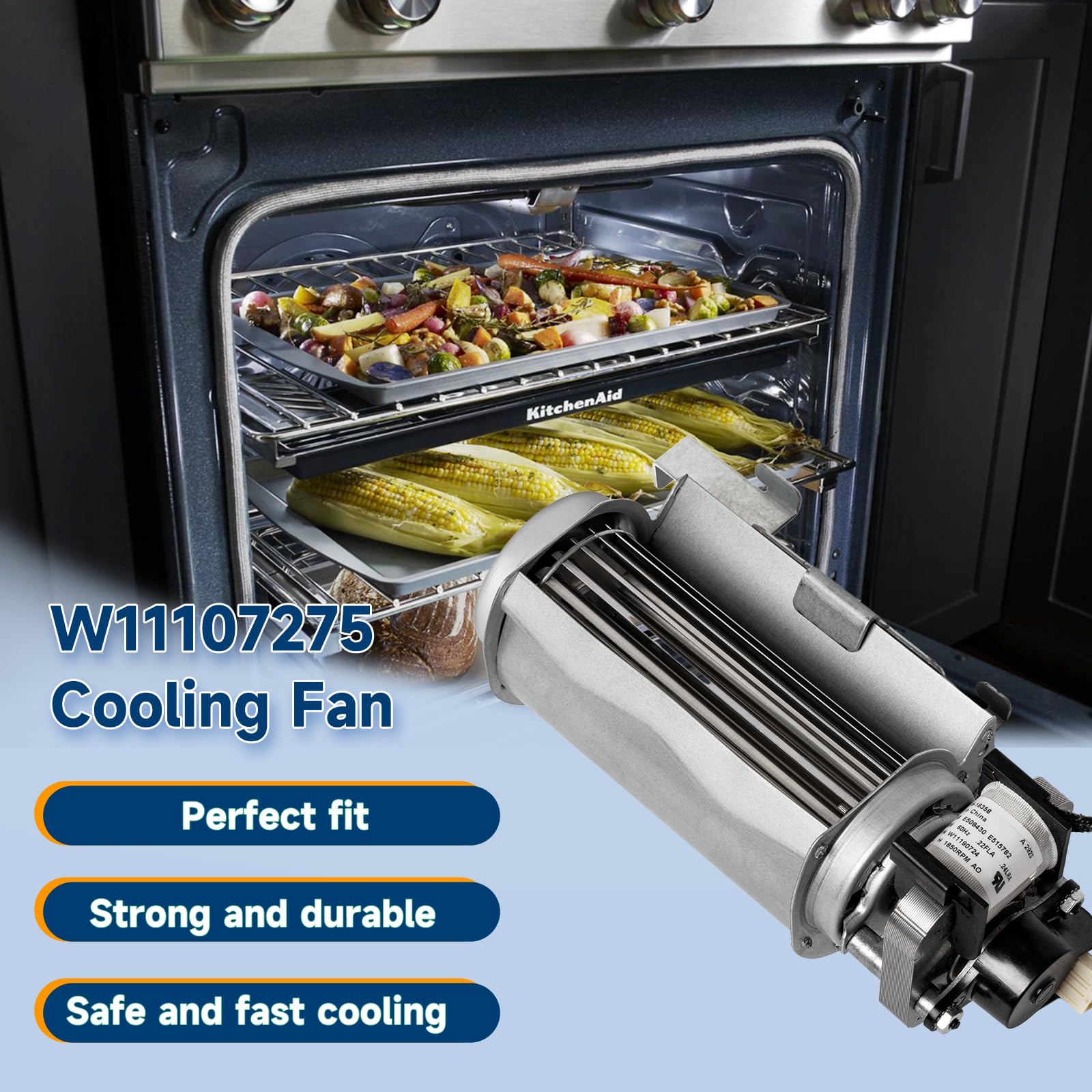
Credit: www.amazon.com
Frequently Asked Questions
How Long Should The Kitchenaid Oven Cooling Fan Run After Cooking?
The cooling fan usually runs for 5 to 30 minutes after you turn off the oven, depending on how hot the oven was and the room temperature. After self-cleaning, it may run for up to 40 minutes.
Is It Safe To Unplug The Oven To Stop The Cooling Fan?
If you must stop the fan (such as for an emergency), you can switch off the oven at the circuit breaker. However, this is not recommended for routine use, as it interrupts normal cooling and may shorten the oven’s lifespan.
Why Is My Kitchenaid Oven Cooling Fan Making A Loud Noise?
A loud cooling fan can be caused by dust, grease buildup, loose screws, or worn fan bearings. Cleaning the fan and vents often solves the problem. If noise continues, contact a technician.
Can I Adjust The Cooling Fan Settings On My Kitchenaid Oven?
Most Kitchenaid ovens do not allow users to adjust cooling fan settings. The fan is controlled by the oven’s programming for safety. Check your user manual to see if your model has any special options.
Does The Cooling Fan Run During All Types Of Cooking?
Yes, the cooling fan may run during baking, broiling, roasting, and self-cleaning—even if you don’t notice it. It will also run after cooking until the oven cools down.
With the right understanding, you can use your Kitchenaid oven confidently, knowing the cooling fan is there to keep you and your appliance safe.