
Turning on a Frigidaire oven may seem simple, but the process can be confusing if you’re new to the brand, have just moved into a new home, or are using a model you’re not familiar with. Modern Frigidaire ovens come with several features, controls, and safety options that can be overwhelming at first glance.
Understanding how to operate your oven safely and efficiently ensures better cooking results, saves energy, and helps avoid common mistakes that can lead to frustration or even damage to the appliance.
Whether your Frigidaire oven is electric, gas, or has smart features, the right way to turn it on depends on its specific design. Some models have digital touchpads, while others use traditional knobs. There are also key differences between starting up for baking, broiling, or using special modes like convection or self-clean.
This article will guide you through every essential step, from preparing the oven to selecting the right function, setting the temperature, and troubleshooting common issues. By the end, you’ll have the confidence to use your Frigidaire oven safely and correctly, making every meal easier and more enjoyable.
Understanding Your Frigidaire Oven Model
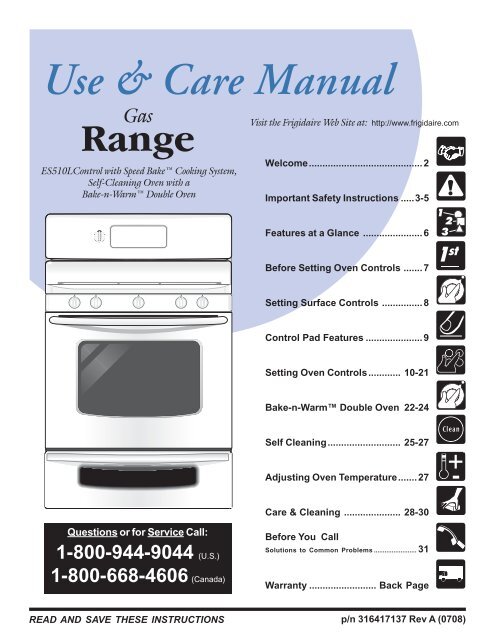
Before you start, it’s important to know the exact model of your Frigidaire oven. Frigidaire offers a wide range of ovens, and the controls may vary between models. Common types include:
- Freestanding ovens: Usually have controls on a back panel.
- Wall ovens: Controls are often on the front.
- Slide-in ranges: Controls are at the front for easy access.
- Gas ovens: Require ignition, sometimes with a button or knob.
- Electric ovens: Heat up instantly with electrical coils or elements.
- Smart ovens: Come with Wi-Fi or touch screens.
You can find your oven’s model number on a sticker, usually inside the door frame or on the side of the oven cavity. Knowing the model helps when checking the user manual or searching online for support.
Safety Precautions Before Turning On
Safety should always come first when operating any oven. Here are crucial steps to ensure a safe start:
- Check for Gas Leaks (Gas Ovens): If you smell gas before turning on a gas oven, do not operate it. Ventilate the area and contact a professional.
- Clear the Oven Interior: Remove any leftover packaging, manuals, or oven racks not needed for cooking. Plastic or paper items can melt or catch fire.
- Ensure Proper Ventilation: Make sure the kitchen is well-ventilated to prevent heat and smoke buildup.
- Inspect Power Connection (Electric Ovens): Ensure the oven is plugged in securely and the outlet is functioning.
- Read the User Manual: Every model can have slight differences. The manual provides specific warnings and instructions for your oven.
Extra Insight: Many users forget to remove plastic zip ties or foam inserts inside new ovens. These can catch fire when the oven heats up, so always double-check.
Getting Familiar With The Control Panel
Modern Frigidaire ovens feature different types of control panels. Understanding the panel’s layout makes operation easier and prevents mistakes.
Types Of Controls
- Knobs: Usually for setting temperature and function (bake, broil, etc. ).
- Touchpads: Digital panels where you press buttons for each function.
- Touchscreens: Some high-end models have smart touchscreens with menus.
- Combination: Knobs for temperature, buttons for function.
Common Buttons And Indicators
- Bake: Starts the standard baking mode.
- Broil: Activates the broiler element at the top.
- Convection: For even, fast cooking using a fan.
- Self-Clean: High-heat mode to clean the oven.
- Timer/Clock: Set cooking times or the current time.
- Start/Stop/Clear: Begins or cancels operations.
- Oven Light: Turns the interior light on or off.
Pro Tip: Pressing “Start” is required after selecting a function and temperature. Many users miss this step, causing the oven not to heat up.
How To Turn On A Frigidaire Oven: Step-by-step
Let’s break down the process for both electric and gas Frigidaire ovens, covering each scenario in detail.
Step 1: Prepare The Oven
- Open the oven door and check for any objects inside.
- Arrange racks to the desired height for your dish. Racks should be positioned before preheating for safety and to avoid heat loss.
- Wipe any spills or crumbs to prevent smoking.
Step 2: Power On The Oven
- For electric ovens, ensure the oven is plugged in and the circuit breaker is on.
- For gas ovens, check that the gas supply valve is open.
Step 3: Set The Function
Most Frigidaire ovens have a clear sequence for setting the desired cooking function.
For Touchpad Models
- Press the Bake or desired function (Broil, Convection, etc. ).
- Use the up/down arrows or number pad to select the temperature.
- Press Start to begin preheating.
For Knob Models
- Turn the function knob to “Bake,” “Broil,” or another mode.
- Turn the temperature knob to the desired setting.
- Wait for the oven indicator light to turn on, showing the oven is heating.
For Smart Or Touchscreen Models
- Tap the main menu or home button.
- Select the cooking mode.
- Enter the temperature.
- Tap Start or “Begin.”
Step 4: Preheat The Oven
- The oven will start heating to the set temperature.
- Most Frigidaire ovens display a preheat indicator or beep when ready.
- Preheating typically takes 10–15 minutes, depending on the temperature and oven model.
Step 5: Insert Your Food
- Once preheated, place your dish inside using oven mitts for safety.
- Avoid opening the door frequently, as this drops the temperature.
Step 6: Monitor Cooking
- Use the timer feature to track cooking time.
- Check food through the oven window using the Oven Light.
Step 7: Turn Off The Oven
- When cooking is done, press Stop or turn all knobs to the “Off” position.
- For gas ovens, ensure the flame is completely out.
Key Insight: Some Frigidaire ovens require holding the “Start” button for a few seconds. If the oven does not respond, try pressing and holding for 3–5 seconds.
Credit: www.yumpu.com
Special Features And Modes In Frigidaire Ovens
Frigidaire ovens often come with advanced modes for different cooking styles. Understanding these features can improve your results.
Convection Bake And Roast
- Uses a fan to circulate heat evenly.
- Food cooks faster and more evenly, great for baking multiple trays.
- Reduce the recipe temperature by about 25°F when using convection.
Broil
- Directs high heat from the top element.
- Perfect for browning or crisping food like steak or casseroles.
- Requires monitoring, as food can burn quickly.
Self-clean
- Heats the oven to very high temperatures to burn off spills.
- Remove racks and any large food debris before starting.
- The oven door will lock during this mode for safety.
Delay Start
- Allows you to program the oven to start at a later time.
- Useful for having meals ready after work or school.
Sabbath Mode
- Designed for users who observe religious practices restricting work during certain times.
- Keeps the oven on at a set temperature for a long period.
Practical Example: If you want to bake cookies on two racks, use convection mode and set the temperature 25°F lower than the recipe. This prevents overbaking.
Troubleshooting: When The Oven Won’t Turn On
Sometimes, your Frigidaire oven may not start as expected. Here’s what to check:
Power Supply Issues
- Confirm the oven is plugged in.
- Check the breaker panel for tripped breakers.
- Test the outlet with another appliance.
Control Panel Problems
- For digital models, a blank screen can mean a power issue or a blown fuse.
- Reset the oven by unplugging it for 1 minute, then plugging it back in.
Door Not Fully Closed
- Many models will not start if the door is ajar.
- Inspect for obstructions or bent hinges.
Child Lock Activated
- Some models have a Child Lock or Control Lock feature.
- Look for a lock icon or check the manual for how to disable.
Gas Ignition Issues (gas Ovens)
- Listen for the clicking sound of the igniter.
- If there’s no sound, the igniter or gas valve may need service.
Error Codes
- Digital displays may show codes like “F10” or “F30.”
- Refer to the user manual for code meanings and solutions.
Pro Insight: If your oven trips the breaker each time you turn it on, it could be a sign of a faulty heating element or wiring issue. Always consult a certified technician for repairs.

Credit: www.reddit.com
Comparing Frigidaire Oven Types
Choosing the right oven and understanding the differences can help you operate your appliance better. Here’s a side-by-side comparison of three popular types:
| Feature | Electric Oven | Gas Oven | Smart Oven |
|---|---|---|---|
| Heating Method | Electric coils/elements | Gas flame | Electric, with advanced controls |
| Control Type | Knobs or touchpad | Knobs | Touchscreen/Wi-Fi |
| Preheat Speed | Moderate | Faster | Fast, with notifications |
| Features | Basic bake/broil | Bake/broil, manual ignition | Convection, smart recipes, remote control |
| Price Range | $$ | $$ | $$$ |
Cleaning And Maintenance Before And After Use
Regular cleaning and proper maintenance help your Frigidaire oven last longer and work better.
Before Use
- Wipe the interior with a damp cloth to remove dust or residues.
- Clean the door glass for a clear view of your food.
- Check that oven racks are free of grease.
After Use
- Let the oven cool before cleaning.
- Remove crumbs and wipe spills to prevent smoke during the next use.
- Clean the control panel gently with a soft cloth.
Deep Cleaning
- Use the self-clean feature monthly, but only if the oven is not heavily soiled.
- For stubborn stains, use a non-abrasive cleaner and a sponge.
- Avoid harsh chemicals that can damage the interior.
Extra Tip: Avoid using foil to line the bottom of the oven. It can block airflow and cause poor cooking results or even damage the heating element.
Setting The Oven Timer And Clock
Timers and clocks are not just for convenience—they help prevent overcooking and burning food.
Setting The Clock
- For most digital models: Press “Clock,” enter the time using the number pad, then press “Start.”
- For knob models: Some may not have a clock, or it is set automatically.
Using The Timer
- Press “Timer On/Off.”
- Enter the cooking time.
- Press “Start.”
- The oven will beep when time is up but will not turn off automatically unless using a timed bake function.
Timed Bake
- Allows you to set both cooking time and end time.
- Great for recipes that require exact timing.
Energy Efficiency Tips
Using your oven efficiently saves energy and money.
- Always preheat only when necessary. Some recipes, like roasting vegetables, don’t need it.
- Cook multiple items at once when possible.
- Use convection mode for faster cooking at lower temperatures.
- Keep the oven door closed to avoid heat loss.
- Turn off the oven a few minutes before cooking ends; residual heat can finish the job.
Credit: www.youtube.com
Quick Reference: Turning On Different Models
Here’s a handy summary for starting the most common Frigidaire oven types.
| Model Type | How to Turn On | Special Note |
|---|---|---|
| Electric (Touchpad) | Press “Bake” > Set Temp > Press “Start” | Always confirm preheat |
| Electric (Knob) | Turn Function to “Bake” > Set Temp | Indicator light shows heating |
| Gas (Manual) | Turn Function to “Bake” > Ignite | Check for flame |
| Smart (Wi-Fi) | Use app or touch controls | Can preheat remotely |
Common Mistakes To Avoid
Many oven issues come from small errors that are easy to fix or avoid.
- Not pressing “Start” after setting temperature: The oven won’t begin heating until you confirm.
- Forgetting to move racks before preheating: Hot racks are dangerous to move by hand.
- Opening the door too often: This drops the temperature and affects baking results.
- Ignoring error codes: Small errors can become big problems if not fixed early.
- Leaving food debris inside: This causes smoke and bad smells.
- Using the wrong mode: For example, baking with broil can burn the top of dishes.
- Setting the wrong temperature: Double-check recipes and oven settings.
- Not checking the gas supply (Gas ovens): No gas, no flame.
Common Oversight: Some people use extension cords with electric ovens. This is unsafe and can lead to power loss or fire. Always plug ovens directly into a wall outlet.
Enhancing Your Cooking Experience
A Frigidaire oven can do more than just bake or broil. Here’s how to get the most from your appliance:
- Try using the convection feature for roasted meats and baked goods.
- Use the delay start for busy days, so dinner is ready when you get home.
- Take advantage of the oven’s interior light to check food without opening the door.
- Explore specialty modes like pizza, bread proofing, or air fry (if available).
- Register your product online for updates and support via the official Frigidaire site.
Advanced Tip: If your model has a temperature probe, insert it into the thickest part of meat or poultry. The oven will alert you when the target temperature is reached.
Frequently Asked Questions
How Do I Know If My Frigidaire Oven Is Preheated?
Most Frigidaire ovens have a preheat indicator light or beep when the set temperature is reached. For digital models, the display may show “PrE” or the target temperature. Always wait for this signal before inserting food for best results.
My Oven Won’t Turn On After A Power Outage. What Should I Do?
First, check if the oven is plugged in and the breaker is on. Some models require you to reset the clock or press “Clear/Off” after a power loss. If the control panel is still blank, unplug the oven for one minute, then plug it back in to reset the electronics.
Can I Use Aluminum Foil In My Frigidaire Oven?
Using aluminum foil on oven racks or the bottom is not recommended, as it can block airflow and affect cooking. Foil can also damage heating elements or the oven cavity. If you must use foil, place it only on a baking sheet, not directly in the oven.
What Does The “f10” Error Code Mean On A Frigidaire Oven?
The “F10” code usually signals a temperature sensor issue or runaway temperature. Turn off the oven, let it cool, and try again. If the code returns, the sensor or control board may need service. Always refer to your user manual or contact Frigidaire support for help.
Why Does My Gas Oven Smell Like Gas When I Turn It On?
A brief gas smell is normal as the oven ignites, but if the smell is strong or lasts more than a few seconds, turn off the oven immediately. Ventilate the kitchen and contact a professional. Gas leaks are dangerous and should be handled by experts.
Turning on your Frigidaire oven the right way is about more than just pushing a button or turning a knob. With careful preparation, understanding of your model’s features, and attention to safety, you’ll get great results every time you cook. Remember, your oven is a tool—mastering its controls and options will make cooking easier, safer, and more enjoyable. If you’re ever unsure, consult your user manual or visit the Frigidaire Owner Center for more information.