
If you have a busy schedule, the delay start feature on your GE oven can be a real game changer. Imagine prepping dinner in the morning, setting the oven, and coming home to a freshly cooked meal. Or maybe you want your bread to finish baking right before guests arrive. This smart feature lets you decide exactly when your oven starts cooking, saving time and making life easier. Yet, many people never use it because they find it confusing or worry about getting it wrong. Let’s clear that up. With a little understanding and some careful steps, you can start using delay start confidently and safely. This guide will walk you through everything you need to know, including step-by-step instructions, safety tips, troubleshooting, and expert advice you won’t find in the manual.
Understanding Delay Start On Ge Ovens
The delay start function allows you to set your GE oven to begin cooking at a later time. You select the cooking mode, temperature, and duration as usual, but instead of starting right away, you set a delay. The oven will automatically turn on and cook your food at the scheduled time.
This feature is available on most modern GE ovens, including both electric and gas models. However, the exact steps and button labels may vary depending on the oven’s model year and design. Some ovens call this feature “Delay Start,” others use “Timed Bake” or “Cook Time with Delay.” It’s important to check your model’s user manual, but the basics are similar across devices.
Why Use Delay Start?
- Convenience: Prep meals ahead of time, then let the oven do the work when you’re out or busy.
- Better Scheduling: Get dishes hot and ready just when you need them.
- Energy Efficiency: Take advantage of off-peak electricity rates in some regions.
- More Flexibility: Multitask and manage your time without rushing back to the kitchen.
Key Terms To Know
- Delay Start: The function that postpones the oven’s start time.
- Cook Time: The total time the oven will cook after starting.
- Stop Time/End Time: When the oven will finish cooking and shut off.
Understanding these terms is important for using the feature safely and effectively.
How Delay Start Works: The Basics
Before you set delay start, here’s what happens inside your oven:
- Programming: You choose the cook mode, temperature, and time as usual.
- Delay Setting: You choose when the oven should turn on.
- Standby: The oven waits until the programmed time.
- Cooking Begins: The oven automatically starts, cooks for the set time, and shuts off.
- End: The oven beeps or signals when done.
The control panel displays the current time, the start time, and may show the end time as well. Some models also lock the controls during delay start to prevent accidental changes.
Step-by-step Guide: Setting Delay Start On A Ge Oven
Using delay start is straightforward once you know where to look. Here’s a detailed walk-through, but always check your oven’s manual for model-specific steps.
1. Check The Clock
Your oven’s clock must be set to the correct time for delay start to work accurately.
- Locate the “Clock” or “Set Clock” button.
- Use the number pad or arrows to set the current time.
- Confirm with “Start” or “Set.”
If the clock is wrong, your meal will cook at the wrong time.
2. Prepare Your Food
Place your dish in an oven-safe pan. If your recipe requires preheating, remember that with delay start, the oven will preheat as part of the scheduled time.
Non-obvious insight: Foods that spoil easily, like raw meat or eggs, should not sit at room temperature for many hours. Plan accordingly to avoid food safety issues.
3. Select The Cooking Function
- Press “Bake,” “Convection Bake,” or another mode you want.
- Enter the temperature using the keypad.
4. Set The Cooking Time
- Press “Cook Time” or “Bake Time.”
- Enter the total minutes or hours the dish should cook.
5. Enter The Delay Start Time
- Press “Delay Start” or “Start Time.”
- Enter the time you want the oven to start.
For example, if it’s 2:00 p.m. now and you want cooking to begin at 5:30 p.m., enter 5:30.
6. Confirm And Start
- Press “Start” to activate the program.
The oven display will show the delay, and the oven will not heat up until the set time. After cooking, the oven usually beeps and turns off automatically.
Example Scenario
Suppose you want your lasagna to bake for 1 hour and be ready at 7:00 p.m. It’s now 3:00 p.m.
- Set oven to 375°F.
- Cook time: 1:00.
- Delay start: 6:00 p.m. (Oven starts at 6, bakes for 1 hour, finishes at 7).
Your lasagna is ready just in time for dinner.
Step-by-step Guide: Using Delay Start On Ge Double Ovens
If you have a double oven, you can use delay start on one or both ovens, but you must program each cavity separately.
- Select “Upper Oven” or “Lower Oven.”
- Follow the steps above for each oven.
- Set different times and temperatures as needed.
Extra tip: Many people forget to select the correct cavity, causing confusion or missed meals.
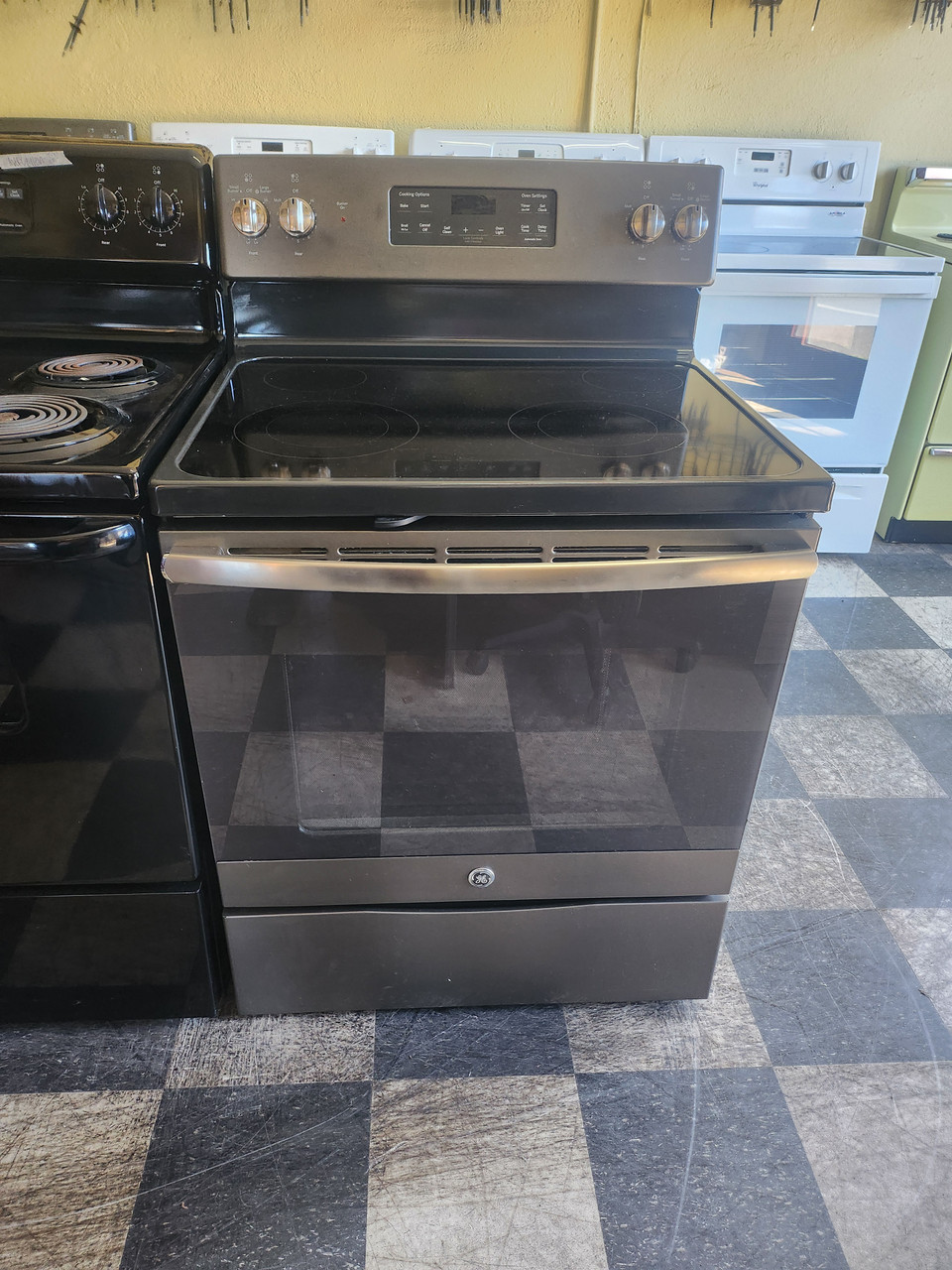
Credit: www.appliancecity.info
Comparing Delay Start Features: Ge Oven Models
GE ovens come in many models, each with its own features. Here’s a quick comparison to help you understand what to expect.
| Feature | Basic Models | Mid-Range Models | Smart Models |
|---|---|---|---|
| Delay Start | Manual Button | Touchscreen/Knob | App Controlled |
| Cook Time Limit | Up to 12 hours | Up to 24 hours | Customizable |
| Smart Integration | No | Some | Wi-Fi, Voice |
| Control Lock | Optional | Yes | Yes |
| Price Range | Low | Medium | High |
If you have a smart GE oven, you may be able to set delay start from your smartphone or even with voice commands through smart speakers.
Safety Tips: Using Delay Start Without Risk
The delay start feature is very convenient, but food safety is critical. Here’s what you need to know to use it safely:
1. Avoid Perishable Foods
Raw meat, seafood, eggs, or dairy can develop harmful bacteria if left out too long. Only use delay start for foods that are safe at room temperature, or keep dishes refrigerated and transfer them right before the delay period.
2. Limit Delay Time
Keep the delay time as short as possible. For most recipes, a delay of 1-2 hours is safe. Longer delays increase the risk of spoilage.
3. Use Insulated Cookware
If you need a longer delay, consider using insulated or thermal cookware to keep food cool until cooking begins.
4. Child Safety
Always lock the oven controls if you have children at home. Many ovens have a control lock feature.
5. Double Check Everything
Before leaving the house, make sure the oven is set correctly, the clock is accurate, and the dish is safe to cook.
Hidden risk: Some users forget to remove plastic wrap or covers, which can melt or cause fumes when the oven starts later.
Common Mistakes To Avoid
Delay start is simple, but a few common errors can ruin your meal or even cause safety problems. Here’s what to watch out for:
- Wrong Clock Time: An incorrect oven clock leads to cooking at the wrong hour.
- Mixing Up Start and End Times: Always confirm whether you’re setting the start or end time. Some models use “Cook Time” plus “Delay Start,” others use “End Time.”
- Forgetting to Press Start: Many people set everything but forget to press the final “Start” button.
- Using With Broil: Never use delay start with the broil function—it can be unsafe and may damage the oven.
- Leaving Perishables Out: As mentioned, never let raw meats or dairy sit for hours at room temperature.
- Setting Too Long a Delay: Most ovens have a limit (12–24 hours), but you should keep it as short as possible.
Practical Examples: When To Use Delay Start
Delay start is perfect for certain scenarios. Here are a few practical ideas:
- Bread Baking: Set dough in the oven to rise, then bake just before you wake up.
- Busy Family Dinners: Prep a casserole in the morning, set the oven to start an hour before you get home.
- Holiday Meals: Time your turkey or roast to finish as guests arrive.
- Meal Prepping: Cook several dishes back-to-back with minimal supervision.
Expert insight: Delay start is not just for dinner. You can use it for breakfast bakes, reheating, or even slow roasting overnight (as long as food safety is considered).
Advanced Settings: Smart Ovens And Remote Start
If you own a newer GE smart oven, delay start can be managed using the GE Appliances Kitchen app. This lets you control your oven remotely, adjust times, and receive notifications.
Using The App
- Download the GE Appliances app from your phone’s app store.
- Connect your oven via Wi-Fi.
- Program delay start from anywhere—work, gym, or even while commuting.
- Get alerts when cooking starts, finishes, or if there’s a problem.
Smart Home Integration
Some GE ovens work with Amazon Alexa or Google Assistant. You can say, “Alexa, start the oven at 6 p.m.” or set delay start using your voice.
Important: Always double-check your settings remotely to avoid errors.
Comparing Delay Start To Other Timed Oven Functions
Delay start is just one of several timing features on GE ovens. Here’s how it compares:
| Feature | Delay Start | Cook Time | Timer |
|---|---|---|---|
| Purpose | Start cooking later | Set cooking duration | Countdown, no cooking |
| Controls Oven | Yes | Yes | No |
| Common Use | Meal scheduling | Auto shut-off | Reminders |
| Available Modes | Bake, Conv. Bake | All | All |
Non-obvious insight: Some users try to use delay start with broil or self-cleaning cycles—this is not recommended and can cause safety issues.
Troubleshooting Delay Start Problems
Even with the right steps, problems can happen. Here’s how to fix the most common issues:
Delay Start Won’t Work
- Check clock: Is the time set correctly?
- Is oven in Sabbath mode? : This special mode disables timed functions. Turn it off if you want delay start.
- Are all steps entered? : Some ovens require all fields (cook time, temp, start time) before “Start” will work.
- Door closed? : Delay start won’t work if the oven door is open.
- Power outage? : After a power cut, you may need to reset the clock and programming.
Oven Starts Immediately
- Wrong button order: If you press “Start” before “Delay Start,” the oven may begin cooking right away.
- Model differences: Some older models use “Stop Time” instead of “Start Time.” Check your manual.
Oven Doesn’t Start At All
- Control lock active: Unlock the controls.
- Settings cleared: If you open the door or lose power, the programming may reset.
Food Isn’t Cooked
- Set too short a cook time: Double-check your entries.
- Oven not preheating: Some delay start modes do not include preheating—add extra time if needed.
Error Codes Or Beeping
- Consult the manual: Codes like F1, F2, etc., mean different things. Look them up.
- Power cycle: Sometimes, unplugging the oven for a minute resets the controls.
Cleaning And Maintenance After Using Delay Start
Using delay start doesn’t change the way you clean your oven, but here are some special considerations:
- Remove spills quickly: If food boils over during an unattended cook, clean up as soon as possible to prevent burning or smoke.
- Check oven cavity: Delay cooking can sometimes dry out or overcook food at the edges, leading to tougher cleaning jobs.
- Inspect door seals: Automatic cooking means you may not be present if a spill happens. Check the door seal for stuck-on food.

Credit: www.applianceworld.com
Is Delay Start Right For Every Household?
While delay start is a useful feature, it’s not always the best option for every situation.
Ideal Users
- Busy parents
- Working professionals
- People with fixed meal schedules
- Home bakers
When Not To Use It
- Homes with small children or pets
- If you regularly cook with perishable foods
- When leaving home for more than a few hours
- If you have unreliable power
Pro tip: For maximum safety, only use delay start when you’re nearby, or for recipes that are safe to sit at room temperature.
Cooking Tips For Best Results With Delay Start
- Choose the right recipes: Casseroles, baked pasta, and bread work well. Avoid soufflés or recipes that need attention.
- Cover your dish: Prevent drying out by covering food with a lid or foil (but remove plastic wrap).
- Add extra moisture: Foods can dry out during long waits—add extra sauce or water as needed.
- Test with simple recipes first: Try delay start with a basic baked potato or bread to build confidence.
- Use oven-safe cookware: Glass, ceramic, or metal pans are safe; avoid plastic or paper.
Hidden detail: Some ovens beep briefly when starting delay mode, then again when starting to cook. Listen for both to confirm everything is working.
What If Delay Start Isn’t Working?
If you’ve tried everything and delay start still doesn’t work, it could be a technical problem:
- Control board failure
- Button malfunction
- Software glitch (on smart ovens)
- Worn-out clock or display
Contact GE support or a certified technician. For more help, see the official GE Appliances support page: GE Appliances Support.
Real-world User Experiences
Many home cooks find delay start life-changing, but it takes practice. Here’s what actual users say:
- “I prep my casserole at lunch, set delay start for 5, and dinner is ready when I get home—no stress.”
- “Be careful with the clock. Once, I set a.m. instead of p.m. and ended up with a cold meal.”
- “Delay start is great for bread, but not for chicken. I only use it for non-perishable recipes.”

Credit: www.youtube.com
Frequently Asked Questions
How Do I Set The Delay Start On My Ge Oven?
Press “Bake” or your preferred mode, enter the temperature, then press “Cook Time” to set the cook duration. Next, press “Delay Start” and enter the time you want cooking to begin. Finally, press “Start. ” Always check your model’s manual, as steps may differ.
Is It Safe To Leave Food In The Oven Before Cooking With Delay Start?
It depends on the food. Non-perishable items are usually safe, but raw meat, dairy, or eggs should not sit at room temperature. Limit the delay time and refrigerate items when possible.
Can I Use Delay Start With Any Cooking Function?
No. Delay start is designed for baking and convection baking. Do not use it with broil or self-clean cycles, as this can be unsafe or damage the oven.
What Should I Do If My Oven Clock Is Wrong?
Set the clock before using delay start. Press “Clock” or “Set Clock,” enter the correct time, and confirm with “Start. ” Delay start will not work properly if the clock is incorrect.
Where Can I Get More Information About My Specific Ge Oven Model?
Visit the official GE Appliances website or contact their support for manuals and guidance. You can also find helpful tips at Consumer Reports.
Using the delay start feature on your GE oven can transform the way you cook, making mealtime more convenient and flexible. By understanding how the feature works, following safety tips, and practicing with easy recipes, you can enjoy hot, fresh meals right when you want them—without stress.
With a little practice, you’ll wonder how you ever lived without it.