
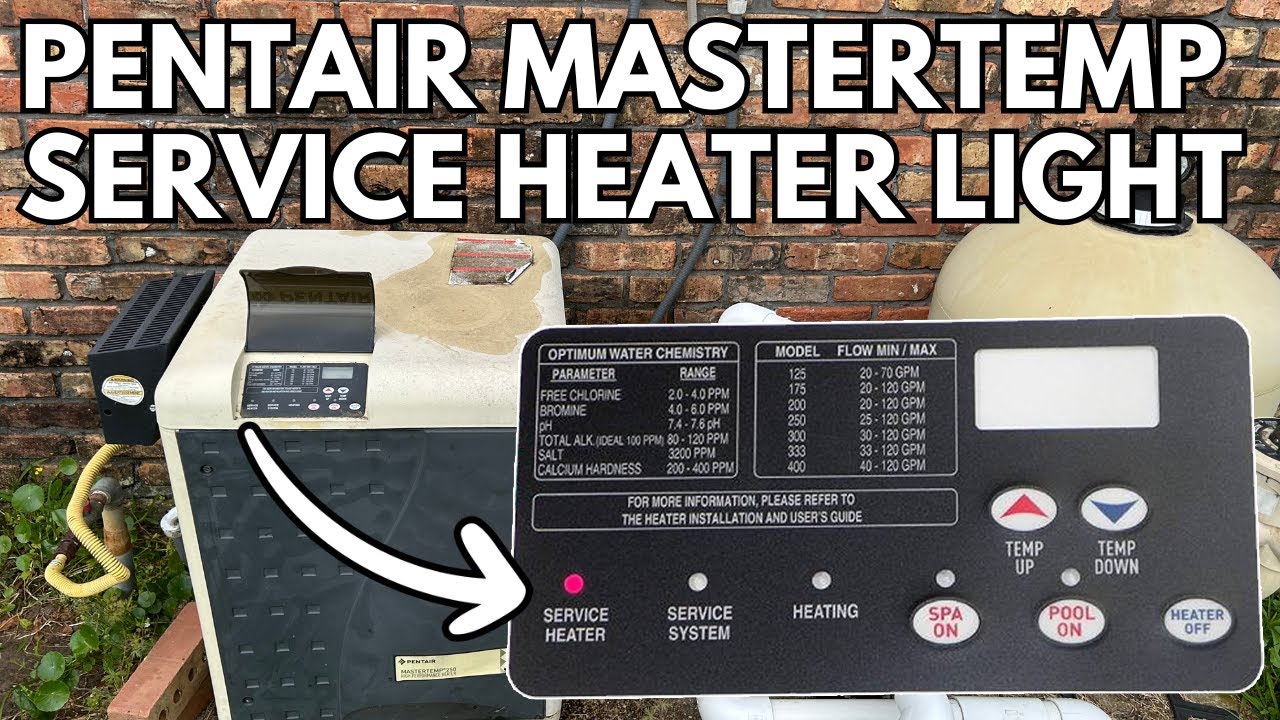
If you see the “Service System” light on your Pentair MasterTemp 400 pool heater, it can be worrying. This light means the heater has found a problem and needs attention. Don’t panic—many times, you can fix this issue with some simple checks and steps.
Understanding why the service system light comes on and how to troubleshoot it will help you get your pool heater working again quickly and safely.
What Does The Service System Light Mean?
The “Service System” light is part of your heater’s safety features. When this light turns on, the heater is telling you there’s a system problem. This could be a small issue, like a loose wire, or something bigger, like a part that needs replacing.
The heater will often stop working to protect itself and your pool.
Some common reasons for the service system light include:
- Water flow problems
- Dirty or blocked filters
- Faulty sensors
- Gas supply issues
- Electrical problems
Not all problems need a professional right away. Some you can check and fix yourself. Let’s look at the most common causes and how to solve them.
—
Step 1: Check Water Flow
Good water flow is very important for the MasterTemp 400. If water doesn’t move well through the heater, the system can’t work safely. This is one of the main reasons the service system light turns on.
How To Check Water Flow
1. Check The Pool Pump:
Is your pool pump on? Is it working well? If your pump isn’t running, water can’t move through the heater.
2. Look At The Filter:
Is the pool filter dirty? A clogged filter reduces water flow. Check the pressure gauge on the filter. If the pressure is higher than normal, it’s time to clean or backwash the filter.
3. Inspect The Skimmer And Baskets:
Leaves and debris can block baskets. Clean out the skimmer and pump baskets. Even a small blockage can affect water flow.
4. Check Valves:
Sometimes, valves that control water flow to the heater are closed or partly closed. Make sure all valves are open and water is moving freely.
Example
One pool owner found their service system light on after a storm. The skimmer basket was full of leaves, blocking water. After cleaning the basket, the light turned off and the heater worked fine.
Non-obvious Insight
Many people forget that the heater needs a strong flow of water—not just a little. Even if water seems to be moving, it might not be enough. Check for weak jets or bubbles, which can mean low flow.
—
Step 2: Clean Or Replace Filters
A dirty filter is a very common cause of the service system light. Your MasterTemp 400 depends on clean filters to work properly.
How To Clean A Filter
- Turn off the pool pump.
- Remove the filter from the system.
- Use a hose to wash off dirt and debris. If the filter is very dirty, soak it in a filter cleaning solution.
- Put the clean filter back in place.
- Turn the pump back on and check if the service system light goes off.
When To Replace A Filter
If your filter is old or damaged, cleaning won’t help. Most pool filters last one to two years, depending on use. Look for cracks, holes, or worn areas. If you see any, buy a new filter.
Practical Tip
Always have a spare filter on hand. This way, you can swap quickly if there’s a problem.
—
Step 3: Check For Air In The System
Air in the water lines can cause the heater to shut down. The MasterTemp 400 is designed to protect itself if it senses air, because air can make the heater run too hot.
How Air Gets In
- Low pool water level
- Loose pump lid or O-ring
- Cracked pipes or fittings
What To Do
- Make sure the pool water level is halfway up the skimmer opening.
- Tighten the pump lid and check the O-ring for cracks.
- Check pipes and connections for leaks.
Example
If you just cleaned the filter or did pool work, some air might be left in the lines. Run the pump with the air relief valve open until water comes out smoothly.
Non-obvious Insight
Sometimes, the heater can trap air if it’s not installed at the right height. If the heater is above pool water level, it may draw air. If you notice this often, talk to a pool pro about your system design.
—
Step 4: Inspect Heater Sensors
The MasterTemp 400 uses several sensors to keep water at the right temperature and protect the heater. If a sensor is bad or dirty, the service system light may come on.
Main Sensors To Check
- Thermistor: Measures water temperature.
- High Limit Switch: Shuts off heater if water gets too hot.
- Water Pressure Switch: Checks for good water flow.
How To Check Sensors
- Turn off power to the heater.
- Open the heater panel (follow your manual for safety).
- Look for loose wires or corrosion.
- If you have a multimeter, check sensor resistance (your manual gives correct values).
- Clean off any dirt or buildup.
What If A Sensor Is Bad?
If you find a broken or corroded sensor, you’ll need to replace it. These parts are not expensive, and many owners can replace them with basic tools.
Practical Example
A pool owner noticed the heater worked on cool days but not on hot days. The problem was a failing high limit switch. After replacing the switch, the service system light stayed off.
—
Step 5: Check Gas Supply (for Gas Heaters)
Your MasterTemp 400 uses natural gas or propane. If the heater doesn’t get enough gas, it can’t heat water and will often show the service system light.
How To Check Gas Supply
- Make sure the gas valve is open.
- Check for kinks or blockages in the gas line.
- If you have propane, make sure the tank isn’t empty.
- Look at the heater’s gas pressure switch or regulator for damage.
Safety Warning
Never try to fix gas leaks or problems yourself. If you smell gas, turn off the heater and call a professional right away.
Real-world Example
One user found their propane tank was low after a cold snap. Refilling the tank solved the issue.
Non-obvious Insight
Gas pressure can drop if other appliances are running, especially with natural gas. Try turning off other gas devices and see if the heater works better.
—

Credit: www.reddit.com
Step 6: Check Electrical Connections
The MasterTemp 400 depends on safe, steady power. Electrical problems can confuse the heater’s control board and trigger the service system light.
How To Check
- Turn off power to the heater at the breaker.
- Open the service panel.
- Look for loose, burnt, or corroded wires.
- Check the control board for water damage or burned spots.
- Tighten any loose connections.
Common Mistake
Some people forget to turn off all power before opening the panel. Always be safe—electric shock can be deadly.
Non-obvious Insight
If your pool area often gets wet, moisture can build up inside the heater. A small dehumidifier in the equipment room can help prevent this.
—
Step 7: Reset The Heater
Sometimes, the service system light is caused by a temporary glitch. Resetting the heater can clear the error.
How To Reset
- Turn off the heater using the power button.
- Wait at least 30 seconds.
- Turn the heater back on.
If the light stays off, the problem was likely a small error. If the light comes back, continue troubleshooting.
—
Step 8: Read Error Codes
The MasterTemp 400 has a control panel that shows error codes. These codes help you find the exact problem.
How To See Error Codes
- Look at the heater’s display panel.
- Write down any error codes you see (like “E05” or “E01”).
- Check your owner’s manual for what the code means.
Common Codes
- E01: Ignition failure (gas or spark problem)
- E05: Water pressure switch open (flow problem)
- E03: High limit (overheat)
Practical Tip
If you lost your manual, you can find it [here on Pentair’s official site](https://www.pentair.com/en-us/pool-spa-equipment/resources/manuals.html).
—
When To Call A Professional
Many issues with the service system light can be fixed by pool owners. But some problems need a trained technician.
Call A Pro If:
- You smell gas
- You see water spraying inside the heater
- The control board is burned or melted
- You have tried all steps and the light stays on
What To Expect
A technician can test parts with special tools and fix complex issues. It may cost money, but it keeps your pool safe.
—
Credit: www.youtube.com
Preventing Future Service System Light Problems
Keeping your MasterTemp 400 running well is easier than many think. Regular care helps avoid most service system light problems.
Maintenance Tips
- Clean filters and baskets every week.
- Check water level and flow often.
- Inspect heater connections each month.
- Have a pro do a heater check-up once a year.
Non-obvious Insight
Don’t cover the heater tightly when not in use. Heaters need air to “breathe. ” A tightly wrapped cover can trap moisture and cause rust or electrical issues.
—
Common Mistakes To Avoid
1. Ignoring The Light:
Don’t keep using the heater with the service system light on. This can cause bigger problems.
2. Skipping Maintenance:
Dirty filters and blocked baskets are easy to forget, but they cause many heater issues.
3. Using Wrong Parts:
Only use Pentair-approved parts for repairs. Cheap parts may not work right and can void your warranty.
4. Not Checking Water Chemistry:
Poor water quality can damage sensors and heater parts. Test your pool water every week.
—
Real-life Examples
Example 1
A pool owner saw the service system light after a pool party. The problem was sunscreen and hair blocking the skimmer basket. After cleaning it, the heater worked again.
Example 2
Another owner had an old heater with rusty wires inside. Water had leaked in during a storm. A technician replaced the wires and sealed the area, fixing the issue.
Example 3
A new user saw the service system light after installing a new pump. The pump was too powerful, causing water to move too fast. The heater sensed this and shut down. Switching to a smaller pump solved the problem.
—
Frequently Asked Questions
Why Does My Heater Turn On But Not Heat The Pool?
This often means a flow or gas problem. Check the filter, pump, and gas supply.
Can I Run The Heater With The Service System Light On?
No. The heater is telling you something is wrong. Running it can damage the heater or make the problem worse.
How Long Should A Mastertemp 400 Last?
With good care, many last 8–12 years. Regular cleaning and quick repairs help it last longer.
How Do I Find Replacement Parts?
Check your owner’s manual or Pentair’s website for part numbers. Only buy from trusted stores.
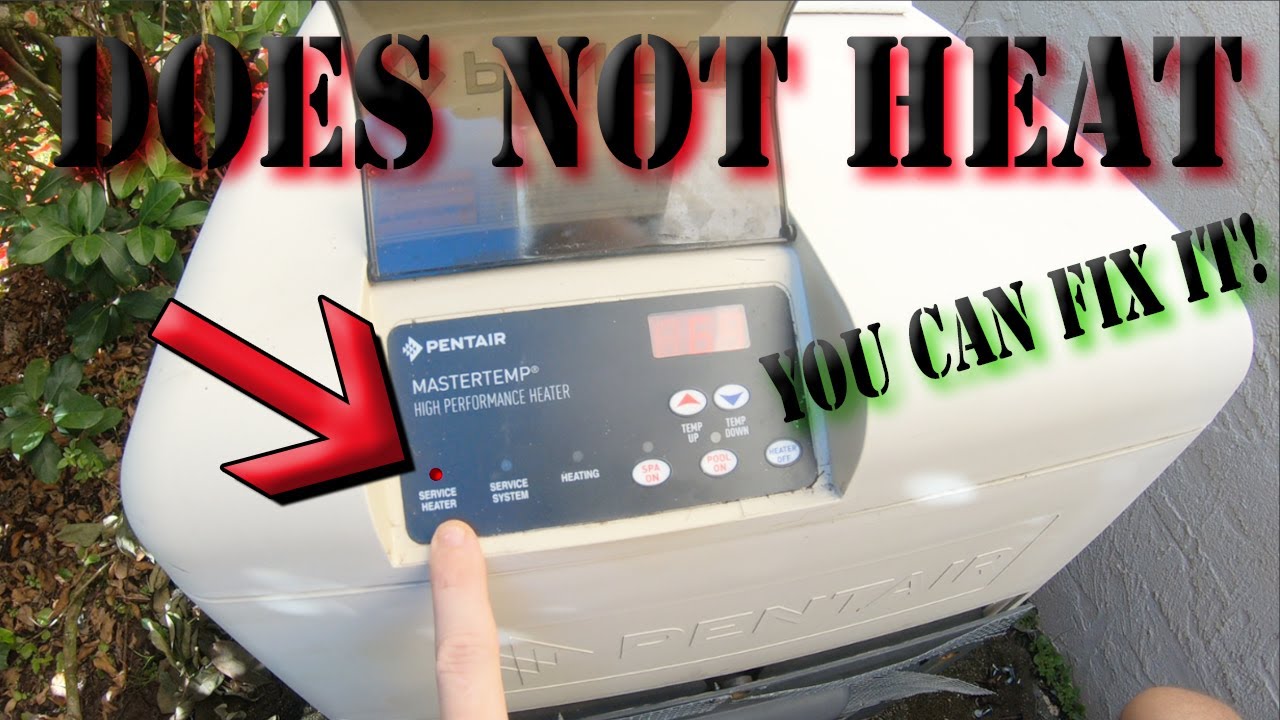
Is The Service System Light The Same As The Service Heater Light?
No. The service heater light is a general warning. The service system light means a system (not just the heater) problem—often water flow or sensors.
—
Credit: www.youtube.com
Final Thoughts
Seeing the Pentair MasterTemp 400 service system light can be stressful, but most problems have simple solutions. Start with basic checks: water flow, filters, baskets, sensors, and gas supply. Many owners fix the issue without calling a technician. If you’re not sure, or if the problem is serious, call a pool pro. Regular care and quick action will keep your pool heater safe and your water warm all season.
Remember, your heater is protecting itself and your pool. With a little attention and these practical steps, you can solve most service system light problems and get back to enjoying your pool.
For more information and troubleshooting help, you can visit [Pentair’s support page](https://www.pentair.com/en-us/support.html).