
Many people have faced the frustration of their Frigidaire oven getting stuck in lock mode. Maybe you pressed the wrong button, or there was a sudden power cut, and now your oven won’t open or start. This situation can be stressful, especially when you need to use your oven for a meal. The good news is: you are not alone, and there are clear steps you can follow to unlock your oven safely.
Understanding how lock mode works is essential. This feature is designed to keep you and your family safe, especially during high-heat cleaning cycles or when the oven is not in use. But sometimes, the lock stays on by mistake. In this guide, I’ll walk you through everything you need to know to get your Frigidaire oven out of lock mode.
I’ll explain why it happens, step-by-step methods to fix it, what to do if nothing works, and how to avoid this problem in the future.
Let’s dive in and get your oven working again.
Understanding Frigidaire Oven Lock Mode
Before you can fix the problem, it helps to know what lock mode is and why it exists. Frigidaire ovens, like many modern ovens, have a safety feature that locks the oven door. This lock can be automatic or manual, depending on your oven model.
Why Do Ovens Have A Lock Mode?
- Self-cleaning cycles: During these cycles, the oven heats up to very high temperatures. The lock keeps the door closed so you cannot accidentally open it and get burned.
- Child safety: Some ovens let you lock the controls and door to prevent children from turning on the oven or opening it.
- Power interruptions: If there’s a sudden power cut or surge, the oven may go into lock mode as a precaution.
Common Scenarios When Lock Mode Activates
- After running a self-cleaning cycle.
- Accidentally pressing the lock button.
- Power outage or surge.
- Malfunction in the oven’s control board.
Many users do not realize that the lock can also engage due to electrical or sensor issues. If you recently cleaned your oven or had a power problem, these could be the cause.
Basic Steps To Unlock Your Frigidaire Oven
Let’s begin with the simplest and safest methods to try. Always check your oven’s manual for the exact instructions, as oven models can be different.
1. Wait For The Oven To Cool Down
Self-cleaning cycles can heat the oven to 800°F (427°C) or more. The lock will not release until the temperature drops below a safe level.
- What to do: Wait at least 30-90 minutes after the cycle finishes. Do not force the door open.
- Tip: If your oven has a display, look for messages like “Hot” or “Lock” to see if it’s still cooling.
2. Use The Control Panel Lock Button
Some Frigidaire ovens have a lock button on the control panel.
- How to unlock: Press and hold the lock button for 3-5 seconds.
- The display should show “Loc OFF” or a similar message.
- Try opening the oven door after the lock message disappears.
3. Cancel The Self-cleaning Cycle
If you started a self-cleaning cycle by mistake, you can usually cancel it.
- How to cancel: Press the “Cancel” or “Clear/Off” button.
- The oven should begin to cool, and the lock will release after a few minutes.
4. Power Cycle The Oven
Sometimes, the control board gets confused and needs a reset.
- How to do it: Turn off the oven at the circuit breaker for 1-2 minutes, then turn it back on.
- Wait for the oven to restart. The lock should reset if the problem was a simple glitch.
5. Check For Error Codes
Frigidaire ovens often display an error code if something is wrong. Look for codes like “F90,” “F91,” or “F93.”
- Find the code: It appears on the oven’s display.
- What to do: Search your oven’s manual or the Frigidaire website for your specific code. Each code means something different (for example, “F90” often means the lock motor is stuck).
Advanced Unlocking Methods
If the basic steps did not work, you may need to try more advanced solutions. These are still safe to do at home, but they need a bit more care.
Manual Release Using The Oven Door Latch
Many Frigidaire ovens have a manual release lever inside the oven door. This is usually a small metal tab or lever, often at the top front edge of the oven.
- How to use: With the oven off and cool, use a flashlight to look for the lever.
- Gently push or slide the lever with a small tool (like a butter knife).
- Do not force it. If it feels stuck, stop to avoid breaking the latch.
Checking The Lock Motor And Switch
If you hear the oven trying to unlock but nothing happens, the lock motor or switch may be jammed.
- What to check: Listen for clicking or humming sounds. No sound means the motor is not working.
- In some cases, you may need to remove the back panel of the oven (only if you feel comfortable and safe).
- Look for loose wires or visible problems. If unsure, call a professional.
Resetting The Oven Control Board
The control board manages the locking system. If it gets confused, a hard reset may help.
- Turn off the oven at the breaker for 5-10 minutes.
- Turn it back on and set the clock (if needed).
- Try unlocking again using the control panel.
Using Diagnostic Mode
Some Frigidaire models allow you to enter a diagnostic mode to check problems.
- How to enter: Press and hold the “Bake” and “Broil” buttons at the same time for 3 seconds.
- The display may show error codes or system messages.
- Use this information to find the cause of the problem.
When The Lock Still Won’t Release
If your oven is still stuck in lock mode after all these steps, it may have a deeper problem. Here’s what you can do next.
Call Frigidaire Customer Support
Frigidaire has a support line and website where you can find help or schedule a repair.
- Have your oven model and serial number ready.
- Explain what you have tried already.
- Ask if there are any recalls or known issues for your model.
Contact A Professional Appliance Technician
If your oven is under warranty, repairs may be free. Otherwise, a professional can safely diagnose and fix mechanical or electrical problems.
- Ask for a quote before agreeing to repairs.
- Make sure the technician is certified for Frigidaire ovens.
Consider Common Replacement Parts
If you are handy and out of warranty, you can order parts like a door lock motor, latch assembly, or control board. These parts are available from appliance stores and online.
Warning: Replacing parts yourself can void warranties. Only try this if you are confident and the oven is unplugged.
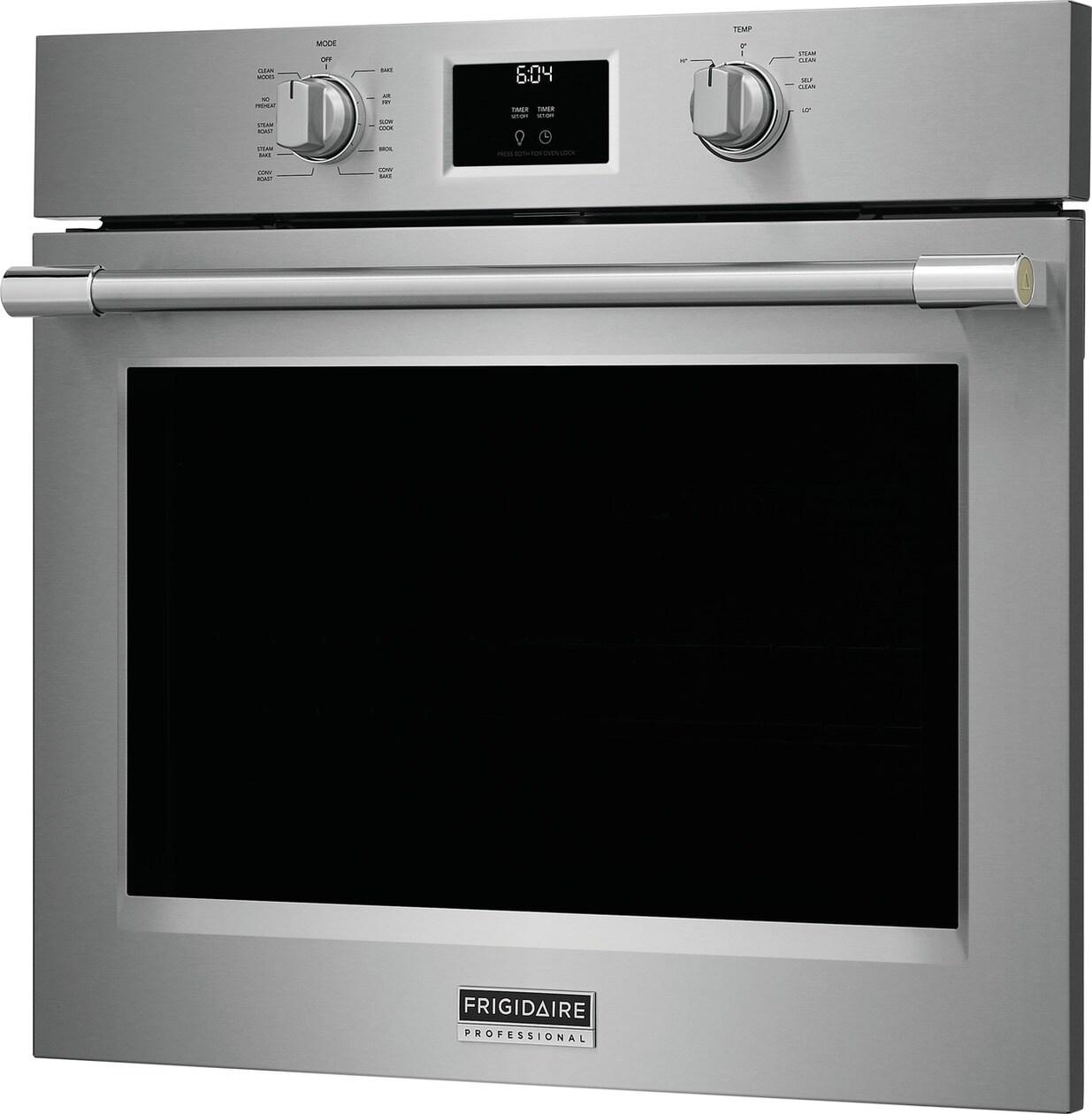
Credit: www.townappliance.com
Comparing Lock Modes Across Frigidaire Models
Frigidaire makes many oven models, and the lock system can be different. Here is a comparison of how lock mode works in popular models.
| Model Type | How to Unlock | Lock Features |
|---|---|---|
| Self-Cleaning Ovens | Wait to cool, use Cancel button, power cycle | Automatic door lock during cleaning |
| Electronic Touchpad Models | Press and hold Lock button, power cycle | Control panel and door lock |
| Manual Knob Models | Manual lever, power cycle | Simple mechanical lock |
Knowing your model helps you choose the right unlocking method.
Common Mistakes To Avoid
People often make the problem worse by taking the wrong steps. Here are mistakes to avoid:
- Forcing the Oven Door: Never use tools or force to open the door. This can break the lock or damage the glass.
- Resetting Power Too Soon: Give the oven enough time to cool or finish the unlocking process.
- Ignoring Error Codes: These codes are clues to the real problem. Look them up before taking action.
- Skipping the Manual: Your oven’s manual has model-specific instructions that can help.
- Trying to Repair When Not Qualified: If you are unsure, always call a professional.
Preventing Lock Mode Problems In The Future
After you’ve solved the current issue, you’ll want to avoid it happening again. Here are the best tips.
Read The User Manual
Every oven is a bit different. Reading the manual helps you understand all the features, including how and when the lock mode activates.
Use Self-cleaning Cycles Properly
- Only start the cycle when you have time to wait for it to finish and cool down.
- Remove all racks and accessories as instructed.
- Never stop the cycle halfway unless the manual says it is safe.
Keep The Control Panel Clean
Sticky buttons can cause accidental presses or the oven to misread commands. Wipe the panel with a soft, damp cloth (not wet).
Regularly Inspect Door And Latch
Check the door seal and latch for food buildup or damage. A dirty latch can prevent the door from unlocking.
Be Careful During Power Outages
If you lose power while the oven is in use, wait for it to restart fully before pressing buttons. Sudden button presses can confuse the control board.
Real-world Examples And Case Studies
It helps to see how other users have solved this problem. Here are two true-to-life examples.
Case Study 1: Self-cleaning Cycle Lockout
Sarah ran the self-cleaning cycle on her Frigidaire Gallery oven for the first time. When the cycle finished, the door stayed locked. She waited 20 minutes, but nothing happened. After reading her manual, she learned the oven stays locked until it cools below 400°F (204°C).
She waited another hour, and the lock released by itself.
Lesson: Be patient and allow enough cooling time.
Case Study 2: Lock Button Accident
Mike’s young child pressed the lock button while the oven was off. The display showed “Loc” and none of the controls worked. Mike pressed and held the lock button for 5 seconds, and the lock turned off.
Lesson: Always check the control panel for a lock icon and read the manual for button functions.

Credit: www.youtube.com
Comparing Diy Vs. Professional Repair
Should you fix your oven yourself or call a pro? Let’s compare the two options.
| DIY Fix | Professional Repair |
|---|---|
| Free or low-cost | Costs $80–$250, depending on issue |
| Can be done quickly for simple issues | Safer for complex electrical or mechanical faults |
| Risk of voiding warranty or causing damage | Work is usually guaranteed |
If you are unsure, start with simple steps and call for help if needed.
How To Identify Your Frigidaire Oven Model
Knowing your oven model makes troubleshooting much easier. Here’s how to find it:
- Open the oven door.
- Look for a sticker or metal plate around the oven frame or door.
- Write down the model and serial numbers.
- Use these numbers when searching for manuals or talking to support.
Some models have a QR code you can scan with your phone for instant information.
Key Insights Most Beginners Miss
There are some facts about Frigidaire oven lock mode that most new users don’t know:
- Lock mode is not always a problem. Sometimes, it is working correctly to keep you safe.
- Not all error codes mean the lock is broken. Sometimes, codes appear for simple reasons, like a dirty latch or a power blip.
- The oven may need several minutes after power is restored to reset itself and unlock.
- Your oven’s user manual often has a troubleshooting chart with model-specific solutions.
Understanding these details can save you time and avoid unnecessary stress.
Signs It’s Time For A New Oven
Sometimes, repeated lock mode problems mean your oven is near the end of its life.
- The oven is over 10–15 years old.
- Multiple repairs have failed.
- Replacement parts are hard to find or very expensive.
- The oven has other major issues (heating, wiring, display).
In these cases, investing in a new, safer model might be best for your home.
Additional Resources
For more technical help, visit the official Frigidaire Support FAQ. They offer manuals, error code lists, and online chat with experts.
Frequently Asked Questions
How Long Does It Take For A Frigidaire Oven To Unlock After Self-cleaning?
Most Frigidaire ovens unlock 30 to 90 minutes after the self-cleaning cycle ends. The door stays locked until the inside temperature drops below a safe level (usually under 400°F or 204°C). Always wait until the oven is cool and the lock indicator turns off before opening the door.
Can I Force Open A Locked Frigidaire Oven Door?
No, you should never force open the oven door. Forcing can break the lock or damage the oven frame and glass. Always try the recommended steps: wait for cooling, use the lock/cancel button, or power cycle the oven. If these do not work, call a professional.
What Does The “f90” Error Code Mean On My Frigidaire Oven?
The F90 error code means there’s a problem with the oven’s door lock motor or switch. The oven thinks the door did not lock or unlock as expected. This could be due to a mechanical jam, faulty motor, or wiring issue. Try resetting the power first, but if the error stays, you may need a technician.
Will Unplugging My Oven Reset The Lock Mode?
Unplugging or turning off the oven at the circuit breaker for 1–10 minutes can often reset the lock mode if the issue is electronic. However, if the problem is mechanical (like a broken latch), this may not help. Always let the oven cool before trying this step.
Is It Safe To Use My Oven If The Lock Is Stuck?
No, you should not use the oven if the lock is stuck, either locked or unlocked. Cooking with a faulty lock can be dangerous and may cause burns, fires, or further damage. Always fix the lock issue first, following safe steps or calling a professional.
Getting your Frigidaire oven out of lock mode can be simple or complex, depending on the cause. By following these detailed steps, checking your model, and staying patient, you can often solve the problem yourself. Remember, safety comes first—never force parts or skip cooling times. If in doubt, expert help is always available. With the right knowledge, your oven will be back in action, ready for your next meal.

Credit: www.warnersstellian.com