
Changing the clock on your Frigidaire microwave might sound simple, but it often confuses both new owners and long-time users. Many people only set the clock once when they first get the appliance, and months later, after a power cut or daylight saving change, they forget the steps. If you cook regularly or rely on your microwave as a timer, having the correct time is important for your daily routine. This guide will walk you through every detail, from basic steps to troubleshooting, so you feel confident adjusting your microwave’s clock—no matter the model.
Why Setting The Clock Matters
The clock on your microwave does more than just display the time. It helps you:
- Track cooking times accurately for recipes.
- Schedule delayed cooking (on models with this feature).
- Coordinate kitchen routines so food is ready when you need it.
A wrong clock can cause confusion, especially if you use it as your main kitchen timer. Some models may also need the clock to be set before you can use certain features.
Understanding Frigidaire Microwave Models
Frigidaire makes a wide range of microwaves, including countertop, over-the-range, and built-in models. While the basic method for setting the clock is similar, the button labels and display screens can differ. Here’s a quick look at the main types:
| Model Type | Display Style | Clock Button Label |
|---|---|---|
| Countertop | Digital | Clock / Time |
| Over-the-Range | Digital or LED | Clock / Clock Set |
| Built-in | Touchscreen / Digital | Time / Clock |
Some models have a specific Clock button; others use the Time or Settings button. Checking your microwave’s control panel helps you know which instructions fit your appliance.
Before You Start: Safety And Preparation
Before making any changes to your microwave, keep these points in mind:
- Power Status: The microwave should be plugged in and have power.
- Child Lock: If your microwave has a child lock, disable it first.
- Clear the Panel: Make sure the control panel is not locked or displaying an error.
- Manual Check: If possible, keep your user manual nearby for reference.
A common mistake is trying to set the clock during a cooking cycle or while the panel is locked, which will not work.
Step-by-step Guide: How To Change The Clock On A Frigidaire Microwave
Most Frigidaire microwaves use a similar process. Here’s a straightforward method that works for most models:
Step 1: Locate The Clock Button
Look for a button labeled Clock, Time, or sometimes Settings. On some over-the-range models, it’s marked as Clock Set. The button is usually near the number pad.
Step 2: Press The Clock Button
- Press the Clock button once.
- On some models, you may need to hold the button for 3 seconds.
- The display should flash or show “00: 00” or “–:–”, signaling you can enter the time.
Step 3: Enter The Correct Time
- Use the number pad to enter the current time.
- For example, for 3: 15 PM, press 3, 1, 5.
- Some microwaves use a 24-hour format, but most use 12-hour.
- If your microwave asks for AM/PM, use the Power Level button to toggle or select.
Step 4: Confirm The Time
- Press the Clock button again to confirm.
- On some models, use the Start or Enter button.
- The new time should appear on the display.
Step 5: Check The Display
- If the time is correct, you’re done.
- If not, repeat the steps.
Example
You have a Frigidaire FFMV1645TS (over-the-range model):
- Press Clock.
- Enter 1, 2, 3, 0 for 12: 30.
- Press Clock again.
The time should now show as 12:30.
Differences Between Common Frigidaire Models
Not all Frigidaire microwaves use the exact same method. Here is a comparison of the most common procedures:
| Model Series | Step Sequence | Special Notes |
|---|---|---|
| Countertop (FMV, FFCM) | Clock > Enter Time > Clock | 12-hour format only |
| Over-the-Range (FFMV) | Clock > Enter Time > Start | May need to hold Clock |
| Built-in (FGMO) | Settings > Clock > Enter Time > Start | Menu navigation needed |
- Tip: If you are unsure, try both pressing and holding the Clock button, as some models require this.
Setting The Clock After A Power Outage
After a power outage, the microwave usually blinks or shows “–:–”. This signals you need to reset the clock. The steps are the same as above, but you may notice:
- The microwave beeps until the clock is set.
- Some models block cooking until you set the time.
- If the display stays blank, check the outlet and circuit breaker.
A common oversight is not realizing a tripped breaker is the real problem, not the microwave itself.
What To Do If There Is No Clock Button
A few modern Frigidaire microwaves use a menu-based system or touchscreen. Here’s what to do:
- Press the Menu or Settings button.
- Use the arrow or dial to scroll to Clock.
- Select Clock.
- Enter the time using the keypad or dial.
- Press Start or Enter to confirm.
Models with a touchscreen may allow you to tap the time directly.
How To Change From 24-hour To 12-hour Format
Some Frigidaire models let you pick between 24-hour and 12-hour formats. If this is possible on your microwave:
- Press Clock for 3 seconds (or check your manual).
- The display shows “12Hr” or “24Hr”.
- Use the number pad or arrow keys to choose.
- Confirm by pressing Clock or Start.
If your model does not support this, it will only accept one format.

Credit: www.townappliance.com
Troubleshooting Common Problems
Sometimes, the clock will not set or keeps resetting. Here’s how to solve common problems:
The Clock Will Not Set
- Panel is locked: Hold the Stop/Cancel button for 3 seconds to unlock.
- Button not responding: Try pressing harder or cleaning the pad gently.
- Display stays blank: Check the power source.
Clock Resets Often
- Loose plug: Make sure the power cord is tight.
- Power surges: Use a surge protector.
- Microwave needs service: If the problem continues, call Frigidaire support.
Buttons Not Working
- Moisture or dirt: Clean the panel with a dry cloth.
- Child lock: Disable as described earlier.
- Error code shown: Refer to your manual or Frigidaire’s website.
Am/pm Not Showing
- Most Frigidaire microwaves use a 12-hour format without AM/PM. The time is assumed.
- If AM/PM is necessary, check if your model supports it, usually via the Power Level button.
Tips For Keeping The Clock Accurate
- Check after power loss: Always reset the clock after outages.
- Replace batteries (if present): Some built-in models have small backup batteries. If your clock keeps resetting, check if your model uses one.
- Keep manual handy: Mark the clock section for quick access.
When To Call Support
If you have tried all steps and your clock still does not work, contact Frigidaire customer service. Have your model number and serial number ready. Most issues are simple, but if the circuit board is faulty, only a professional should repair it.
Frequently Missed Insights
People often overlook two things when trying to change their microwave clock:
- Panel Lock Feature: Many Frigidaire microwaves have a control lock to prevent children from using the appliance. When this is active, you cannot set the clock or use any functions. Always check for a tiny lock symbol or a message on the display.
- Hidden Multi-Function Buttons: On certain models, the Clock function shares a button with another feature, like Kitchen Timer. If you just tap, it sets the timer, but if you hold for 3 seconds, it sets the clock. This detail is easy to miss if you do not read the fine print on the button.
How To Keep Your Microwave Clock In Good Shape
- Avoid unplugging often: Frequent power cycling can wear out the internal memory.
- Use a surge protector: This keeps the clock from resetting due to small power surges.
- Clean panel gently: Use only a soft, dry cloth. Harsh cleaners can damage touch buttons.
When You Cannot Set The Clock
Some rental properties or shared kitchens disable the microwave’s clock to prevent tampering. If you cannot access the clock function:
- Ask the property manager.
- Check for a “Lockout” or “Demo” mode in the menu.
- Some commercial models have no clock by design.
Comparing Frigidaire Clock Setting To Other Brands
Here’s a quick comparison of Frigidaire and some popular brands:
| Brand | Clock Setting Method | Ease of Use |
|---|---|---|
| Frigidaire | Clock > Enter Time > Confirm | Simple (if button is clear) |
| Samsung | Options > 9 (Clock) > Set Time | Menu navigation required |
| LG | Clock > Enter Time > Start | Very similar to Frigidaire |
| Panasonic | Press Clock/Timer twice > Set Time | Can be confusing |
Frigidaire tends to have a more direct approach, but the shared or double-function buttons sometimes confuse users.
Advanced Features Involving The Clock
Some newer Frigidaire models use the clock for advanced cooking features:
- Delay Start: Set your microwave to start at a specific time.
- Auto Cook: Some recipes use the clock to calculate finish time.
- Reminder Beeps: The microwave can beep at set intervals (e.g., every hour).
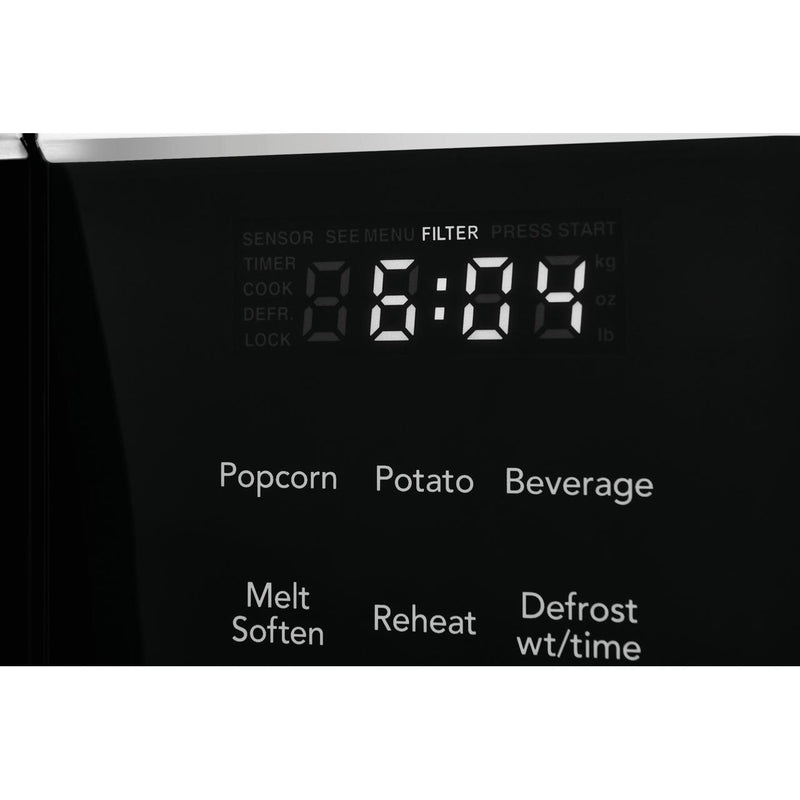
These features require the clock to be set accurately. If not, timers and scheduled cooking will not work as expected.
Credit: www.liquidationelectromenagers.com
How To Find Your Microwave Model Number
If you need more help and want to search for your manual, find your model number:
- Open the microwave door.
- Look for a sticker or plate on the frame or door edge.
- The number usually starts with FFMV, FGMO, FFCM, or similar.
Once you have the model number, visit the official Frigidaire website to download your manual or get support.
Real-world Example
Let’s say your Frigidaire microwave lost power after a storm. It beeps and the display shows “–:–”. You:
- Plug in the microwave.
- Press and hold Clock for 3 seconds.
- Enter 0, 7, 1, 5 for 7: 15.
- Press Clock again.
Now, the time shows as 7:15, and the beeping stops. You can now use the cooking features again.
How To Set The Clock Without A Manual
Lost your manual? Don’t worry. Most Frigidaire microwaves follow the steps in this guide. If you are stuck:
- Try the Clock button first.
- If nothing happens, try holding it for 3 seconds.
- Try the Settings or Menu button.
- If all else fails, search your model number online for instructions or watch a video tutorial.
Many users find quick help on forums or by reading the FAQ on the official site.
When The Display Is Dim Or Flickering
If your clock display is hard to read:
- Check if your model has a brightness setting (usually in Settings).
- Make sure the microwave is on a stable power source.
- Flickering can mean the display is wearing out. If the microwave is old, consider a replacement.
Future-proofing: Setting The Clock For Daylight Saving Time
Twice a year, you may need to change the clock for daylight saving time. Most Frigidaire models do not adjust automatically. Set a reminder to change the time manually in spring and fall. For microwaves with Wi-Fi or smart features, check if they have an auto-adjust setting.
Saving Time With Shortcuts
Some Frigidaire models remember your last settings. If you set the clock recently, you might be able to press Clock and then Start to repeat the last change. Always check your manual for shortcuts.
Environment: Battery Backup And Power Issues
Some higher-end Frigidaire microwaves have a small battery or capacitor to remember the time during brief power losses. If your clock resets even after a quick outage:
- The backup battery may need replacement (see your manual).
- For most models, no backup is provided—unplugging will reset the clock.
Summary Of Key Steps
Changing the clock on your Frigidaire microwave is simple when you know where to look:
- Find the Clock or Settings button.
- Enter the time with the number pad.
- Confirm with Clock, Start, or Enter.
- Check the display for accuracy.
- Troubleshoot if the clock will not set.
Remember, if you’re ever stuck, the official Frigidaire support site has guides and manuals for nearly every model.

Credit: www.youtube.com
Frequently Asked Questions
How Do I Unlock The Control Panel If I Can’t Set The Clock?
Most Frigidaire microwaves use a Control Lock feature. To unlock, press and hold the Stop/Cancel button for about 3 seconds. The lock icon should disappear, allowing you to set the clock and use other functions.
Why Does My Microwave Clock Keep Resetting?
If your clock keeps resetting, it usually means there is a power supply problem or the microwave is not plugged in securely. Check your outlet and plug. If you use a power strip, try plugging directly into the wall. If the issue continues, the microwave may need service.
Can I Set The Clock If The Display Is Blank?
A blank display means there is no power or an internal error. Check your circuit breaker, outlet, and plug. If power is good but the display is still blank, contact Frigidaire support, as the control board may be faulty.
My Microwave Shows Military Time (24-hour Format). How Do I Change It To 12-hour?
If your model supports both formats, hold the Clock button for 3 seconds to switch between 12-hour and 24-hour modes. If nothing changes, your microwave only supports one format.
What Should I Do If The Clock Button Is Missing Or Broken?
Some models hide the clock function under Settings or Menu. If the button is physically broken, you will need professional repair. Meanwhile, you can still use your microwave for cooking, but the clock and timed features will not work correctly.
Setting the clock on your Frigidaire microwave is a small but vital task. With these steps and tips, you can keep your kitchen running smoothly and avoid unnecessary frustration. Take a moment to practice, and you’ll never worry about a blinking or wrong microwave clock again.