
Many people buy a Frigidaire oven because it is reliable, offers useful features, and is fairly easy to use. But if you have just installed a new Frigidaire oven in your home, you may feel a bit lost at first. Ovens have come a long way, and models now have digital controls, different cooking modes, timers, self-cleaning functions, and even safety locks. If you’re not familiar with these features, you might not get the best results—or you may even make mistakes that affect your cooking or safety.
Operating a Frigidaire oven does not have to be confusing. Whether you are a beginner or want to refresh your knowledge, this guide will help you understand how to use your oven confidently. You will learn about basic operations, advanced functions, safety tips, maintenance, troubleshooting, and more.
Along the way, you will discover some lesser-known tips and common mistakes to avoid. Let’s get started so you can enjoy cooking with your Frigidaire oven every day.
Getting To Know Your Frigidaire Oven
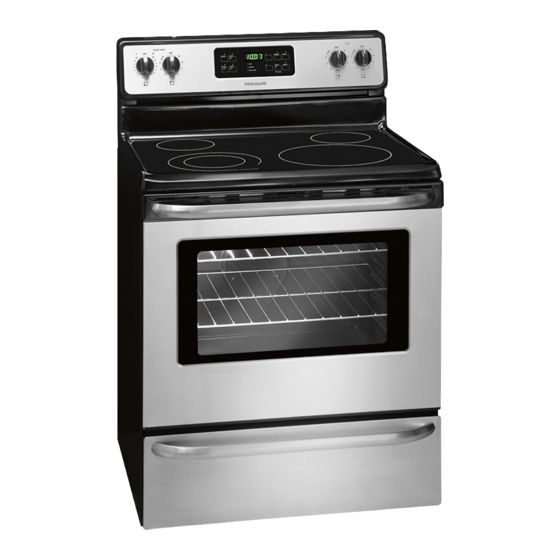
Before you start cooking, it’s important to know the main parts and features of your oven. Most Frigidaire ovens, whether they are electric or gas, share similar designs and controls.
Key Components
- Oven cavity: This is the main cooking area where you place your food.
- Racks: Removable metal shelves that can be adjusted to different heights.
- Control panel: Where you set the cooking temperature, mode, and timer.
- Oven door: Usually has a window so you can check your food without opening the door.
- Oven light: Lets you see inside the oven when cooking.
- Broiler: Located at the top or bottom, used for high-heat cooking.
- Self-clean button: Found on many models for automatic cleaning.
Control Panel Layout
Frigidaire ovens typically have a mix of digital buttons, a display screen, and sometimes dials. The control panel might look complex, but each button has a specific purpose:
- Bake: For regular baking.
- Broil: For high-heat top cooking.
- Convection: For even heat using a fan (on some models).
- Timer: To set cooking or delay time.
- Temperature/Time adjustment: Up and down arrows or a dial.
- Start/Cancel: To begin or stop cooking.
Familiarize yourself with the labels and symbols. If you have a user manual, keep it handy for reference.
Types Of Frigidaire Ovens
Frigidaire offers several types:
- Freestanding ovens: Traditional stoves with oven and burners.
- Wall ovens: Installed into kitchen walls, often at eye level.
- Gas ovens: Use natural gas or propane.
- Electric ovens: Use electricity for heating.
- Convection ovens: Have a fan for even baking.
Knowing your model will help you use its features correctly.
Basic Operation: Cooking With Your Frigidaire Oven
Operating your Frigidaire oven for daily cooking is straightforward once you understand the steps. Let’s break down the process.
Setting The Clock
Most Frigidaire ovens require the clock to be set before you can use any function. Here’s how:
- Press the Clock button.
- Use the number pad or arrow buttons to set the time.
- Press Start to confirm.
This step is easy to forget, but your oven may not start if the clock isn’t set.
Preheating The Oven
Preheating is important for even cooking. To preheat:
- Press the Bake button.
- Enter your desired temperature using the number pad or arrows.
- Press Start.
- Wait for the oven to beep or display a message when it reaches the set temperature.
Some models show the current temperature as the oven heats up.
Tip: Don’t skip preheating for baked goods like bread or cake. But for foods like pizza or casseroles, you can sometimes put them in while preheating for a crispier bottom.
Adjusting Oven Racks
Position racks before you turn on the oven—moving them when hot is unsafe. As a general rule:
- Top rack: Good for broiling or browning.
- Middle rack: Best for most baking and roasting.
- Bottom rack: Useful for larger dishes or crispier crusts.
Some Frigidaire ovens have extra rack positions for more flexibility.
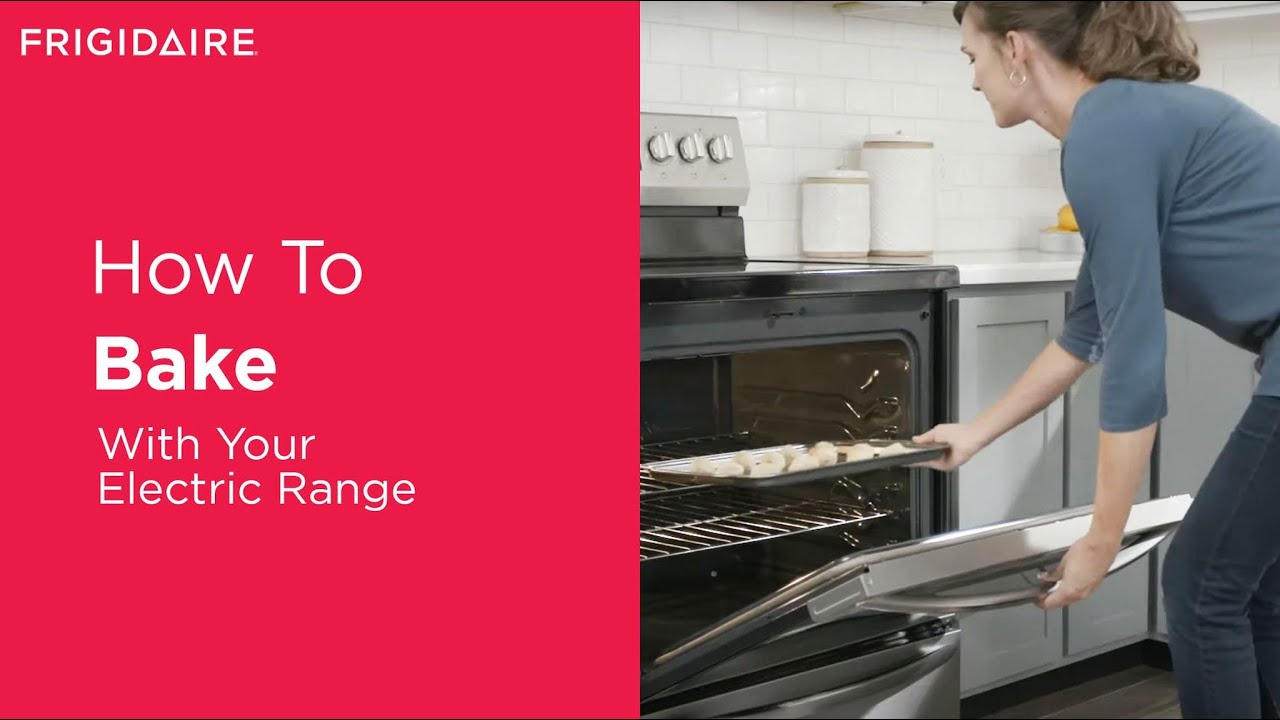
Baking
To bake:
- Preheat the oven.
- Place your dish on the desired rack.
- Close the oven door fully.
- Set a timer if needed.
- Check progress through the window—avoid opening the door, which lets heat escape.
Broiling
Broiling uses high heat from the top. Here’s how:
- Move the rack to the top position.
- Press the Broil button.
- Choose high or low broil (if available).
- Place food on a broiler pan.
- Leave the oven door slightly open (check your manual—some models require the door to stay closed).
Broiling is ideal for melting cheese, browning, or cooking thin cuts of meat.
Turning Off The Oven
When cooking is done, press the Cancel or Off button. Wait for the oven to cool before cleaning or touching racks.
Credit: www.manualslib.com
Using Advanced Features
Many Frigidaire ovens come with advanced features that make cooking easier and more precise.
Convection Cooking
Some models have a convection mode. This uses a fan to circulate hot air, resulting in faster and more even cooking.
- How to use: Press the Convection Bake or Convection Roast button, set your temperature, and press Start.
- Tip: Reduce your recipe temperature by 25°F (about 15°C) when using convection.
- When to use: Great for baking cookies, roasting vegetables, or cooking multiple trays at once.
Delay Start
This feature allows you to set the oven to start cooking at a later time.
- Press Bake and set your temperature.
- Press Delay Start.
- Enter the time you want cooking to begin.
- Press Start.
It’s helpful if you want food ready when you get home. However, do not use this feature for foods that could spoil at room temperature.
Keep Warm
The Keep Warm function keeps food hot without overcooking.
- How to use: After cooking, press Keep Warm. The oven will hold a low temperature (around 170°F/77°C).
- When to use: Good for keeping casseroles or roasts warm until serving.
Sabbath Mode
Some Frigidaire ovens offer Sabbath Mode for users who observe religious practices. This mode disables certain functions (like oven lights and sounds) to comply with Sabbath rules.
- How to activate: Hold the Bake and Start buttons (exact steps vary—check your manual).
- Tip: Plan ahead, as this mode changes how the oven behaves.
Self-cleaning
Self-cleaning uses high heat to burn off food residue, turning it into ash you can wipe away.
- How to use: Remove racks, press Self Clean, and select the cleaning time (usually 2–4 hours).
- Safety tip: The oven gets extremely hot during this process. Keep children and pets away.
- After cleaning: Let the oven cool, then wipe out the ash with a damp cloth.
Non-obvious insight: You should not use oven cleaners or foil during self-cleaning. Also, frequent self-cleaning can wear out oven parts faster.
Locking The Controls
For families with children, you can lock the control panel to prevent accidental use.
- How to lock: Press and hold the Lock or Control Lock button for 3–5 seconds.
- How to unlock: Repeat the process.
This is especially helpful if your oven is at child height.
Cleaning And Maintenance
Proper cleaning and care will keep your Frigidaire oven working well for years.
Regular Cleaning
- Wipe spills promptly: Use a damp cloth on cool surfaces. Sugary spills can damage the finish if left too long.
- Clean racks: Wash with warm, soapy water. Avoid putting them in the dishwasher, as it may cause discoloration.
- Oven door glass: Clean with a non-abrasive cleaner. For stubborn stains, use a baking soda paste.
- Control panel: Wipe gently with a soft cloth—avoid too much water.
Deep Cleaning
- Self-cleaning: Use this function monthly if you bake often, but not more than necessary.
- Manual cleaning: For ovens without self-cleaning, use a mild oven cleaner or a vinegar-baking soda mix.
Replacing The Oven Light
If the oven light burns out:
- Turn off the oven and let it cool.
- Unscrew the light cover.
- Replace with the correct wattage bulb (usually 40W appliance bulb).
- Screw the cover back on.
Non-obvious insight: Always check your manual for the right bulb type—using the wrong one can cause damage.
Checking Door Seals
A worn or loose door gasket can let heat escape, making the oven less efficient.
- Inspect the gasket regularly for cracks or gaps.
- Replace if damaged (parts are available online or from service centers).
Credit: www.yumpu.com
Common Problems And Troubleshooting
Even reliable ovens can have issues. Here’s how to solve the most common ones.
Oven Won’t Turn On
- Check the power: Make sure the oven is plugged in and the circuit breaker is on.
- Check the clock: If not set, the oven may not start.
- Control lock: Make sure the controls are not locked.
If none of these work, contact a qualified technician.
Oven Not Heating Properly
- Thermostat issues: Test with an oven thermometer. If the temperature is off by more than 25°F, the sensor may need replacement.
- Door not sealing: Heat escapes if the gasket is worn.
- Element failure: If only the broil or bake function works, an element may be burned out.
Food Not Cooking Evenly
- Racks in wrong position: Place food in the center for best results.
- Overcrowding: Don’t block airflow with too many pans.
- Dirty oven: Built-up residue can affect heat distribution.
Error Codes On Display
Frigidaire ovens show error codes (like F10, F30, etc. ) If something is wrong. Check your manual for the meaning, or look up codes on the Frigidaire support site. Most codes mean a sensor or electronic part needs checking.
Oven Door Will Not Unlock
After self-cleaning, the door may stay locked until the oven cools completely. If it stays locked for hours:
- Try unplugging the oven for 5 minutes, then plug it back in.
- If it still won’t unlock, call for service.
Cooking Tips For Best Results
Using the right techniques can make a big difference in your cooking.
Preheat Fully
Always wait for the oven to reach the set temperature before adding food. This ensures even results.
Use The Right Cookware
- Glass and ceramic: Good for casseroles and baking.
- Metal pans: Best for browning and roasting.
- Dark pans: Absorb more heat, so reduce temperature by 25°F.
Rotate Trays
For even baking, turn trays halfway through cooking, especially if you’re using multiple racks.
Avoid Opening The Door
Every time you open the door, the oven loses heat. Use the window and light instead.
Use Foil Carefully
Do not cover oven vents or line the bottom with foil—it can cause poor performance or even fires.
Calibrate Your Oven
If you notice your oven cooks too hot or cold, you can recalibrate the temperature. Check your manual for the calibration process.
Comparing Frigidaire Oven Models And Features
To help you understand what features matter most, here’s a comparison of common Frigidaire oven models and their main features.
| Model | Type | Convection | Self-Cleaning | Sabbath Mode | Control Lock |
|---|---|---|---|---|---|
| FFEF3054TS | Freestanding Electric | No | Yes | No | Yes |
| FGF3046TF | Freestanding Gas | No | No | No | Yes |
| FGEH3047VF | Slide-In Electric | Yes | Yes | Yes | Yes |
| FGEW3066UF | Wall Oven Electric | Yes | Yes | Yes | Yes |
As you can see, not all features are available on every model. Choose based on your cooking needs and kitchen setup.
Understanding Oven Error Codes
If your oven displays an error code, knowing what it means helps you react quickly. Here are some common codes and what they indicate.
| Error Code | Possible Cause | What to Do |
|---|---|---|
| F10 | Runaway temperature | Shut off oven, call service |
| F30 | Sensor failure | Check sensor, call service |
| F90 | Door lock issue | Unplug, wait, retry |
| F11 | Key stuck | Clean panel, restart oven |
Refer to your manual for more codes. If in doubt, contact Frigidaire support.
Credit: www.youtube.com
Safety Tips When Using Your Frigidaire Oven
Ovens can be dangerous if not used properly. Here’s how to stay safe:
- Keep children away: The oven surface and door can get very hot.
- Do not store items in the oven: Leaving pans or paper inside can cause fires.
- Use oven mitts: Always protect your hands when handling hot racks or dishes.
- Check for gas leaks: If you smell gas (for gas ovens), turn off the oven and call a professional.
- Never use water on a grease fire: Use baking soda or a fire extinguisher.
- Let the oven cool: Wait before cleaning or removing racks.
- Unplug for repairs: Always disconnect the oven before changing bulbs or making repairs.
Following these tips will help prevent accidents and keep your kitchen safe.
Energy-saving Tips
Cooking efficiently saves money and energy.
- Don’t preheat for too long: Most ovens reach temperature in 10–15 minutes.
- Cook multiple dishes: Use all racks when possible.
- Keep the door closed: Heat escapes quickly.
- Use convection: Cooks faster and at lower temps, saving energy.
- Clean regularly: A clean oven works more efficiently.
Non-obvious insight: Use glass or ceramic pans—they retain heat better, so you can lower the oven temperature by 25°F and still get good results.
When To Call For Professional Help
Some problems should only be handled by a qualified technician.
- Electrical issues: If the oven won’t turn on or trips breakers.
- Gas leaks: Always call a pro.
- Control panel not working: May need replacement parts.
- Repeated error codes: Indicates a deeper problem.
Don’t try to repair electrical or gas parts yourself—it can be dangerous.
Frigidaire Oven Vs. Other Brands
To give you a clearer picture, here’s a comparison of Frigidaire ovens with two other popular brands: GE and Whirlpool.
| Feature | Frigidaire | GE | Whirlpool |
|---|---|---|---|
| Price Range | $$ | $$$ | $$ |
| Self-Cleaning | Yes (most models) | Yes | Yes |
| Convection | Many models | Most models | Some models |
| Control Panel | User-friendly | Complex | User-friendly |
| Reliability | High | High | High |
Frigidaire ovens are known for good value, easy controls, and solid reliability—making them a strong choice for most homes.
Frequently Asked Questions
How Do I Reset My Frigidaire Oven?
To reset, turn off the oven at the circuit breaker for 1–2 minutes, then turn it back on. This can clear minor electronic glitches. If problems persist, consult your manual or contact service.
Can I Use Aluminum Foil In My Frigidaire Oven?
You can use foil on baking trays or to cover dishes, but never line the oven bottom or block vents. This can cause uneven cooking and damage the oven.
What Does The Self-clean Function Do?
Self-clean heats the oven to a very high temperature, burning away food spills and grease. After the cycle, let the oven cool, then wipe out the ash. Remove racks before running self-clean.
Why Does My Oven Cook Unevenly?
Common causes include a dirty oven, racks in the wrong position, overcrowding, or a failing heating element. Try cleaning, adjusting racks, and not blocking airflow.
Where Can I Find More Information?
Visit the official Frigidaire website or check your model’s manual. For more details, see Frigidaire Owner Center.
Frigidaire ovens offer convenience and flexibility for all kinds of cooking. By understanding the features and best practices, you can get the most out of your oven and enjoy great results every time. With regular care and a few smart habits, your Frigidaire oven will serve you well for years to come.