
Turning off your Maytag oven might seem simple, but for many people—especially those new to modern ovens—it’s not always clear. With digital controls, safety locks, and different cooking modes, turning off your oven the right way is important for both safety and to keep your oven working well. If you’ve ever stood in your kitchen, unsure if your oven is really off, you’re not alone. This guide will help you understand everything about turning off a Maytag oven, no matter if you have a basic model or a smart, high-tech version.
You’ll learn about the different control panels, the meaning of indicator lights, and what to do if your oven doesn’t turn off when you expect. Plus, you’ll get practical tips to avoid common mistakes, and answers to questions many owners ask.
By the end, you’ll feel confident and safe every time you use—and turn off—your oven.
Understanding Your Maytag Oven’s Controls
Maytag ovens come with different types of controls. Knowing what your oven has is the first step to turning it off properly.
Types Of Control Panels
- Mechanical Dials: Older and basic models use physical knobs. You turn the dial to select temperature or function, and usually set it to “Off” when finished.
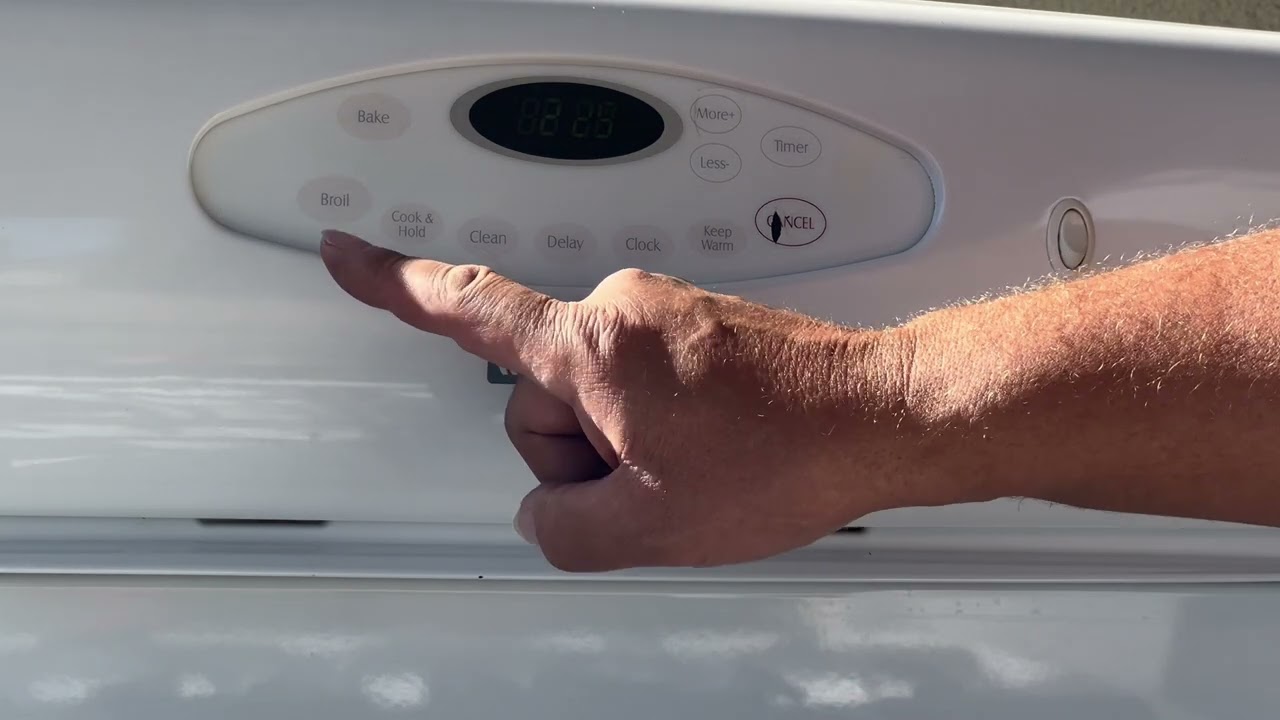
- Digital Touchpads: Most modern Maytag ovens use a digital screen with buttons. You press “Cancel” or “Off” to stop cooking.
- Combination Controls: Some models combine dials with digital buttons, especially for extra features like timers or self-clean.
Common Symbols And Buttons
- Bake/Broil: Selects the type of cooking.
- Start: Begins the cooking process.
- Cancel/Off: Stops all functions.
- Timer: Sets or stops timing, but doesn’t always turn off the oven.
- Lock: Some ovens have a control lock to prevent accidental use.
Why Control Panel Type Matters
Not every Maytag oven turns off the same way. A simple mechanical oven might need only a twist of a knob, but digital ovens require you to press the right button. If you try to turn off a digital oven by just unplugging it or flipping the breaker, you might cause errors or reset important settings.
Tip: Always check your user manual for your exact model, or look up the model number online for a digital copy.
Step-by-step: How To Turn Off A Maytag Oven
Turning off your oven the right way prevents accidental burns, electrical problems, and wasted energy. Here’s how to do it, based on your oven type.
For Ovens With Mechanical Dials
- Turn the Cooking Function Dial to Off: If you used “Bake” or “Broil,” twist the dial back to the “Off” position.
- Set Temperature Dial to Lowest (if separate): Some ovens have separate temperature dials. Turn these to their lowest or “Off.”
- Check the Oven Light: Many ovens turn off their interior light when off. If the light stays on, double-check all dials.
For Digital Touchpad Ovens
- Press the Cancel or Off Button: Look for a button labeled “Cancel,” “Off,” or a red “Stop” symbol.
- Wait for the Display to Go Dark: Most ovens show a clock or “End” message when off.
- Listen for a Click: Many ovens make a soft “click” as relays shut off power to heating elements.
For Combination Control Ovens
- Turn Off All Dials and Press Cancel: Some functions may stay on if not both dials and buttons are reset.
- Check for Error Messages: If the oven shows an error, consult your manual. Sometimes, it won’t turn off until an issue is fixed.
Special Note About Timers
The timer on many Maytag ovens will beep when finished, but the oven may not turn off automatically unless it’s a model with an “auto-off” feature. Always check if your oven requires manual shutoff after the timer ends.
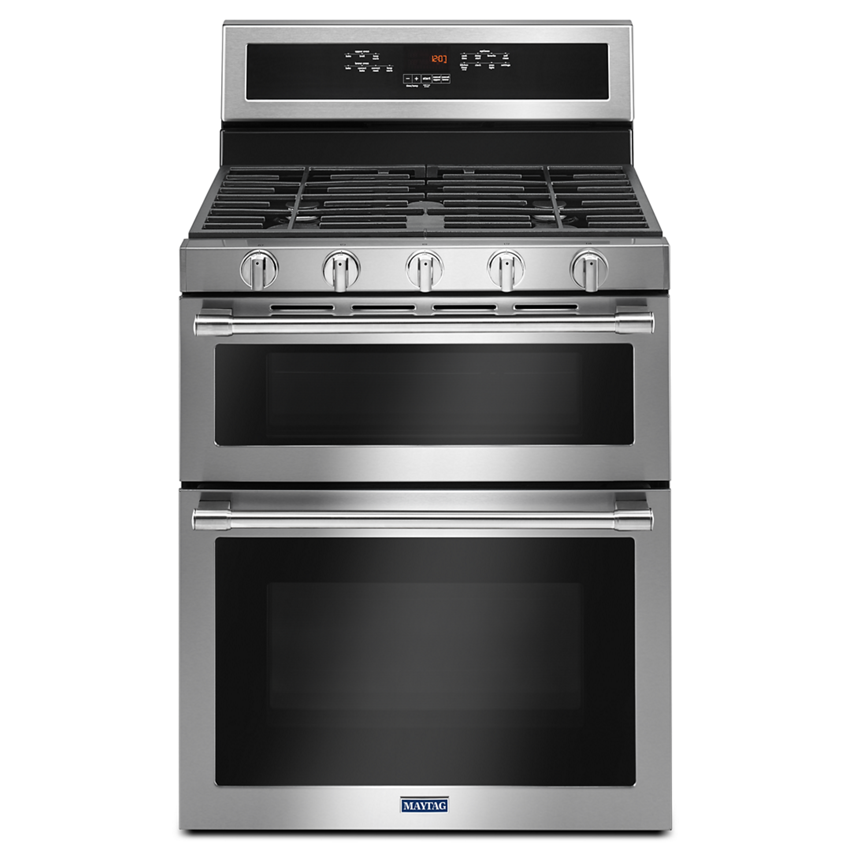
Example: Turning Off A Maytag Gemini
The Maytag Gemini is a double-oven model, popular in many kitchens. Here’s how to turn off both ovens:
- For the upper oven, press “Upper Off.”
- For the lower oven, press “Lower Off.”
- Make sure both displays say “End” or return to the clock.
If you only turn off one, the other may keep heating—this is a common mistake.
Safety First: Why Proper Shutdown Matters
Many people think turning the dial or pressing “Off” is enough, but there’s more to safety.
Risks Of Improper Shutdown
- Fire Hazard: If the oven isn’t fully off, it can overheat or even cause a fire.
- Energy Waste: A partially on oven wastes electricity or gas.
- Food Spoilage: Residual heat can keep cooking food, leading to overcooking or burnt meals.
- Component Damage: Modern ovens can develop errors if not powered down properly.
After-turn-off Checklist
- Wait for Cooling Fans: Some ovens have cooling fans that run after shutoff. This is normal.
- Check the Display: Make sure no cooking modes are active.
- Listen for Silence: After 1–5 minutes, the oven should be quiet except for the fan.
- Look for Indicator Lights: No heating or cooking lights should be on.
Non-obvious insight: If your oven’s clock or display stays lit, this is normal. However, if any cooking icons or “Preheat” symbols remain, the oven might still be on.
What To Do If Your Maytag Oven Won’t Turn Off
Sometimes, pressing “Off” or turning the dial does nothing. Here’s what you can do if your oven won’t turn off.
Quick Troubleshooting Steps
- Try the Cancel Button Again: Sometimes, the first press doesn’t register.
- Check for Control Lock: If the controls are locked, turn off the lock (often by holding a button for 3–5 seconds).
- Look for Error Codes: A code like “F9” or “F5” means something is wrong. Write it down.
- Unplug as a Last Resort: If nothing works, unplug the oven or switch off the breaker.
Common Causes Of Shutdown Failure
- Stuck Relays: The internal switch controlling the heating element can fail.
- Faulty Control Panel: Spilled liquids or worn-out buttons may cause problems.
- Power Surges: After a power outage, some ovens glitch and stay on.
When To Call A Professional
If your oven stays hot, shows errors, or the display won’t turn off even after unplugging and plugging back in, call a repair technician. Electrical issues can be dangerous.
Non-obvious insight: Some ovens have hidden “factory reset” buttons inside the control panel. This is not user serviceable and should only be done by a pro.
How To Turn Off Maytag Oven During Special Modes
Maytag ovens have special modes like self-clean or delayed start. These modes don’t always stop with a single “Off” press.
Self-clean Mode
- To Cancel Self-Clean: Press and hold “Cancel” for 3–5 seconds. The oven will unlock after cooling.
- Wait for Door to Unlock: The door stays locked until the oven cools to a safe temperature.
- Warning: Never try to force the door open during self-clean; it can damage the lock.
Delayed Start Or Sabbath Mode
- To Cancel Delayed Start: Press “Cancel” or “Off” until the timer resets.
- To Exit Sabbath Mode: Press and hold the “Bake” and “Broil” buttons together, or follow your manual’s instructions.
Convection Or Air Fry Mode
These modes usually turn off with “Cancel,” but some models need you to select the specific mode and then press “Cancel. ” Always check the screen to see if any cooking mode is still active.
Comparing Maytag Oven Models: Shutdown Features
Here’s a look at some popular Maytag ovens and how their turn-off process compares.
| Model Name | Control Type | Shutdown Method | Special Notes |
|---|---|---|---|
| Maytag MER8800FZ | Digital Touchpad | Press “Cancel/Off” | Auto-off after timer ends |
| Maytag MGR6600FW | Mechanical Dials | Turn all dials to “Off” | Double-check broil dial |
| Maytag Gemini Double Oven | Digital Touchpad | Press “Upper Off” and “Lower Off” | Both ovens must be turned off separately |
| Maytag MEW9630DS | Digital/Knob Combo | Press “Cancel” and reset dials | Convection stays on if not canceled |
Common Mistakes When Turning Off A Maytag Oven
Even experienced cooks make errors with modern ovens. Here are some mistakes to avoid:
- Assuming the Timer Turns Off the Oven: Unless your model has auto-shutoff, the timer just beeps.
- Not Checking Both Ovens: Double models need both sides turned off.
- Forgetting About Residual Heat: The oven can stay hot for 30–60 minutes, even when off.
- Missing Error Messages: If there’s an error, the oven may ignore the “Off” command.
- Skipping the Control Lock: Kids or pets can reactivate the oven if the control lock isn’t used.
Pro tip: When in doubt, wait until the oven is cool, then check that all displays and lights are off.
How To Turn Off The Oven Light
Many Maytag ovens have a light that can be controlled separately from the main oven function. Here’s how to turn it off:
- For dials, set the oven light switch to “Off.”
- For touchpads, press the “Oven Light” button.
- On some models, the light turns off automatically when the oven cools.
If the light stays on and won’t turn off, it could be a stuck switch or a sign of a deeper electrical problem.
Power Outages And Your Maytag Oven
A power cut can confuse your oven’s controls. Here’s what to do after power returns:
- Check the Display: It may flash “PF” (power failure) or show a clock.
- Press Cancel: This resets most errors.
- Set the Time: Many ovens won’t work until the clock is set.
- Test the Oven: Try a short bake cycle, then turn it off as normal.
If the oven won’t respond, unplug it for 1 minute, then try again.
Energy-saving Tips: Turning Off And Beyond
Properly turning off your oven not only keeps you safe—it also saves energy and money.
- Don’t Leave the Door Open to Cool: This wastes energy and heats your kitchen.
- Use Residual Heat: Turn off the oven a few minutes before the food is done, letting it finish cooking with leftover heat.
- Keep the Oven Clean: A clean oven cools faster and works more efficiently.
Data point: According to the U.S. Department of Energy, ovens account for about 3–4% of a home’s total energy use. Turning off your oven promptly can reduce wasted energy by up to 15% yearly.
Oven Won’t Turn Off: Major Issues And Solutions
If your Maytag oven is stuck on, it could be a sign of a bigger problem.
Stuck Relay Or Sensor
A relay is an internal switch. If it fails, the oven can stay hot even when “Off. ” Only a qualified technician should repair this.
Control Board Failure
The control board is like the oven’s brain. If it goes bad, random functions may stay on. Sometimes, a power reset fixes it, but often it needs replacement.
Faulty Door Switch
Some ovens will not turn off if the door switch is stuck or broken, especially in self-clean mode.
How To Safely Cut Power
If the oven stays on and you smell burning or see smoke:
- Unplug the Oven: If possible, pull the plug from the wall.
- Turn Off the Circuit Breaker: Locate your breaker panel and flip the oven’s switch.
- Call for Service: Do not try to fix electrical parts yourself.
Safety warning: Never use water to cool down a hot oven. This can crack the glass or damage electronics.
Understanding Oven Lock And Safety Features
Modern Maytag ovens include control locks and child safety features.
How To Use Control Lock
- Usually activated by pressing and holding the “Lock” or “Control Lock” button for 3–5 seconds.
- When locked, most buttons won’t work—including “Off.”
- To turn off the oven, unlock the controls first.
Door Lock During Self-clean
The door lock is a safety measure to prevent burns. It will unlock automatically after the temperature is safe.
Credit: www.maytag.com
Digital Vs. Mechanical Shutdown: Which Is Safer?
Some owners wonder if digital ovens are safer to turn off than mechanical ones.
| Type | Ease of Use | Common Issues | Safety Features |
|---|---|---|---|
| Digital | Simple (button press) | Glitches, power surges | Auto-off, error codes |
| Mechanical | Manual (turn dials) | Stuck dials, wear and tear | Simple shutoff, fewer electronics |
Both types are safe when used correctly. Digital ovens offer more safety features, but also more ways to go wrong.
Long-term Maintenance: Keeping Shutdown Simple
A Maytag oven that’s hard to turn off is often one that’s overdue for maintenance.
- Clean the Control Panel: Use a damp cloth. Avoid harsh chemicals.
- Check for Sticking Dials: If a dial is hard to turn, it might need lubrication or replacement.
- Test Buttons Regularly: If a button feels loose or unresponsive, get it checked.
- Schedule Yearly Checks: A pro can spot small problems before they get big.
Experience-based tip: Write down your oven’s model and serial number. If you ever need service, you’ll save time.

Credit: allmygoodthings.com
Real-world Example: Sarah’s Maytag Oven Story
Sarah, a busy mother of three, loved baking with her Maytag oven. One evening, she pressed “Cancel” after making cookies, but later noticed the oven was still warm. The clock showed “End,” but the oven light and fan stayed on.
She tried pressing “Cancel” again—no luck. She checked the manual and found a note: during self-clean, the oven stays locked and hot until safe. But she wasn’t using self-clean. She unplugged the oven for a minute, then plugged it back in. This reset the controls, and the oven turned off.
Lesson: Sometimes, a simple reset fixes things, but always check your manual and don’t hesitate to call a pro if you’re worried.
When You Need To Turn Off The Oven Fast
Some situations require quick action:
- Burning Smell or Smoke: Turn off the oven, open windows, and unplug or shut the breaker.
- Strange Noises: Unusual clicks or buzzing? Turn off and call for service.
- Flood or Water Leak: Water and electricity don’t mix. Turn off at the breaker and call an expert.
Credit: www.youtube.com
Smart Maytag Ovens: Turning Off With An App
Newer Maytag ovens can connect to your phone or smart home system.
- Using the App: Tap “Stop” or “End” in the app.
- Check the Oven Display: The oven should show “Off” or “End.”
- Remote Shutoff: Only works if the oven is connected to Wi-Fi.
Note: If your Wi-Fi drops, turn off the oven at the panel, not just in the app.
Maytag Oven Shutdown And Local Power Grids
Some advanced ovens are connected to local smart grids, which can turn off appliances during emergencies. If your oven turns off by itself, check with your power company or see if your oven is part of an energy-saving program.
Environmental Responsibility: Why Turning Off Matters
Turning off your oven when not in use is not just about safety and bills. It also helps reduce your carbon footprint. Every year, millions of kilowatt-hours are wasted by appliances left on standby. Being careful with your oven is a small but real step toward a greener world.
Where To Find More Help
If you’re ever unsure, visit the official Maytag support site for manuals and troubleshooting: Maytag Official Site.
For more general oven safety and energy advice, the U. S. Department of Energy is a trusted resource.
Frequently Asked Questions
How Do I Know If My Maytag Oven Is Really Off?
Check the control panel for lights or cooking symbols. The oven should be quiet except for the cooling fan. If any heating or cooking icons are on, press “Cancel” again.
Why Does My Oven Fan Keep Running After I Turn It Off?
Many Maytag ovens have a cooling fan that runs for several minutes after shutdown. This is normal and helps protect electronics. It will stop automatically.
What Should I Do If The “off” Button Doesn’t Work?
Try pressing it again, check for a control lock, or unplug the oven for a minute. If it still doesn’t turn off, call for service.
Does The Timer Automatically Turn Off The Oven?
Not always. Most Maytag ovens require you to turn off the oven manually after the timer ends, unless you have a model with “auto-off” mode.
Is It Safe To Turn Off My Oven At The Breaker?
Only use the breaker if the oven won’t turn off any other way, or if there’s an emergency. Regular use of the breaker can cause wear on your home’s wiring and the oven’s electronics.
Turning off your Maytag oven is easy when you know the steps. By following these tips, you’ll stay safe, save energy, and keep your oven in great shape for years. If you ever have doubts, always check your manual or reach out to a professional for help.