
Using a GE Profile dishwasher can make kitchen cleanup much easier, but many people do not use all its features or maintain it correctly. If you want spotless dishes, energy savings, and a trouble-free experience, you need more than just pressing the start button.
This guide gives you a practical, step-by-step approach to get the best from your GE Profile dishwasher—whether you are a beginner or someone upgrading from a basic model.
We’ll explore everything: understanding settings, loading dishes efficiently, troubleshooting common issues, and maximizing the appliance’s lifespan. Along the way, you’ll see examples, tips, and some common mistakes to avoid. By the end, you’ll feel confident using every feature your GE Profile dishwasher offers.
Understanding Your Ge Profile Dishwasher
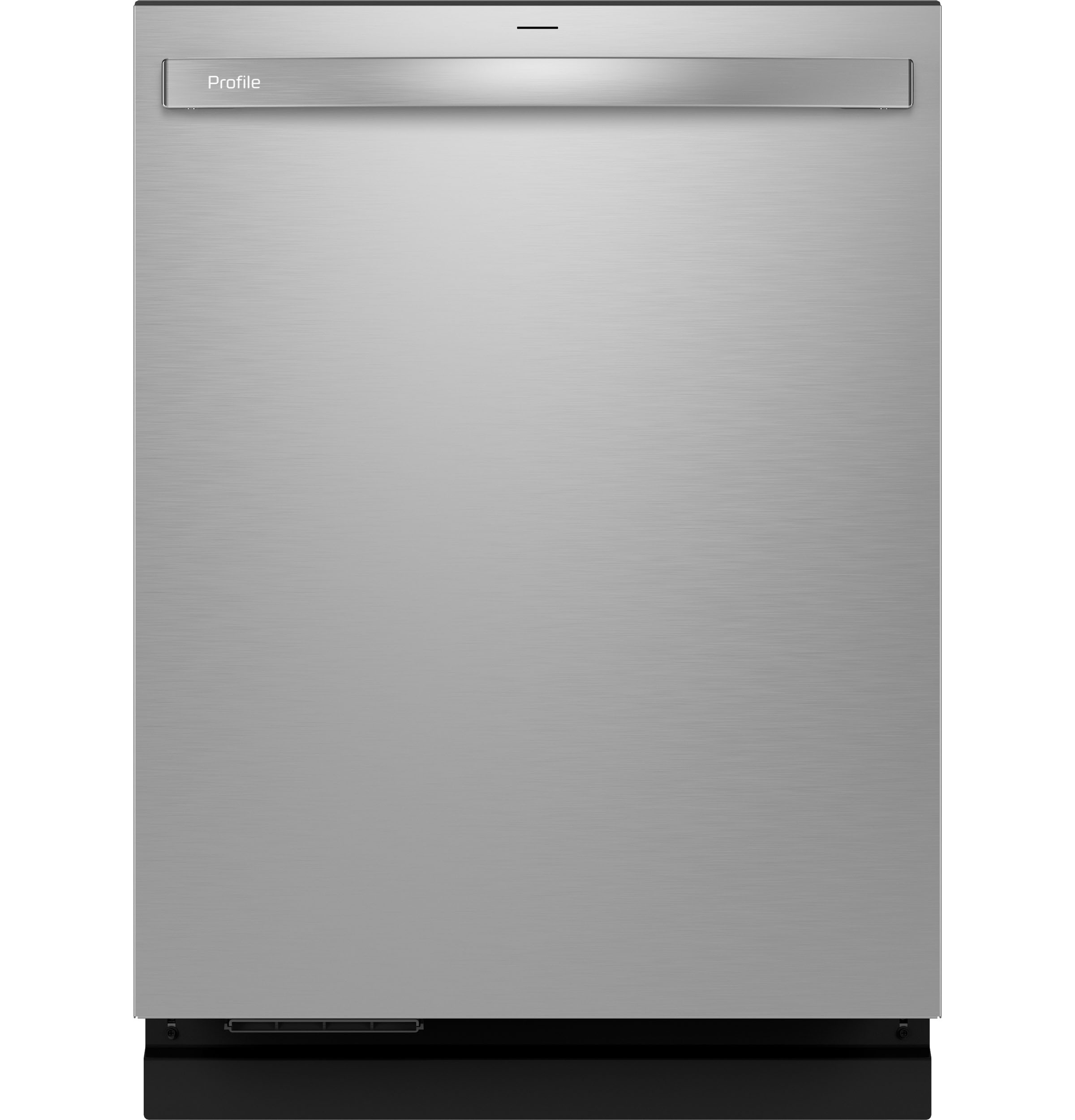
A GE Profile dishwasher is designed with technology and user-friendly controls. These machines often have advanced cycles, adjustable racks, sensors, and Wi-Fi features. Knowing your specific model helps, but most instructions apply to all GE Profile dishwashers.
Key Features
- Multiple Wash Cycles: Heavy, Normal, Light, Eco, Express, and specialized cycles for glassware or pots.
- Adjustable Racks: Move up or down to fit large pots or tall glasses.
- Sensor Wash: Detects soil level and adjusts water and time.
- Wi-Fi Connectivity: Allows remote control and monitoring via smartphone.
- Hard Food Disposer: Grinds up food particles to avoid clogs.
- Sanitize Option: Uses high heat to kill bacteria.
- Auto Door Open: Some models open the door slightly at the end for faster drying.
Not every model has all these features, so check your manual for specific details.
Control Panel Overview
Most GE Profile dishwashers have a touch control panel, often on the door’s front or top edge. You’ll see:
- Power Button: Turns the machine on/off.
- Cycle Selector: Choose the right wash program.
- Delay Start: Set the dishwasher to begin later.
- Start/Pause: Begins or pauses the cycle.
- Lock Controls: Prevents accidental changes.
Familiarize yourself with the symbols and lights—they provide feedback and warnings.
Getting Ready: Preparing Dishes And Detergents
How you prepare your dishes before washing can affect results. GE Profile dishwashers are powerful, but a little prep helps.
Scraping And Rinsing
- Scrape off large food pieces with a fork or spoon before loading.
- No need to pre-rinse unless food is dried-on or very sticky (like oatmeal).
- Liquids and sauces can be left; the dishwasher’s jets will handle them.
Over-rinsing wastes water and can make the detergent less effective because modern detergents need some residue to work properly.
Choosing The Right Detergent
GE recommends using dishwasher-specific detergent—never use regular dish soap. You can use:
- Powder: Good for hard water, but can clump if not kept dry.
- Gel: Easy to measure, but sometimes less powerful than pods.
- Pods/Tablets: Convenient and reliable dosing.
Check for phosphate-free formulas for the environment. Avoid overfilling the detergent dispenser; too much can leave residue.
Using Rinse Aid
A rinse aid helps water roll off dishes, reducing spots and speeding drying. Fill the rinse aid compartment as directed—usually once a month.
Pro tip: If you live in a hard water area, rinse aid is almost essential for clear glassware.

Credit: www.youtube.com
Loading The Dishwasher: Best Practices
How you load the racks influences cleaning and drying. Even a top-rated dishwasher can perform poorly if loaded wrong.
Loading The Bottom Rack
- Plates and larger items go here.
- Place plates facing the center and avoid nesting.
- Pots and pans should be angled for water access.
- Avoid blocking the spray arms—spin them by hand before closing the door to check clearance.
Loading The Upper Rack
- Cups, glasses, and small bowls belong here.
- Angle glasses slightly to avoid water pooling on bottoms.
- Place plastic items securely—they can flip with strong jets.
- Use stemware holders for wine glasses if available.
Silverware Basket Or Third Rack
- Mix forks, knives, and spoons to prevent nesting.
- Handles up or down? GE says handles down for safety (except knives, which should be up).
- If you have a third rack, lay utensils flat and spread them out.
Loading Mistakes To Avoid
- Overloading blocks water and detergent.
- Nesting spoons or bowls prevents cleaning.
- Blocking detergent dispenser with large items can stop it from opening.
- Placing wood, cast iron, or nonstick pans inside—these can warp or rust.
Example Loading Layout
Here’s a common arrangement for a family meal:
- Lower rack: Dinner plates, serving bowls, and pans.
- Upper rack: Glasses, mugs, and cereal bowls.
- Silverware basket: Forks, knives, and spoons mixed.
Selecting The Right Wash Cycle
Choosing the correct cycle saves time, water, and avoids damage to delicate items. GE Profile dishwashers offer several cycles.
Common Wash Cycles
- Auto/Sensor: Automatically adjusts based on load and soil. Good for mixed loads.
- Normal: Standard for everyday dishes and medium soil.
- Heavy/Deep Clean: For pots, pans, and baked-on food.
- Express/1-Hour: Quick wash for lightly soiled items.
- Eco: Uses less water and energy but takes longer.
- China/Crystal: Gentle on glass and delicate items.
- Sanitize: Adds extra heat for bacteria removal.
Insider tip: The Auto cycle is best if you are unsure what to pick.
Optional Features
- Heated Dry: Faster drying, but uses more energy.
- Delay Start: Useful if you want the cycle to finish when you get home.
- Half Load: Saves water for smaller loads (if your model has this).
How To Select
- Load the dishes.
- Add detergent and rinse aid.
- Close the door securely.
- Press the Power button.
- Choose your desired cycle.
- Select any options (dry, sanitize, delay).
- Press Start.
Some models require you to close the door fully before starting. Wait for the cycle to begin—usually, you’ll hear a beep or see a light.
Using Advanced Features
GE Profile dishwashers often come with extra features beyond basic cycles.
Wi-fi And Smart Features
If your model is Wi-Fi enabled, you can:
- Start, pause, or stop cycles from your phone.
- Get notifications when the cycle ends.
- Download custom cycles for special needs.
- Receive maintenance alerts.
To set up, download the GE Appliances app and follow the on-screen instructions to connect the dishwasher.
Bottle Jets
Some models have special jets for washing bottles or tall glasses. Place items in the designated spots and activate the Bottle Jets button.
Adjustable Racks
If you have tall pots or big plates, adjust the upper rack’s height. Usually, you can squeeze tabs or pull levers to move it.
Hard Food Disposer
This feature grinds up leftover food, so you don’t need to pre-rinse thoroughly. But avoid items like bones or fruit pits, which can damage the grinder.
Beginner insight: Advanced features are helpful but not essential for every load. Use them for special cleaning needs.
During The Wash Cycle: What To Expect
After starting the dishwasher, it goes through several stages:
- Pre-rinse: Sprays water to loosen food.
- Wash: Main cleaning with detergent.
- Rinse: Removes soap and debris.
- Final Rinse/Sanitize: Uses hot water for hygiene.
- Dry: Removes moisture using heated or fan-assisted air.
Cycles can take 1–3 hours depending on settings. The dishwasher may pause between phases—this is normal.
Lights And Alerts
- Cycle Progress: Many models have indicator lights or display time remaining.
- End-of-Cycle Beep: Signals completion. Some doors open automatically for faster drying.
- Error Codes: If you see blinking lights or codes, check your manual. Common issues are door not latched, water supply off, or filter clogged.

Credit: oakvalleyappliance.com
Unloading The Dishwasher
Proper unloading keeps dishes spotless and prevents water marks.
Steps For Unloading
- Wait for Cooling: Open the door slightly after the cycle, let steam escape for 5–10 minutes.
- Start with the Bottom Rack: Water can pool on the upper rack and drip down, so empty the bottom rack first.
- Move to the Upper Rack: Remove glasses and cups.
- Remove Silverware: Shake any water off and place utensils in the drawer.
Drying Issues
If dishes are wet:
- Check rinse aid level.
- Use the Heated Dry option.
- Open the door for air drying.
Pro tip: Plastic items tend to stay wet because they don’t hold heat—dry them with a towel if needed.
Maintenance And Cleaning
Keeping your GE Profile dishwasher clean ensures better performance and longer life.
Cleaning The Filter
Most models have a removable filter at the bottom. Once a month:
- Twist and lift out the filter.
- Rinse under running water.
- Use a soft brush for stubborn debris.
- Reinstall firmly.
A clogged filter reduces cleaning power and can cause odors.
Inspecting Spray Arms
Check for clogged holes:
- Remove spray arms if possible.
- Rinse under water and use a toothpick to clear blockages.
- Reinstall carefully.
Wiping The Door And Seals
- Use a damp cloth to clean the door edges and rubber seals.
- Avoid harsh cleaners—they can damage finishes.
Descaling And Odor Removal
For hard water buildup or smells:
- Run an empty cycle with dishwasher cleaner or a cup of white vinegar in the top rack.
- Repeat every 1–2 months.
Checking For Leaks
Inspect the floor under the dishwasher and the door seals regularly. If you see water, check for:
- Overfilled detergent.
- Damaged seals.
- Blocked spray arms.
Common Problems And Solutions
Even the best dishwashers can have issues. Here’s how to handle the most frequent ones.
Dishes Not Clean
- Check for overloading.
- Clean the filter.
- Ensure spray arms are not blocked.
- Use the right amount of detergent.
Dishes Not Dry
- Fill rinse aid reservoir.
- Use Heated Dry.
- Avoid plastic in lower rack.
Dishwasher Won’t Start
- Door not latched? Push firmly.
- Control lock on? Hold the unlock button.
- Power supply issue? Check the breaker or plug.
Water Won’t Drain
- Filter or drain hose clogged? Clean both.
- Garbage disposal clogged (if connected)? Clear it out.
- Check for kinks in the drain hose.
Error Codes
Refer to your manual for specific codes. Common ones include:
- H2O: Water supply off.
- LEAK: Leak detected.
- CLEAN: Cycle finished, but may indicate a filter issue.
Beginner insight: Many problems trace back to filter maintenance or incorrect loading. These are easy to fix at home.
Comparing Ge Profile Dishwasher Cycles
To help you choose the right cycle, here’s a comparison of the most popular settings:
| Cycle | Wash Time (min) | Water Usage (gal) | Recommended For |
|---|---|---|---|
| Normal | 90–120 | 3.5–5 | Everyday dishes |
| Auto/Sensor | 70–150 | 3–6 | Mixed loads |
| Heavy | 120–150 | 6–7 | Pots and pans |
| Express | 60 | 2–3 | Lightly soiled |
| Eco | 120–180 | 2–4 | Energy saving |
Comparing Detergent Types
Choosing the right detergent can be confusing. Here’s a quick comparison:
| Type | Cleaning Power | Ease of Use | Best For |
|---|---|---|---|
| Powder | High | Medium | Hard water, heavy soil |
| Gel | Medium | Easy | Everyday loads |
| Pods/Tablets | High | Very Easy | Consistent results |
Energy And Water Efficiency
GE Profile dishwashers are designed for energy efficiency. Most models are ENERGY STAR certified, using less water and power than hand washing or older machines.
- Average water use: 3–5 gallons per cycle (vs. 20+ gallons by hand washing).
- Electricity: About 0.9–1.5 kWh per cycle.
- Use the Eco cycle for maximum savings, but be patient—it takes longer.
- Check your utility company for rebates on efficient appliances.
Insider tip: Always run full loads to get the best energy and water efficiency.
Credit: www.appliancegallerynj.com
Safety Considerations
Keep your kitchen safe with these tips:
- Store detergent out of children’s reach.
- Let dishes cool before unloading to avoid burns.
- Don’t open the door during a wash—hot water can spray out.
- Only use dishwasher-safe items (never wood, cast iron, or some plastics).
Real-life Example: Family Of Four
Let’s see how a family uses their GE Profile dishwasher efficiently.
- Evening: Load dinner plates, glasses, and cookware. Use the Normal cycle.
- Morning: Quickly unload before breakfast. Fill rinse aid every few weeks.
- Weekly: Clean the filter and check for spray arm blockages.
- Monthly: Run a cleaning cycle with vinegar to avoid odors.
This routine keeps dishes spotless and the machine running smoothly.
When To Call For Service
Some issues need a professional:
- Water leaks from under the dishwasher.
- Repeated error codes even after resetting.
- Electrical problems (breaker trips).
- Strange noises—grinding, scraping, or squealing.
Contact GE customer service or a certified technician if these problems happen. Attempting repairs yourself on electrical or plumbing parts can be dangerous.
Additional Tips For First-time Users
- Register your appliance online for warranty and updates.
- Read the quick-start guide before first use.
- Run a test cycle empty to clear any dust or shipping residue.
- Don’t forget to clean the exterior—fingerprints can dull the finish.
Beginner insight: The first few cycles might have a plastic smell—this is normal and fades quickly.
Frequently Asked Questions
Why Do My Glasses Have White Spots After Washing?
White spots are usually caused by hard water minerals. Use a rinse aid and check if your detergent is suitable for hard water. If the problem continues, try a dishwasher cleaner or install a water softener.
What Should I Do If The Dishwasher Smells Bad?
Odors often come from a dirty filter or food trapped in the spray arms. Clean the filter, run a hot cycle with vinegar, and use a dishwasher cleaner monthly. Avoid leaving dirty dishes inside for days.
Can I Wash Nonstick Pans Or Cast Iron In My Ge Profile Dishwasher?
No. Nonstick pans can lose their coating, and cast iron will rust. Wash these items by hand for best results. Only put dishwasher-safe items inside.
How Do I Reset My Ge Profile Dishwasher?
To reset, turn off the power at the breaker or unplug for 2–5 minutes, then restore power. For models with a reset button, press and hold for 3 seconds. Always check your manual for model-specific instructions.
Where Can I Find More Help Or Replacement Parts?
Visit the official GE Appliances website or contact customer support. You’ll find manuals, troubleshooting guides, and genuine parts. For more detailed advice, see GE Appliances Support.
Using your GE Profile dishwasher should be easy and rewarding. With proper loading, cycle selection, and maintenance, you’ll enjoy sparkling dishes and a trouble-free kitchen for years to come.