
The Pentair Intellichlor Red Flow Light often causes confusion for pool owners. When this light turns on, many wonder if their salt chlorine generator is broken or if their pool is at risk. But what does this red flow light really mean? Is it a warning, a signal to act, or just a minor alert? Understanding this indicator is crucial for anyone using the Pentair Intellichlor system, whether you’re managing a backyard pool or a commercial facility.
In this article, you’ll discover everything you need to know about the Pentair Intellichlor Red Flow Light: what triggers it, how to solve common issues, and how to keep your salt system running smoothly. We’ll also look at how flow sensors work, the impact of water chemistry, and what to do when the red light won’t go away. Along the way, you’ll find practical tips, real-world examples, and essential troubleshooting advice. If you care about clean, safe pool water, this guide will give you the clear answers you need.
Understanding The Pentair Intellichlor System
Before diving into the details of the red flow light, it’s helpful to understand how the Pentair Intellichlor system works. This salt chlorine generator converts salt in your pool water into chlorine, using a process called electrolysis. The system consists of a control unit and a cell that fits into your pool’s plumbing.
Water flows through the cell, which uses electrical plates to split salt molecules (sodium chloride) and create free chlorine. This chlorine sanitizes the pool water, keeping it clear and safe. The system monitors several factors, including water flow, salt level, and temperature.
If any of these fall outside the normal range, the system alerts you with indicator lights.
The red flow light is one of the most important alerts, because it tells you that something is wrong with water flow. Without proper flow, chlorine production stops, and your pool can quickly become unsafe.
Key Components That Affect Flow
- Salt cell: Where chlorine is generated.
- Flow switch (sensor): Detects water movement through the cell.
- Control box: Displays system status and alerts.
- Pump: Moves water through the system.
If any of these parts fail or are obstructed, the system may trigger the red flow light.
What Does The Red Flow Light Mean?
When the red flow light comes on, it’s not just a casual warning. It means the Intellichlor has detected insufficient water flow through the cell. As a safety measure, the generator stops producing chlorine to prevent damage to the cell or other parts of your pool equipment.
Some common reasons for this alert include:
- Dirty or clogged filters
- Low pump speed (variable speed pumps)
- Closed or partially closed valves
- Debris blocking the cell
- Air in the system (air lock)
- Broken or malfunctioning flow switch
In rare cases, the problem can be electrical or related to the control box. But in most pools, it’s a mechanical or water flow issue.
Why Water Flow Is So Important
The Intellichlor cell is designed to work only if water is moving fast enough. If flow is too low, the cell can overheat or produce dangerous byproducts. That’s why the system watches flow so closely and uses the red light to tell you when there’s a problem.
Common Causes Of The Red Flow Light
Let’s look at the most frequent reasons the red flow light appears, and how to address each one.
1. Dirty Pool Filter
A dirty filter is the most common cause. As the filter fills with dirt and debris, water can’t move through it as easily. This reduces flow to the salt cell.
- How to check: Look at your filter’s pressure gauge. If it’s much higher than normal, the filter likely needs cleaning.
- How to fix: Backwash sand or DE filters, or clean cartridge filters according to the manufacturer’s instructions.
2. Pump Issues
Your pool’s pump is the heart of the system. If it’s not running at the right speed or has lost power, the salt cell won’t get enough flow.
- Variable speed pumps: If you run the pump too slow, the flow switch may not activate.
- Pump priming: If there’s air in the pump basket, the pump may not move water efficiently.
Pro tip: Always run the pump at the speed recommended for your salt system. For most Intellichlor units, this means at least 20-25 gallons per minute.
3. Closed Or Partially Closed Valves
Sometimes, valves are left partially closed after maintenance, or a diverter valve may be in the wrong position. This restricts water flow.
- Check all valves near the pump and filter.
- Make sure the return line to the pool is fully open.
4. Debris In The Cell
Leaves, dirt, or even small toys can get stuck in the salt cell, blocking water. This is especially common after storms or heavy pool use.
- Solution: Remove the cell and check for blockages. Rinse with a hose if needed.
5. Malfunctioning Flow Switch
The flow switch (or sensor) is a small part, but it’s critical. If it breaks, the system may show a red flow light even when water is moving.
- Check the sensor wiring and connection.
- If the sensor is old or corroded, replace it.
6. Air In The System
An air lock can stop water from moving through the cell. This happens if there’s a leak on the suction side of the system, or if the pool’s water level is too low.
- Check for bubbles in the pump basket or return jets.
- Make sure the pool water level is halfway up the skimmer.
Diagnosing The Red Flow Light
When the red flow light comes on, a step-by-step approach works best. Here’s a practical process you can follow, even if you’re not a pool professional.
| Check | What to Look For | Action |
|---|---|---|
| Filter pressure | High pressure or dirty filter | Clean or backwash filter |
| Pump speed | Too low (variable speed) | Increase RPMs |
| Valves | Partially closed or wrong position | Open fully |
| Debris in cell | Leaves, dirt, or obstructions | Remove and clean cell |
| Flow switch | Broken or corroded sensor | Test or replace |
| Air in system | Bubbles or low water level | Check for leaks, fill pool |
This process will solve most red flow light issues. But sometimes, problems are deeper.
Advanced Troubleshooting
If you’ve checked the basics and the light stays on, you may need to dig deeper. Here are some advanced steps, often used by experienced pool technicians.
Inspect The Flow Switch
Remove the flow switch from the cell and look for:
- Broken paddle or sensor: If the paddle is missing or stuck, it can’t sense flow.
- Corrosion: Salt water can corrode contacts over time.
- Wire damage: Rodents or insects sometimes chew on wires.
Replacing a flow switch is usually straightforward. Make sure you buy the correct replacement for your Intellichlor model.
Check For System Error Codes
The Intellichlor control box may display error codes, such as “No Flow” or “Low Flow. ” These codes give more detail about the problem. Consult your user manual or the manufacturer’s website for code meanings.
Test The Cell Separately
If you suspect the cell is faulty, you can test it with a multimeter or have a pool professional check it. A failing cell may also cause unusual error lights.
Inspect Plumbing For Hidden Obstructions
Sometimes, a clog in the pipes or a collapsing hose can restrict flow. This is rare, but possible, especially in older pools.
- Use a plumbing snake or camera to inspect hard-to-reach areas.
Electrical Issues
Loose or corroded electrical connections can cause false readings. Check the connections between the cell, flow switch, and control box.
Preventing Red Flow Light Problems
Many pool owners only think about the red flow light when it turns on. But with a few preventive steps, you can avoid most problems.
Regular Maintenance
- Clean your pool filter at least once a month during heavy swimming season.
- Inspect the salt cell every 2-3 months for debris and scale buildup.
- Check pump speed (if using a variable speed pump) and run time to ensure enough flow for the system.
Watch For Air Leaks
Tiny air leaks in the system can cause flow problems. Check for:
- Loose pump lid
- Cracked O-rings
- Leaky valves or unions
Fix leaks as soon as you find them.
Keep Water Level Stable
If the pool water drops below the skimmer, the pump may suck in air. Keep the level halfway up the skimmer opening.
Use The Right Pump Settings
The Intellichlor requires a minimum flow rate. Running the pump too slow to save energy can backfire if the salt system doesn’t work.
- Consult your manual for recommended speeds.
Monitor Water Chemistry
High calcium or scale can build up inside the cell, reducing flow and chlorine production. Test your pool water at least weekly and keep:
- Calcium hardness below 400 ppm
- Salt within the recommended range (usually 3000–4000 ppm)
Flow Switch: How It Works And Why It Matters
The flow switch is a small part, but it’s essential to the entire system. It’s usually installed inside or just after the salt cell.
How The Flow Switch Works
- Sensor paddle: Moves when water flows past it.
- Magnetic or electronic switch: Detects paddle movement.
- Signal to control box: Tells the system if flow is adequate.
If water isn’t moving fast enough, the paddle doesn’t trigger the switch. The control box then lights the red flow light and stops chlorine production.
Signs Of A Faulty Flow Switch
- Red flow light stays on even when water is clearly moving.
- No flow light flashes, but pool circulation is normal.
- Intermittent operation: Light turns on and off randomly.
Replacing A Flow Switch
Most flow switches are easy to replace with basic tools. Always turn off power to the system before removing any parts.
Non-obvious tip: Sometimes, small bits of plastic or scale get stuck in the paddle, jamming it. Before buying a new sensor, gently clean and test the old one.
Comparing The Red Flow Light To Other Intellichlor Alerts
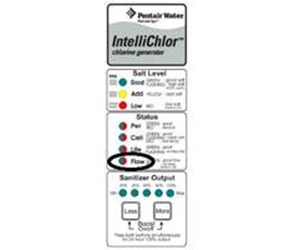
Understanding the red flow light is easier if you know what the other indicator lights mean.
| Light Color | Meaning | What to Do |
|---|---|---|
| Green (Good) | Everything normal | No action needed |
| Red (Flow) | Insufficient water flow | Check pump, filter, and flow switch |
| Yellow (Salt Low) | Salt level below range | Add pool salt |
| Red (Salt) | Salt level too low | Test and add salt urgently |
| Red (Cell) | Cell needs cleaning or is bad | Clean or replace cell |
Credit: www.reddit.com
When To Call A Professional
Most red flow light issues can be solved by pool owners. But certain problems need a professional’s touch.
- Electrical troubleshooting: If you suspect wiring or control box issues.
- Plumbing repairs: Hidden leaks or obstructions inside underground pipes.
- Repeated flow switch failures: If new sensors keep failing, the system may need a deeper inspection.
Real-world example: A pool owner replaced three flow switches in one season before discovering a tiny air leak in the pump lid O-ring was causing the problem. Professionals have tools to spot these hard-to-find issues.
Cost Of Repairs And Replacement Parts
How much does it cost to fix a red flow light problem? Here’s a rough guide to common repairs:
| Item/Service | Typical Cost (USD) | Notes |
|---|---|---|
| Flow switch | $40–$80 | DIY replacement possible |
| Salt cell cleaning | $0–$50 | DIY with muriatic acid or professional service |
| Filter cleaning | $0–$100 | Cartridge or DE filter service |
| Pump repair | $100–$500 | Depends on part replaced |
| Professional diagnosis | $80–$150 | Service call fee |
Tip: Always compare the price of a repair to the cost of a new part. If your salt cell or flow switch is more than five years old, replacement is often more reliable than repair.
Credit: www.inyopools.com
Real-life Scenarios: Persistent Red Flow Light Problems
Some pool owners deal with a red flow light that won’t go away, even after cleaning and replacing parts. Here are two real-world scenarios and what finally solved them.
Scenario 1: Variable Speed Pump Set Too Low
A homeowner had a new variable speed pump installed to save energy. Shortly after, the red flow light appeared. All filters and pipes were clean.
Solution: The pump was set to run at 1200 RPM, but the Intellichlor needed at least 2200 RPM for proper flow. Increasing the speed fixed the problem.
Non-obvious insight: Every salt system has a minimum flow rate. Saving energy is good, but too low speed will trigger alerts.
Scenario 2: Scale Buildup Inside The Cell
Another pool owner cleaned the filter and replaced the flow switch, but the light stayed on. On close inspection, the salt cell had heavy white scale inside, blocking water.
Solution: Soaking the cell in a diluted acid solution (per manufacturer instructions) removed the scale. The red light turned off.
Pro tip: Hard water can cause rapid scale buildup. Use a scale inhibitor if you have high calcium levels.
Practical Tips For Long-term Intellichlor Health
A well-maintained Pentair Intellichlor system can last many years. Here’s how to keep your system running smoothly and avoid the red flow light headache:
- Monthly filter cleaning: Don’t wait until there’s a problem.
- Inspect cell every 2-3 months: Look for scale or debris.
- Run pump at manufacturer’s recommended speed: Especially with variable speed models.
- Monitor water chemistry weekly: Keep salt, pH, and calcium in range.
- Replace flow switch every 3–5 years: Even if it seems fine.
- Check for leaks after any repair: Small air leaks cause big problems.
- Read your manual: Each pool system has unique features and requirements.
Alternative Salt Systems And Flow Sensors
If you find repeated problems with your Intellichlor, or want to compare it with other brands, consider these points:
- Hayward AquaRite: Similar flow sensor setup, but some models have more robust flow detection.
- Jandy TruClear: Uses a different style of flow switch that’s less prone to debris.
- Aftermarket flow switches: Generic flow switches are available but may not last as long as OEM parts.
Always check compatibility before mixing brands.
For more on salt chlorinator systems, visit the Wikipedia article on salt water chlorination.
Frequently Asked Questions
What Should I Do First When The Pentair Intellichlor Red Flow Light Turns On?
Start by checking your pool filter and pump. Clean the filter if it’s dirty and make sure the pump is running at the correct speed. Open all valves fully and check for debris in the salt cell. These steps solve most issues.
How Can I Tell If The Flow Switch Is Bad Or Just Dirty?
A dirty flow switch may work sometimes, or the problem might come and go. If the red flow light stays on even when water is clearly moving, the switch could be faulty. Remove and inspect it for debris or corrosion.
Replace it if cleaning doesn’t help.
Does The Red Flow Light Mean My Pool Is Unsafe To Swim In?
Not right away, but if the light stays on, your system isn’t making chlorine. Over time, pool water can become unsafe. Test your water and add chlorine manually until the problem is fixed.
How Often Should I Clean The Salt Cell To Prevent Flow Problems?
Check and clean your salt cell every two to three months, or more often if you have hard water. Heavy scale or debris can quickly reduce flow and trigger the red light.
Can I Run My Pump Slower To Save Energy If I Have A Pentair Intellichlor?
Yes, but only as slow as the system allows. Check your manual for the minimum flow rate (usually around 20–25 gallons per minute). Running the pump too slow will cause the red flow light and stop chlorine production.
If you follow these guidelines and keep an eye on your pool’s circulation, the Pentair Intellichlor Red Flow Light should rarely cause trouble. Taking a few simple steps now will save you time, money, and frustration all season long.

Credit: www.youtube.com