
If you own a saltwater pool, you already know the joy of softer water and easier maintenance. The heart of this system is your salt cell, and for many, that means a Blue Works Salt Cell. But what happens when your salt cell starts acting up? Troubleshooting can feel confusing, especially for beginners. This guide will take you through every step of Blue Works Salt Cell troubleshooting—from recognizing signs of trouble to fixing common issues. You’ll learn how to avoid mistakes, spot hidden problems, and keep your pool water sparkling clean.
Understanding Blue Works Salt Cells
Before you dive into troubleshooting, it helps to know how your salt cell works. A Blue Works Salt Cell is part of a salt chlorinator system. It uses electricity to turn salt in your pool into chlorine. This keeps the water clean and safe.
Most Blue Works salt cells are known for their durability. They can last 3–5 years, sometimes longer. But even the best cells run into issues over time. Problems can come from poor water balance, power supply problems, or simply old age.
Key Features Of Blue Works Salt Cells
- Self-cleaning: Many models reverse polarity to remove scale. This means the cell changes the electrical direction to break off mineral buildup, so you clean less often.
- Easy installation: Fits most pool plumbing. You don’t need special tools or experience—most owners can swap a cell in under 30 minutes.
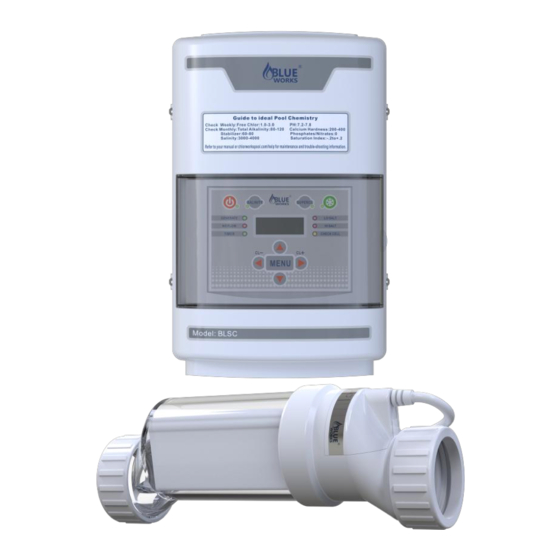
- Clear housing: Lets you see inside for inspection. You can spot scale, dirt, or bubbles without taking the cell apart, making regular checks simple.
- LED indicators: Show cell activity and faults. These lights are your first clue if something goes wrong. For example, a steady green may mean all is well, but a flashing red might mean a problem.
Knowing these features helps you understand what can go wrong and why. For example, if your cell doesn’t have self-cleaning, you’ll need to clean it more often. If the LED lights aren’t working, you might have a power or board problem, not just a cell issue.
Signs Your Blue Works Salt Cell Needs Troubleshooting
Spotting problems early saves you time and money. Here are the most common signs:
- Low chlorine: Pool tests show little or no chlorine, even if the system is running. The water may smell or feel different, or algae can start growing quickly.
- Warning lights: The control box shows red or blinking lights. The manual will explain what each color or pattern means.
- Error messages: Display says “Check Salt”, “No Flow”, or “Cell Fault”. Each message points to a specific area to check.
- Visible scale: White deposits build up inside the cell. This mineral crust blocks the cell’s ability to generate chlorine.
- Cloudy water: Pool water loses clarity. This can happen quickly if chlorine drops too low.
- Strange noises: Buzzing or clicking from the cell or control box. These noises can signal electrical or mechanical problems.
- Quick drop in salt levels: Salt disappears faster than usual. This can mean a leak or an equipment issue.
Some of these signs seem obvious, but others—like noises or cloudy water—are often missed by beginners. For example, a slight buzzing might be normal, but a sudden loud click could mean a relay or board failure. Always check your pool equipment if you notice anything unusual.
One non-obvious sign: If your pool starts to feel slippery or you smell a strong “chlorine” odor, it can actually mean you have low chlorine and rising contaminants. Don’t trust your nose alone—test often.
Step-by-step Troubleshooting For Blue Works Salt Cells
Troubleshooting should be methodical. Start with simple checks and move to more detailed tests. Here’s how to approach it:
1. Check Power And Connections
First, make sure the salt cell is getting power.
- Inspect the power cord for damage. Look for frayed wires, burn marks, or melted insulation. These are signs of overheating or electrical shorts.
- Confirm the control box is plugged in and turned on. Sometimes the plug gets loose from vibrations or cleaning.
- Check for tripped circuit breakers or blown fuses. This is common after storms or surges.
- Look for loose or corroded connectors. Wiggle each connection gently—if anything moves, reseat it and tighten.
If the cell is not powered, it cannot produce chlorine. Sometimes, simply re-seating a connector fixes the problem. Even if your control box lights up, a loose wire inside can stop the cell from working.
A hidden issue: Power outlets near pools can get water inside, causing a GFCI breaker to trip. Always use outdoor-rated outlets and covers.
2. Inspect The Salt Cell
Turn off the system and remove the salt cell.
- Look for scale buildup (white deposits). Scale is often heaviest near the edges of the plates.
- Check the cell for cracks or leaks. Even small cracks can let water into the electronics or cause water to leak out, lowering salt levels.
- Examine internal plates for corrosion. Rust or black spots mean the cell is wearing out.
Clean the cell if you see scale. If you notice damage, you may need a replacement. Sometimes, a cell looks fine but isn’t working—don’t skip further steps if problems remain.
One easy trick: Hold the cell up to sunlight. You’ll see deposits or damage that’s hard to spot indoors.
3. Test Water Chemistry
Pool chemistry affects salt cell performance. Use a reliable test kit to check:
- Salt level: Should match your system’s recommended range (usually 2700–3500 ppm). Too low, and the cell won’t make enough chlorine. Too high can damage the cell.
- PH: Ideal is 7.2–7.6. High pH can reduce chlorine’s power and cause scale.
- Calcium hardness: Should be 200–400 ppm. High calcium means more scale, low means water can be corrosive.
- Cyanuric acid: 30–50 ppm for outdoor pools. This protects chlorine from sunlight, but too much can “lock” chlorine and make it less effective.
- Total alkalinity: 80–120 ppm. This keeps pH stable.
Incorrect levels can cause errors or reduce chlorine output. Adjust as needed. Test kits with digital readers are best for salt, but always double-check with strips if you get odd results.
Many beginners forget that after heavy rain, the salt and chemical levels can drop quickly—even overnight. Always retest after storms.
4. Examine Flow Rate
Salt cells need good water flow.
- Make sure the pool pump is working. Listen for unusual noises or vibrations. Sometimes pumps lose prime (water) and run dry.
- Check for blocked filters or pipes. A dirty filter or a closed valve can stop water flow.
- Inspect flow sensors for debris. Even small bits of leaves, hair, or bugs can block the sensor.
Low flow triggers “No Flow” or “Low Flow” errors. Clean or replace filters as needed. Don’t forget to check the pump basket—many people clean the filter but miss this step.
An advanced check: Some systems have a bypass valve. If it’s open, water skips the cell, causing low flow errors.
5. Review Error Codes And Indicators
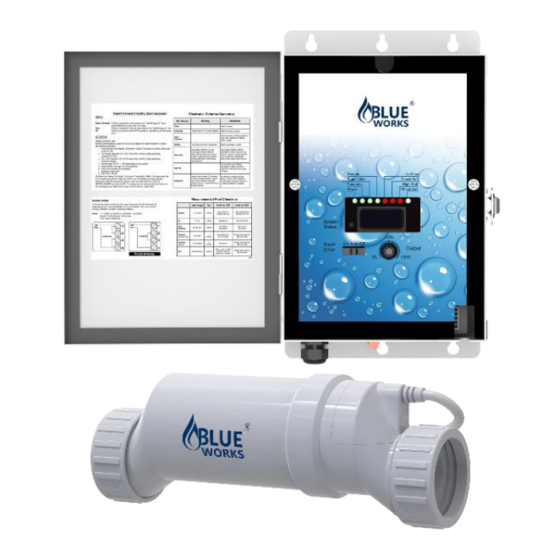
Blue Works control boxes use LEDs and screens to show errors. Here’s a quick guide:
| Error Code | Meaning | Possible Solution |
|---|---|---|
| Check Salt | Salt level too low or too high | Add or dilute salt |
| No Flow | Insufficient water flow | Clean filter, check pump |
| Cell Fault | Cell not working | Inspect cell, clean or replace |
| High Voltage | Electrical problem | Check connections, consult technician |
| Low Chlorine | Not producing enough chlorine | Check salt, clean cell, adjust settings |
Reading and understanding these codes is key. Many beginners ignore them, but they are your best clue. Write down error codes as they appear—they can help a technician diagnose the issue faster.
A hidden insight: Some error codes only clear after a reset. Even after you fix the cause, the system may need to be turned off and back on.
6. Clean The Salt Cell
Most problems come from scale buildup. Clean your cell every 3–6 months.
How to clean:
- Turn off power and remove the cell.
- Rinse with hose to remove loose debris. Don’t use high pressure—it can crack the housing.
- Soak in a solution of 1 part muriatic acid to 4 parts water (never add water to acid). Use a plastic bucket in a well-ventilated area.
- Let soak for 10–20 minutes. If bubbles stop rising, cleaning is done.
- Rinse thoroughly and reinstall.
Tips: Always wear gloves and eye protection. Never use metal brushes—they can damage the cell. After cleaning, check the O-rings and lubricate if needed. A dry O-ring can cause leaks.
Don’t over-clean. If your cell needs acid cleaning every month, check your water for high calcium or pH problems. Too much acid eats away at the cell’s metal plates.
7. Reset The System
Sometimes, errors are just software glitches.
- Turn off the control box.
- Wait 30 seconds.
- Turn it back on.
This simple reset fixes many issues, especially after cleaning or adjusting water chemistry. If the reset doesn’t work, repeat after making sure all connectors are tight and the cell is clean.
A non-obvious trick: If your system has a “super chlorinate” or “boost” button, use it for a few hours after a reset to help the cell “catch up.”
Advanced Troubleshooting Techniques
If simple checks don’t fix the problem, try these advanced steps.
Checking Cell Output With A Test Kit
Salt cells can fail even if they look fine. Test actual chlorine output.
- Take a water sample from the cell’s output side. This is usually right after the cell, before the water returns to the pool.
- Use a DPD test kit to measure free chlorine. DPD kits are more reliable than strips.
- Compare to pool water—output should be higher.
If output is low, the cell may be dying. If it’s zero, check power and connections again.
Some experienced owners use “chlorine production mode” to force the cell on, then test output. Be careful—don’t run the cell dry or without water flow.
Measuring Voltage And Amperage
For those comfortable with electronics:
- Use a multimeter to check voltage across cell terminals. Remove the cover (power off first), then check as the system runs.
- Normal voltage is 20–30V, amperage is 4–6A. Check your model’s manual for exact specs.
- Low readings mean power supply or cell failure.
If you don’t feel confident, ask a pool technician for help. Electrical checks can be dangerous if done wrong.
A hidden issue: Sometimes the control box shows “normal” but the actual output is low. Measuring with a meter finds problems the control box can’t see.
Inspecting The Control Board
The control board manages cell operation. Look for:
- Burned components. Even a tiny black spot can mean a failed part.
- Loose wires. Vibration can shake connectors loose over time.
- Moisture or corrosion. Boards should stay dry—any sign of water means a leak.
Repair or replace as needed. Boards are sensitive, so handle carefully. If you find green or white powder on the board, that’s corrosion and must be cleaned or replaced.
A less obvious problem: Insects sometimes nest in control boxes, causing shorts or corrosion.
Comparing Blue Works Models
Not all Blue Works cells are the same. Here’s a quick comparison:
| Model | Chlorine Output | Self-Cleaning | Installation |
|---|---|---|---|
| BLH30 | 1.5 lbs/day | Yes | Easy |
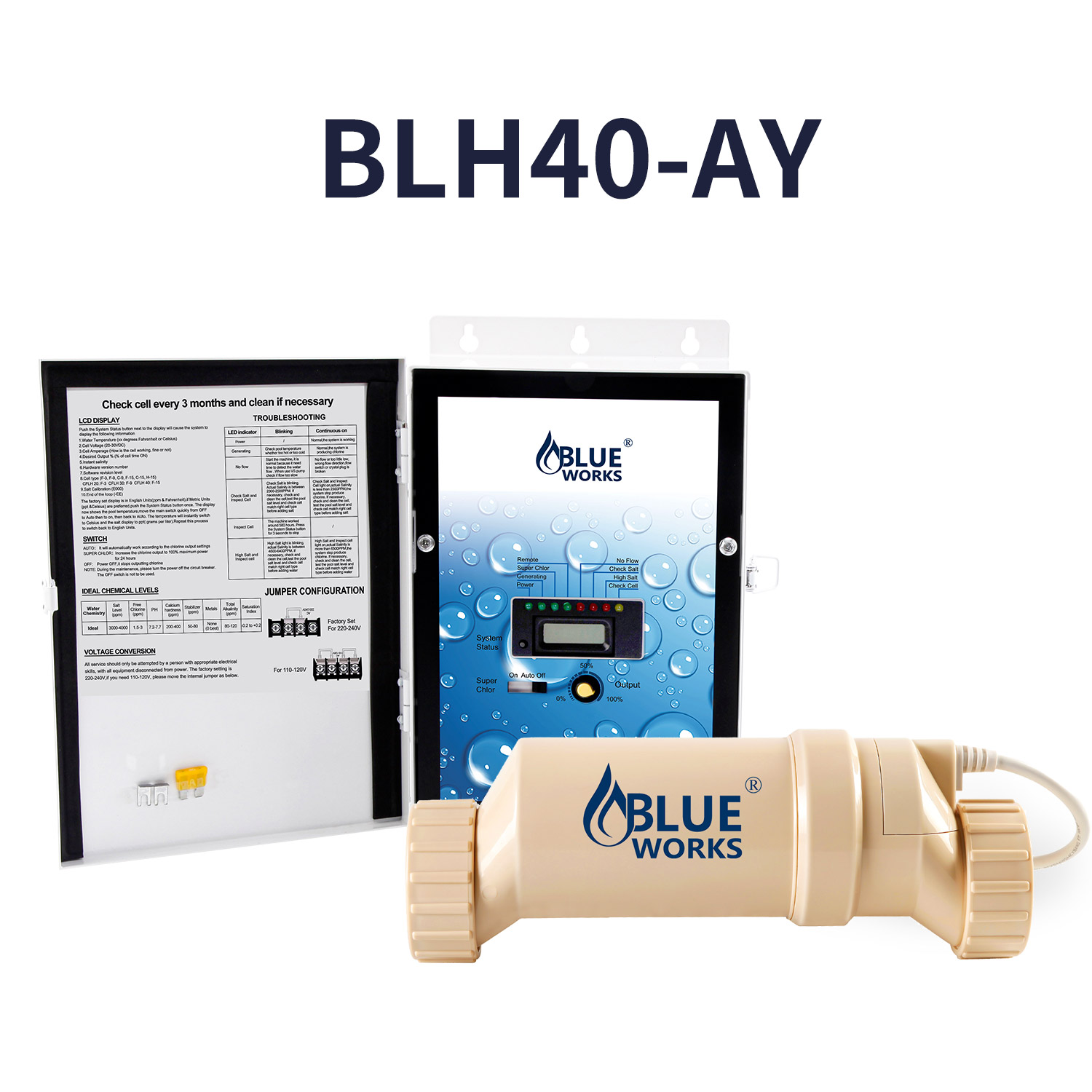
| BLH40 | 2.0 lbs/day | Yes | Easy |
| BLH20 | 1.0 lbs/day | No | Moderate |
| BLH60 | 2.5 lbs/day | Yes | Easy |
Knowing your model helps with troubleshooting. For example, older non-self-cleaning models need manual scale removal more often. If your pool is large, using a low-output cell means you’ll have ongoing low chlorine problems.
If you’ve upgraded your pump or filter, make sure your cell is still the right size for your pool’s needs.
Credit: www.manualslib.com
Common Mistakes In Salt Cell Troubleshooting
Even experienced pool owners make mistakes. Here are some to avoid:
- Ignoring water chemistry: Poor balance ruins cells. Regularly test and adjust all parameters, not just salt.
- Using metal tools: Damages cell plates. Even a small scratch can speed up corrosion.
- Over-cleaning with acid: Shortens cell life. Only clean when you see visible scale or errors.
- Skipping flow sensor checks: Low flow causes errors. A dirty or broken sensor can stop the system even if the cell is fine.
- Replacing the cell too soon: Sometimes the control board is the issue. Test the board or call a technician before buying a new cell.
- Not reading the manual: Each model has unique steps. Some require a special cleaning cap or have a hidden reset button.
A less obvious mistake is failing to check the power supply. Sometimes, a simple fuse change saves you from buying a new cell. And don’t forget to label wires and hoses before removing the cell—reversing them can cause new problems.
When To Replace Your Blue Works Salt Cell
Salt cells don’t last forever. Here’s how to decide if replacement is needed:
- Age: Most cells last 3–5 years. If yours is older, replacement is likely.
- Visible damage: Cracked housing or corroded plates. These can’t be fixed.
- Repeated errors: Errors keep coming back after cleaning and resetting. This means the cell is near the end of its life.
- No chlorine output: Pool stays low on chlorine even with correct salt and water balance.
Before replacing, check warranty coverage. Blue Works offers solid warranties, but you must register your product. Save your proof of purchase—many owners forget and lose coverage.
Comparing Replacement Costs
Here’s a quick look at costs for new Blue Works salt cells versus other brands:
| Brand | Price Range | Warranty |
|---|---|---|
| Blue Works | $250–$600 | 2–3 years |
| Hayward | $400–$700 | 3 years |
| Pentair | $500–$900 | 2 years |
| CircuPool | $350–$700 | 4 years |
Blue Works offers good value and warranty, but always compare with other brands before buying. Sometimes, a cell from a different brand fits your system and has a longer warranty—check compatibility before purchasing.
When comparing, also consider shipping costs, local support, and ease of warranty claims.
Credit: www.manualslib.com
How To Prevent Salt Cell Problems
Prevention is better than cure. Here’s how to keep your Blue Works salt cell healthy:
- Regular cleaning: Every 3–6 months, or as needed. Mark it on your calendar.
- Balanced water chemistry: Test weekly and adjust. Make it part of your routine, not just when problems appear.
- Monitor salt levels: Add salt as required. Top up after heavy rain or backwashing.
- Keep pool filters clean: Ensures good flow. Clean or replace cartridges and backwash sand filters regularly.
- Check for leaks: Fix plumbing issues quickly. Even a small leak can lower salt and water levels.
- Protect electronics: Keep control box dry and shaded. Sun and rain shorten board life.
A less obvious tip: Always run the pool pump long enough each day. Most salt cells need 8–12 hours of operation for good chlorine output. If you cut pump time to save electricity, you may end up with algae and extra cleaning costs.
Also, if you add chemicals like algaecide or clarifiers, check if they’re compatible with salt systems. Some can cause foam or scale.
Real-world Examples And Data
Let’s look at practical cases.
Case 1: Low Chlorine Output
A pool owner noticed low chlorine, even after adding salt. Testing showed salt at 3400 ppm (ideal), but pH was 8. 2 (too high). After lowering pH to 7. 4, chlorine production returned to normal.
Insight: High pH can stop chlorine from working, even with the right salt. Many owners forget that pH affects chlorine’s power.
Case 2: “no Flow” Error
Another owner kept seeing “No Flow” errors. Cleaning the filter didn’t help. Closer inspection found a small pebble stuck in the flow sensor. Removing it fixed the issue.
Insight: Sometimes, debris in sensors—not just filters—causes flow problems. Check all parts of the system, not only the obvious ones.
Case 3: Repeated “check Salt” Errors
A pool owner got “Check Salt” warnings, even though the salt was fine. Turns out, the cell was dirty. After an acid clean, the error disappeared.
Insight: Scale buildup can make the system misread salt levels. Regular visual checks catch this early.
Case 4: Mysterious Power Loss
A user reported that the salt cell stopped working after a thunderstorm. The control box looked fine, but a technician found a tripped GFCI outlet. Resetting it restored power.
Insight: External electrical problems like tripped breakers or surges can mimic cell failure. Always check your power source before replacing parts.
Credit: www.blueworkspool.com
Practical Tips For Beginners
If you’re new to saltwater pools, keep these tips in mind:
- Start simple: Always check power, water chemistry, and flow first. Most problems have simple causes.
- Use a logbook: Track maintenance and errors. This helps spot patterns and reminds you when to clean.
- Don’t rush: Take time with cleaning and testing. Rushing can lead to mistakes or missed steps.
- Ask for help: Pool technicians can spot problems you miss. Sometimes a second set of eyes saves money.
One non-obvious tip: Check your cell after storms or power surges. Electrical spikes can damage the control board or cell. Use a surge protector if possible.
Another tip: If you have hard water, consider a pre-filter for your fill water. This can reduce scale and cleaning needs.
The Importance Of Accurate Testing
Testing is key to troubleshooting. Use quality test kits—cheap strips can give false readings. Digital testers are more accurate but cost more.
Test salt, pH, and chlorine weekly. If your results seem odd, retest or try a different kit. Accurate testing prevents unnecessary cell replacements.
A practical insight: Store test chemicals properly—heat and sunlight can ruin them and give bad readings. Replace test kits every year for best results.
Where To Find Help And Resources
If you get stuck, look up the Blue Works official support page or join pool owner forums. Many pool stores offer free water testing and advice.
You can also learn more about how salt chlorinators work and their history at Wikipedia’s Chlorinator page.
Don’t hesitate to call a local technician if you feel overwhelmed—sometimes a quick professional visit saves hours of frustration.
Frequently Asked Questions
What Does “check Salt” Mean On My Blue Works Salt Cell?
“Check Salt” means your pool’s salt level is either too low or too high for the cell to work properly. Use a test kit to measure salt. Adjust by adding more salt, or dilute by draining and refilling part of the pool if the level is too high.
Always check after cleaning the cell, as buildup can cause false readings.
How Often Should I Clean My Blue Works Salt Cell?
Clean your cell every 3–6 months, or whenever you see scale buildup. If your pool has high calcium hardness, clean more often. Always follow the manufacturer’s instructions and use the correct acid mix. Over-cleaning can wear out the cell faster.
Why Does My Blue Works Salt Cell Keep Showing “no Flow”?
“No Flow” means water is not moving through the cell properly. Check if your pump is running, clean filters, and inspect the flow sensor for debris. Sometimes, air in the pipes can also cause this error. Make sure all connections are tight and leak-free.
Can I Use Blue Works Salt Cells With Any Salt Chlorinator System?
Blue Works cells are compatible with many systems, but not all. Check your control box model and the cell’s connector type. Using the wrong cell can cause errors or damage. Always consult your manual or ask a pool technician before switching.
How Long Do Blue Works Salt Cells Usually Last?
Most Blue Works salt cells last between 3–5 years, depending on usage and maintenance. Regular cleaning and balanced pool chemistry help extend their life. When output drops or errors keep returning, it may be time to replace the cell.
Keeping your Blue Works Salt Cell working smoothly makes pool ownership easier and more enjoyable. With careful troubleshooting and regular maintenance, you can avoid costly repairs and enjoy clear, healthy water all season. Remember, patience and proper testing are your best tools. If in doubt, seek help from a professional or trusted resources.