
Many people use a Toshiba microwave every day, but not everyone knows how to get the best results from it. One of the most important features is the power level control. This simple setting can make your food taste better, cook more evenly, and even prevent messy spills. If you have ever ended up with rubbery leftovers or cold spots in your meal, you might not be using the right power level.
Adjusting the power level on your Toshiba microwave is not difficult, but there are a few steps and tips that help you do it correctly. This guide will show you exactly how to change the power level, explain why it matters, and help you avoid common mistakes.
You will also learn how to use the different settings for different foods, so you can cook, defrost, and reheat like a pro. Whether you are a beginner or just want to get more from your microwave, you will find everything you need here.
Understanding Microwave Power Levels
Before you change the settings, it helps to know what power level means. In a microwave, power level does not mean the temperature. Instead, it controls how much energy the microwave sends to your food. The default power level is usually 100% (sometimes called level 10). This means the microwave is always on, using full power during cooking time.
If you set a lower power level, the microwave cycles on and off. For example, at 50% power, it works for half the time and rests for the other half. This is important because some foods need gentle cooking, or they can dry out, overheat, or explode.
Toshiba microwaves usually offer power levels from 1 (10%) to 10 (100%). Each level is good for different tasks. For example, defrosting is best at a low power, while reheating soup might use medium or high power.
Why Adjusting Power Level Matters
Many people use only the default setting, but that is not always the best choice. Here are some reasons to adjust the power level on your Toshiba microwave:
- Better texture and taste: Foods like eggs, fish, or leftovers can become rubbery at high power. Lowering the power helps them cook gently.
- Even heating: Lower power levels give food more time to heat evenly, so you avoid hot and cold spots.
- Safer defrosting: Using low power prevents the outside from cooking while the inside is still frozen.
- Preventing splatter: Foods with lots of water, like sauces, can boil over or explode at high power.
- Cooking tricky foods: Chocolate, butter, and cheese melt best at low power, so they do not burn.
Credit: www.youtube.com
Getting To Know Your Toshiba Microwave Controls
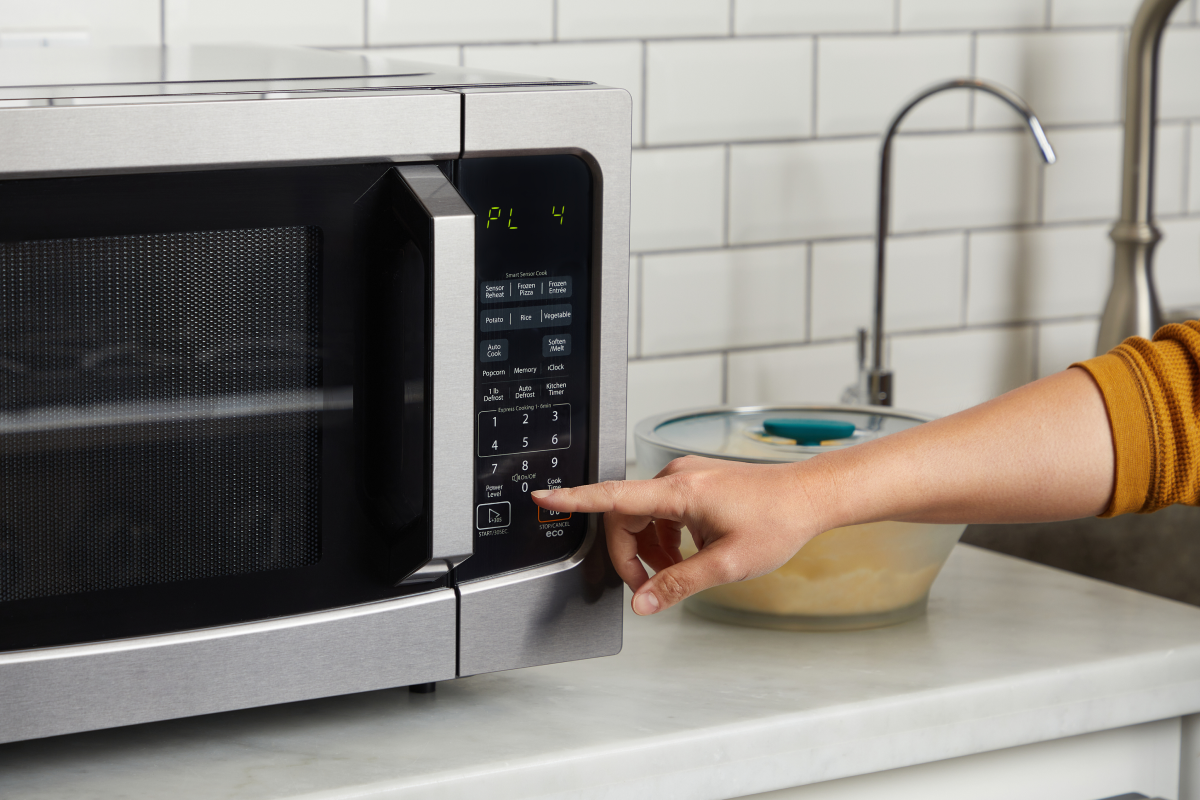
Not all Toshiba microwaves look the same, but most have similar control panels. You will usually find these buttons:
- Power Level or Power
- Number Pad (0-9)
- Start
- Stop/Cancel
- Time Cook or Cook Time
- Express Cook or Quick Start
Some newer models have a touch screen or dial, but the steps are similar. If you are not sure, check your user manual for the exact button names and layout.
Common Control Panel Layouts
Here is a quick overview of what you might see:
| Model Series | Power Level Button | Number Pad | Other Features |
|---|---|---|---|
| EM925A5A | Yes | Yes | Defrost, Express Cook |
| ML-EM34P(SS) | Yes | Yes | Smart Sensor, Eco Mode |
| EC042A5C-SS | Yes | Yes | Convection, Grill |
If your model has a dial instead of buttons, you turn the dial to set the power level.
Step-by-step Guide: Changing Power Level On Toshiba Microwave
Changing the power level is simple, but it is easy to miss a step if you are new to the process. Here’s how to do it for most Toshiba microwaves:
- Open the microwave door and place your food inside. Close the door firmly.
- Press the Time Cook or Cook Time button. This tells the microwave you want to set a custom time.
- Enter your desired cooking time using the number pad. For example, 2 minutes and 30 seconds would be 2-3-0.
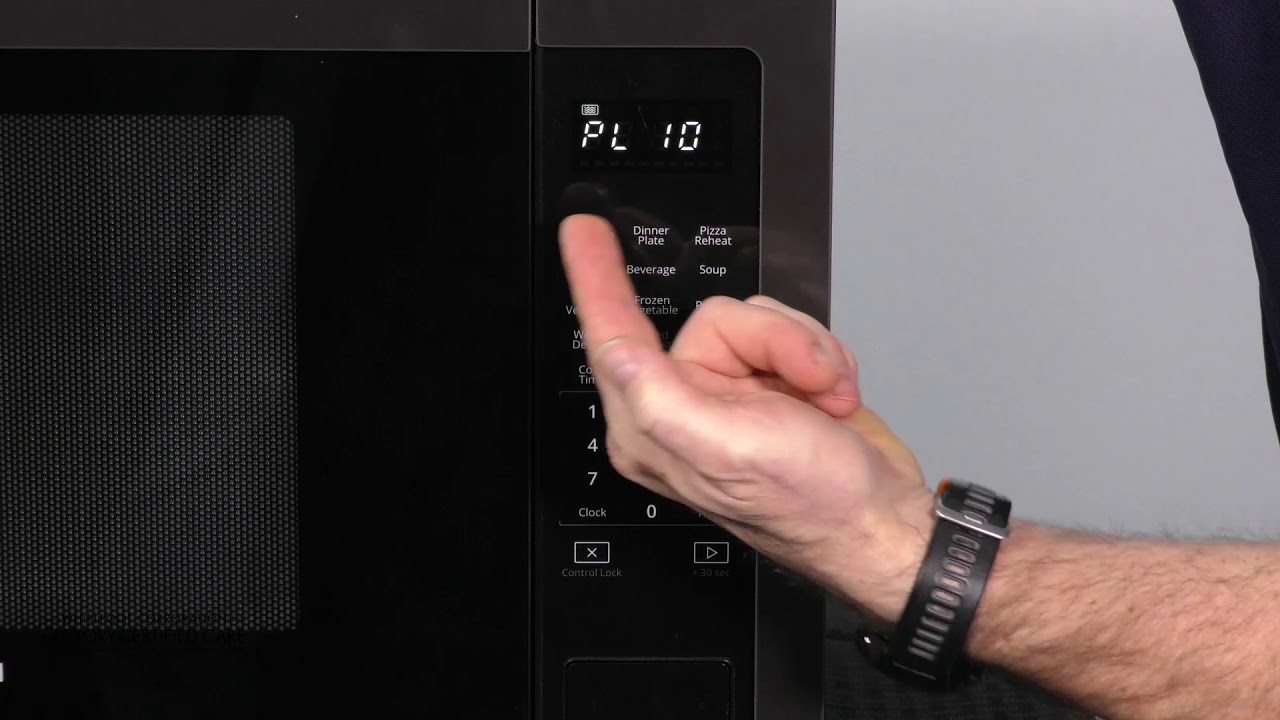
- Press the Power Level button (sometimes called “Power”). The display will show “PL10” or “100” (this means full power).
- Enter the power level you want (1-10 or 10%-100%). For example, press 5 for 50% power.
- Press Start to begin cooking.
If you skip step 4, the microwave will use full power by default.
Example: Set Power Level To 70%
Let’s say you want to cook for 3 minutes at 70% power. Here is how you do it:
- Press Time Cook.
- Enter 3-0-0.
- Press Power Level.
- Enter 7.
- Press Start.
Your food will cook for 3 minutes at 70% power.
Using Express Cook Or Quick Start
The Express Cook or Quick Start button usually starts the microwave at full power for 30 seconds or 1 minute. You cannot change the power level for these quick buttons. For lower power, use the Time Cook method.
For Microwaves With A Dial
Some Toshiba models use a dial instead of buttons. You usually:
- Turn the dial to set the cooking time.
- Press the Power Level button.
- Turn the dial to choose the power level.
- Press Start.
Always check your manual if you are not sure.
Credit: cookanyday.com
Power Level Chart: What Each Setting Means
Different foods need different power levels. Here is a simple chart you can use:
| Power Level | Percentage | Best For | Example Foods |
|---|---|---|---|
| 10 | 100% | Boiling, heating water, cooking dense foods | Potatoes, rice, soup |
| 7-9 | 70-90% | Reheating, cooking leftovers | Pasta, casseroles |
| 5-6 | 50-60% | Gentle cooking, baking, slow reheating | Eggs, baked goods |
| 3-4 | 30-40% | Defrosting, softening | Meat, butter, bread |
| 1-2 | 10-20% | Melting, warming | Chocolate, cheese |
Power Level To Percentage Reference
- 10 = 100%
- 9 = 90%
- 8 = 80%
- 7 = 70%
- 6 = 60%
- 5 = 50%
- 4 = 40%
- 3 = 30%
- 2 = 20%
- 1 = 10%
When To Use Different Power Levels
Choosing the right power level can make a big difference. Here are some tips for common foods:
Reheating Leftovers
Most leftovers are best at 70%-80% power. This helps food heat evenly and stay moist. For example, pizza will not become tough, and rice will not dry out.
Defrosting
Always use 30%-40% power for defrosting meat, fish, or bread. High power can cook the outside before the inside is thawed.
Melting Butter Or Chocolate
Use 10%-20% power and short times. Stir often. This prevents burning and gives smooth, even melting.
Cooking Eggs
Eggs in a microwave need gentle heat. Use 50%-60% power and cook in short bursts, stirring if possible.
Heating Beverages
Drinks like coffee or tea can be heated at 80%-100% power, but watch carefully to avoid boiling over.
Common Mistakes To Avoid
It is easy to make mistakes when using your microwave, especially with power levels. Here are some things to watch for:
- Forgetting to set power level: The default is always full power. If you do not change it, delicate foods can overcook.
- Using high power for defrosting: This can give you cooked edges and a frozen center.
- Not covering food: Microwaves heat from the outside in. Covering food helps it cook evenly and keeps moisture.
- Not stirring or rotating: Even at lower power, some foods need stirring or turning halfway through.
- Cooking too long at low power: If you use a low power level, cooking takes longer. Check often to avoid overcooking.
How To Know If Your Food Needs A Different Power Level
Sometimes, it is not clear what power level you should use. Here are some signs to look for:
- Dry or rubbery food: Try a lower power next time.
- Uneven heating: Lower the power and increase cooking time.
- Food boils over: Use a lower power and cover your dish loosely.
- Frozen spots after defrosting: Use a lower power and pause to turn the food.
If you are not sure, start with a lower power. You can always add more time.
:max_bytes(150000):strip_icc()/Toshiba_Microwave_03-ea143bd0119e4066887178fef2a841ee.jpg)
Credit: www.thespruceeats.com
How To Use Preset Cooking Programs
Many Toshiba microwaves have preset buttons for things like popcorn, pizza, or vegetables. These programs use different power levels and times automatically. To use them:
- Place the food inside.
- Press the preset button (for example, “Popcorn”).
- The microwave sets the time and power level for you.
- Press Start.
You cannot usually change the power level for presets. But if the food is not cooked as you like, use the Time Cook and Power Level buttons to make your own settings.
Practical Examples For Everyday Cooking
Let’s look at some real-world examples:
Example 1: Reheating Pasta
- Put the pasta in a microwave-safe bowl.
- Add a splash of water and cover loosely.
- Press Time Cook, enter 2 minutes.
- Press Power Level, enter 8 (80%).
- Press Start.
Check and stir after 1 minute. Add more time if needed.
Example 2: Defrosting Chicken Breast
- Place chicken on a microwave-safe plate.
- Press Time Cook, enter 6 minutes.
- Press Power Level, enter 3 (30%).
- Press Start.
Turn the chicken halfway through. Check if thawed; add 1-2 minutes more if needed.
Example 3: Melting Chocolate
- Break chocolate into small pieces in a bowl.
- Press Time Cook, enter 1 minute.
- Press Power Level, enter 2 (20%).
- Press Start.
Stir every 20 seconds. Stop when melted.
Advanced Tips For Best Results
If you want to get even better results from your Toshiba microwave, try these advanced tips:
Use A Microwave-safe Cover
A microwave cover (or even a plate) traps steam and helps food cook evenly. It also prevents splatter. Do not use metal or foil.
Pause And Stir
For thick or dense foods, pause the microwave halfway through cooking. Stir or turn the food, then continue. This helps heat spread evenly, even at lower power.
Let Food Stand
Microwaved food continues to cook after the timer ends. Let it stand for 1-2 minutes before eating, especially with lower power levels.
Adjust For Altitude
If you live at a high altitude, food can cook differently. You may need to increase cooking time or use a higher power.
Keep The Microwave Clean
Spills can absorb energy and affect cooking. Wipe the inside regularly to keep your microwave working its best.
How To Reset Or Change Power Level Mid-cooking
Sometimes you realize you need a different power level after you start cooking. Here’s what you can do:
- Press Stop/Cancel to pause or stop cooking.
- Re-enter the cooking time and desired power level.
- Press Start again.
Some models allow you to change the power level during cooking by pressing the Power Level button and entering a new number. Check your manual for this feature.
Comparing Toshiba Microwave Power Levels With Other Brands
You might wonder if Toshiba’s power levels are different from other brands. Here’s a simple comparison:
| Brand | Power Level Range | Default Setting | Power Entry Method |
|---|---|---|---|
| Toshiba | 1-10 | 10 (100%) | Number Pad |
| Panasonic | 1-10 | 10 (100%) | Number Pad |
| LG | 1-10 | 10 (100%) | Number Pad/Dial |
| Sharp | 1-10 | 10 (100%) | Number Pad |
Most brands use a similar system. If you switch from another brand to Toshiba, you will not have to learn a new method.
What To Do If Power Level Button Does Not Work
Sometimes, the Power Level button does not respond. Try these steps:
- Unplug and restart: Unplug the microwave for 1 minute, then plug back in.
- Check the manual: Some models have a “child lock” feature. Hold the Stop/Cancel button for 3-5 seconds to unlock.
- Press buttons firmly: Sometimes, the control panel needs a firm press.
- Try a different sequence: Some older models require you to enter the cooking time first.
- Contact support: If none of these work, call Toshiba customer support for help.
Cleaning And Care For Better Power Level Performance
A clean microwave works better and lasts longer. Here’s how to keep your Toshiba microwave in top shape:
- Wipe spills and splatters after each use.
- Clean the turntable and under it weekly.
- Use a damp cloth for the control panel; do not use harsh cleaners.
- Make sure the door seals are clean for proper cooking.
A dirty microwave can absorb energy and make power levels less accurate.
Saving Your Favorite Power Level Settings
Some Toshiba microwaves let you save custom settings. If your model has a “Memory” or “Favorite” button:
- Enter your usual cooking time and power level.
- Press and hold the Memory or Favorite button until you hear a beep.
- Next time, press Memory and Start for one-touch cooking.
Check your manual for this feature.
Safety Tips When Using Lower Power Levels
- Use only microwave-safe containers.
- Do not use metal, foil, or dishes with gold/silver trim.
- Watch food carefully to prevent overcooking.
- Stir and check temperature before eating, as hot spots can occur.
When To Use Full Power Vs. Lower Power
Use full power (100%) for:
- Boiling water
- Cooking hard vegetables (like potatoes)
- Heating large amounts of liquid
Use lower power (10%-80%) for:
- Defrosting
- Reheating bread or baked goods
- Melting chocolate or butter
- Cooking eggs or fish
If in doubt, start at a lower power and add time.
How To Find Your Microwave’s Wattage
Power level settings depend on your microwave’s wattage. To check:
- Look inside the door or on the back for a sticker.
- Common Toshiba wattages: 900W, 1000W, 1100W, 1200W.
- Higher wattage cooks faster; adjust time if using recipes for a different wattage.
If your microwave is lower wattage, increase cooking time by 10-20%.
Adapting Recipes For Power Level Changes
Recipes are often written for 1000W microwaves at full power. If your Toshiba microwave is a different wattage, or you use a lower power level, adjust time like this:
- For 900W: Add about 10% more time.
- For 1100W+: Use less time, or lower the power.
- For lower power levels, multiply the cooking time:
- 50% power: Double the cooking time.
- 70% power: Increase time by about 40%.
Check food often to avoid overcooking.
Real-world Data: How Power Level Affects Cooking Time
Changing the power level changes how long food takes to cook. Here is an example:
| Food | Full Power (100%) | 70% Power | 50% Power |
|---|---|---|---|
| 1 cup oatmeal | 2 min | 2 min 50 sec | 4 min |
| 2 slices pizza | 1 min 10 sec | 1 min 40 sec | 2 min 10 sec |
| 1 chicken breast (defrost) | Not recommended | 6 min | 8 min |
As you can see, lower power means longer cooking time, but better results for many foods.
Where To Find More Help
If you need extra guidance, the Toshiba official website has manuals for all models. You can download your manual, watch videos, or contact support for help. For general microwave tips, check resources like Consumer Reports.
Frequently Asked Questions
How Do I Change The Power Level On My Toshiba Microwave?
Press the Time Cook button, enter your cooking time, press Power Level, enter the desired level (1-10), and press Start. If your model uses a dial, turn it to choose time and power level.
What Is The Best Power Level For Reheating Food?
Most leftovers reheat best at 70%-80% power. This prevents drying and heats food evenly.
Why Does My Microwave Only Cook On High Power?
The default is always high. If you do not set a lower power, it stays at 100%. Some quick start buttons cannot change power level.
How Do I Know What Power Level To Use For Defrosting?
Use 30%-40% power for most meats and breads. This thaws the food slowly without cooking the outside.
Can I Change Power Level During Cooking?
On most models, you must stop cooking and re-enter the time and power level. Some advanced models let you change power level during cooking by pressing the Power Level button.
Getting the most from your Toshiba microwave is all about understanding and using the power level control. With a little practice, you will cook, reheat, and defrost with better results than ever before. Enjoy your food, and never settle for soggy leftovers again!